Critical Components
Note
Required role: Company component manager.
A critical component in TrustSource CE is a component whose catalog data makes the license assessment of every scan using it unreliable: a version without licenses, a license without a key, or no repository URL. Fixing these entries improves the results of all projects that use the component.
Find components to fix
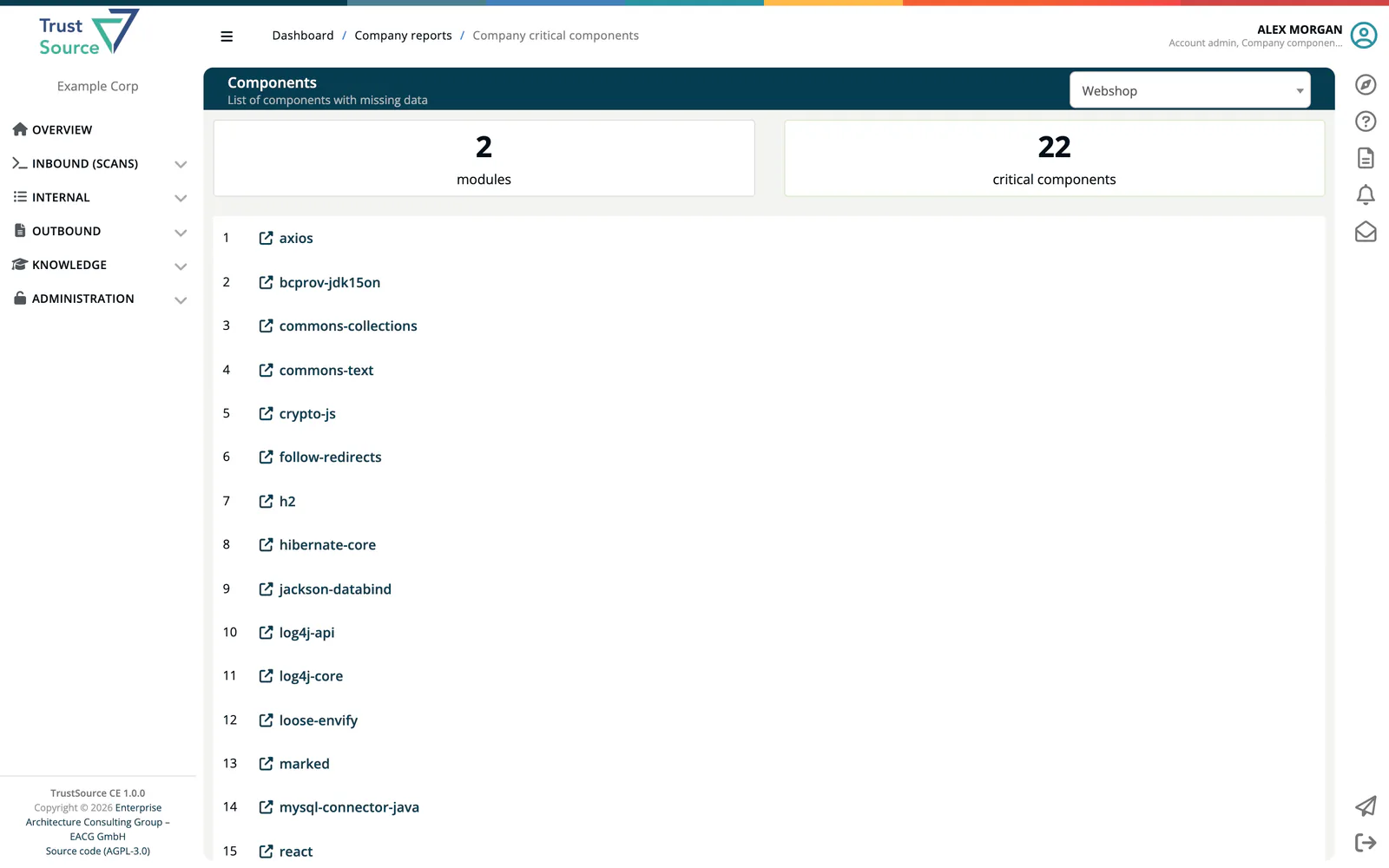
Open Knowledge → Component Lake and press Critical components, or open the Components tile under Internal → Reports. The report is titled Components (List of components with missing data).
- Select a project at the upper right.
- Read the counters modules and critical components.
- Each entry names a critical component used in the project's modules. Click it to open its edit page in a new tab.
Export as PDF downloads the list.
To look beyond one project, search the Component Lake directly; component pages mark incomplete license data with Key missing or Key and Name missing.
Fix a component
The edit page works like the edit page of an infrastructure component: set the Declared, Effective and Concluded licenses, the Repository (or Sponsoring organisation data) and the other information; changes are saved as soon as you leave a field. For the affected versions, select them and use Set to selected to assign license, license URL and copyright in one step. A version filter narrows long lists.
The edit page opened from the report shows the fields only. Opened with Edit from the component page in the Component Lake, it also has the tabs Info and Logs, and the header offers Soft-delete to mark a bad entry as removed and Revert-delete to restore it.
Licenses missing from the catalog can be added under Knowledge → Licenses.