Approval Detail Tabs
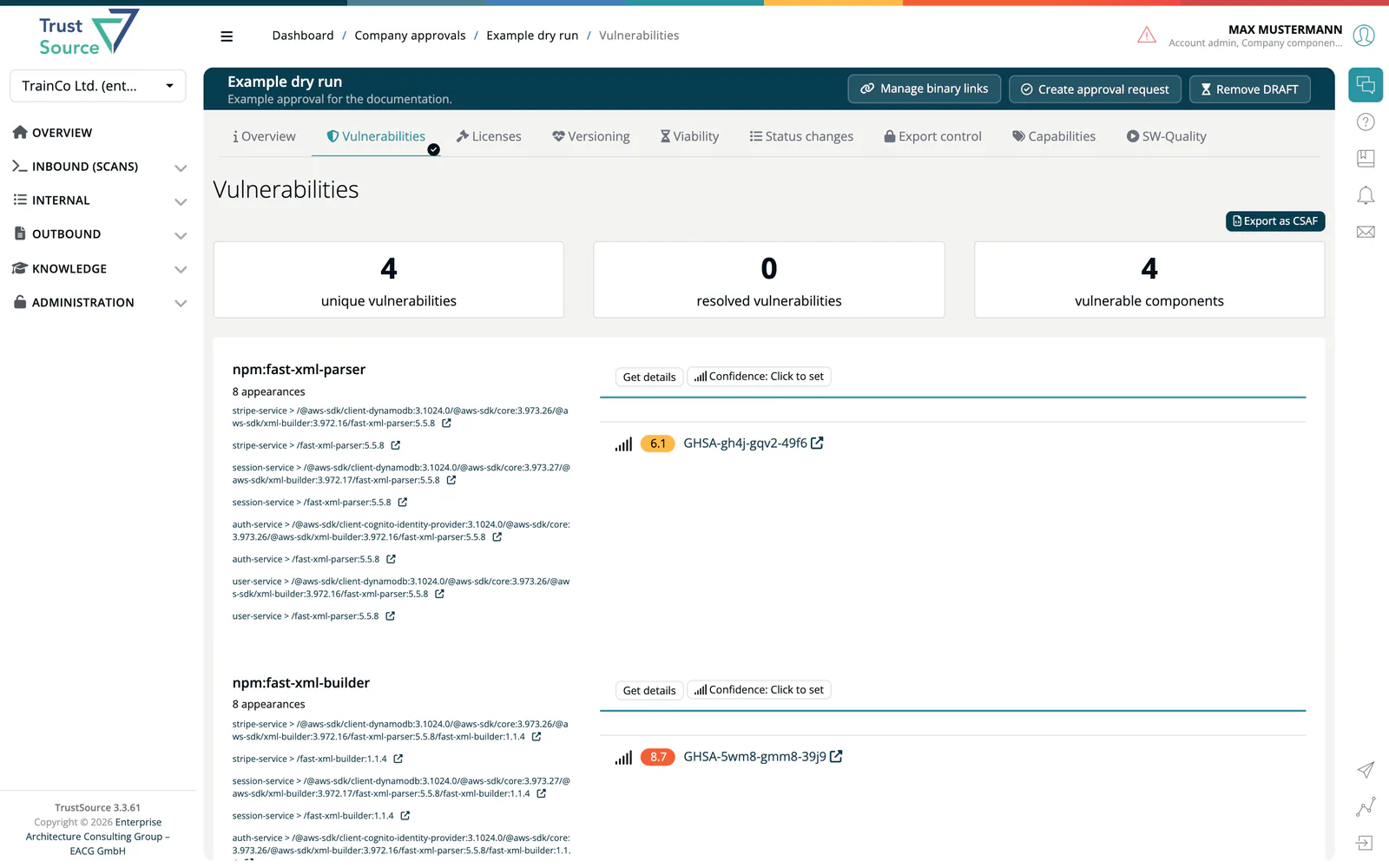
Each approval has an Overview tab plus seven review tabs, and an eighth, SW-Quality, with the sarif license. The compliance manager evaluates them before making a decision. The tabs show the reports generated when the request was created, for the modules and analyses pinned in it.
The header shows the approval name, its Packageurl and description, the Manage binary links button (see Binary Linking) and the decision buttons or the result (see Approve / Reject).
Overview
The counters show Modules, Component status changes, SW-Tests passed (with the sarif license), Vulnerabilities resolved, Legal actions taken, Components outdated, Notice file completed and either SOUP list completed (with SoUP reports) or Capabilities, followed by the table of modules in the approval.
Tabs
| # | Tab | What it shows |
|---|---|---|
| 1 | Vulnerabilities | Vulnerable components with their CVEs; counters for unique vulnerabilities, resolved vulnerabilities and vulnerable components. Export as CSAF downloads a CSAF/VEX document. |
| 2 | Licenses | Licenses grouped by violations, obligations and no further obligations, with the license distribution across the modules. |
| 3 | Versioning | Components with version problems, as in the Versioning report. |
| 4 | Viability | Project health of each component (as in the Viability report), with components without information. |
| 5 | Status changes | Modified components, with their appearances, the link to the list of changes and the modification notice; counters for modified appearances and undocumented changes. Same data as the Modification state report. |
| 6 | Export control | Crypto algorithms detected in the components (blacklisted ones marked B) and the applied regulations. |
| 7 | Capabilities | Software capabilities of the modules, with name, description and the version they were introduced at. |
| 8 | SW-Quality | SARIF quality results of the modules (only with the sarif license). |
Tip
Use Status changes to check that every modified component documents its changes: undocumented changes are counted at the top.
Related
- Approve / Reject: making the decision
- Requesting an Approval: how the approval was created