Module Settings
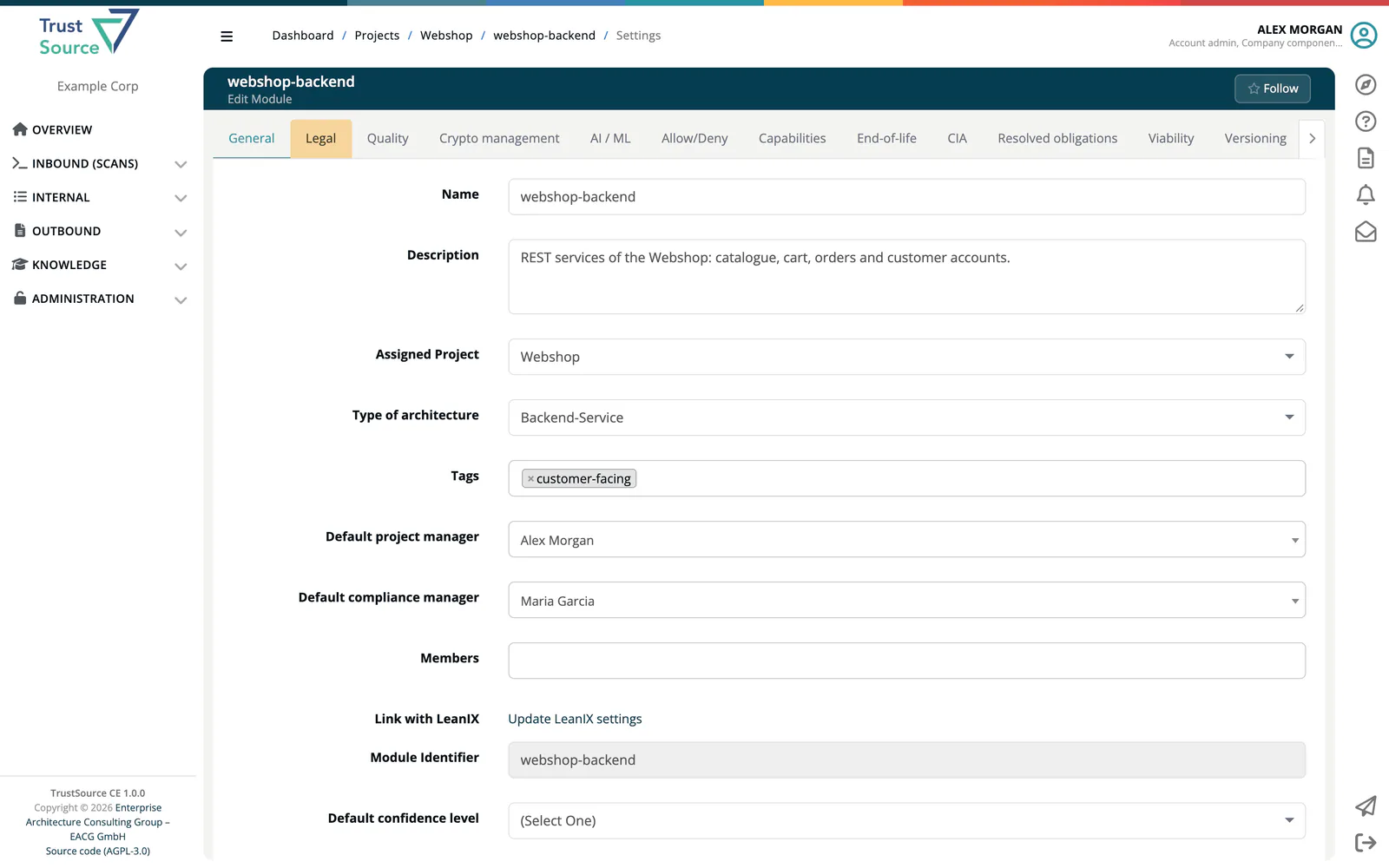
Open the module settings with Settings on the module page or on the module card. The page header shows the module name, the subtitle Edit Module and a Follow action. Many settings add to the project defaults; some inherit from the project when left empty.
The tabs appear in this order. A tab is shown only if your role may read it; infrastructure and COTS modules hide the tabs marked with *.
| Tab | What it configures |
|---|---|
| General | Name, description, project, architecture type, tags, managers, members, LeanIX link, confidence level, repository. |
| Legal | Trade secret protection, sub-licensing, distribution. |
| Quality * | Required test tools. |
| Crypto management * | Detected and managed crypto assets, CBOM export. |
| AI / ML * | Detected and managed AI artifacts, AIBOM export. |
| Allow/Deny * | Always allowed and always denied licenses and components. |
| Capabilities * | What the module can do for its users. |
| End-of-life | End-of-life analysis switch and thresholds. |
| CIA | Confidentiality, integrity and availability requirements. |
| Resolved obligations | Obligations already fulfilled in this module. |
| Viability | Viability analysis switch, thresholds and confidence. |
| Versioning | Versioning analysis switch, jump detection and thresholds. |
| Allowed vulnerability | Muted vulnerabilities. |
| Custom components * | Components added by hand. |
| History * | Analyses and scans of the module. |
| Export SPDX * | SPDX RDF export. |
| Danger Operations | Archive the module, delete its analysis history, delete it. |
Who may change which setting is listed in the Module Settings Permission Matrix. In short, "owner" below means the module's default project manager or default compliance manager; while the module has none, every manager and compliance manager counts as owner.
- A Developer who is a member of the module (or of a module without members) can change most technical tabs; a developer who is not a member reads only.
- Manager and Compliance manager who are owner can change almost every tab. Only managers delete the analysis history.
- Company security manager edits CIA and Capabilities; Portfolio manager edits Capabilities, tags and the default managers.
The OSSF tab and MDR/IVDR classification are not part of TrustSource CE; see CE and SaaS compared.