Binary Linking
Note
Required role: manager or compliance_manager to add or remove links.
Binary linking lets you attach references to compiled artifacts (JARs, Docker images, binaries) to an approval. This creates a traceable connection between the source-level bill of materials and the actual artifact you ship.
Where the links come from
- From the scan: binary links recorded with a scan or analysis are copied into the approval for the analysis you pick in the approval wizard.
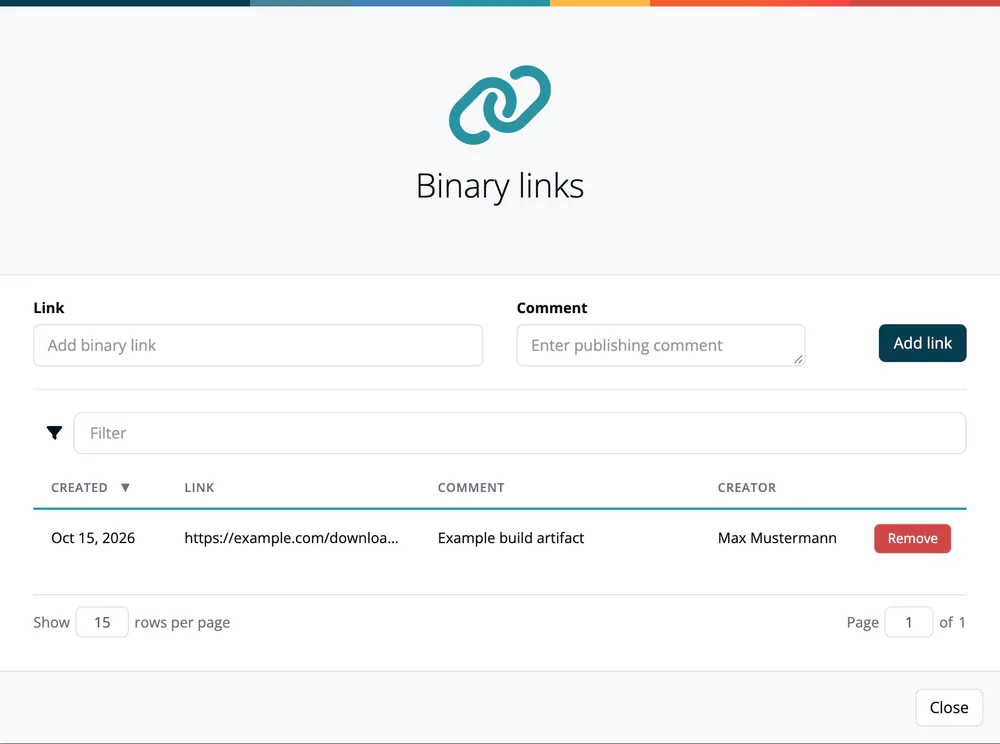
- On the approval: click Manage binary links in the approval header. The dialog Binary links lists every link with Created, Link, Comment and Creator. Enter a Link and an optional Comment, then click Add link. Remove deletes a link after you confirm Yes, remove it!
Once the approval is approved, the dialog is read-only. On the release, Binary links shows the same list.
Related
- Requesting an Approval: choosing the analyses whose binary links are carried over