Crypto management (Project)
Note
Required role: everyone who can open the project settings reads the tab. manager users who are the project's default project manager (or any manager while none is set) can change it. Add algorithm and Export as CycloneDX are shown to manager and compliance_manager.
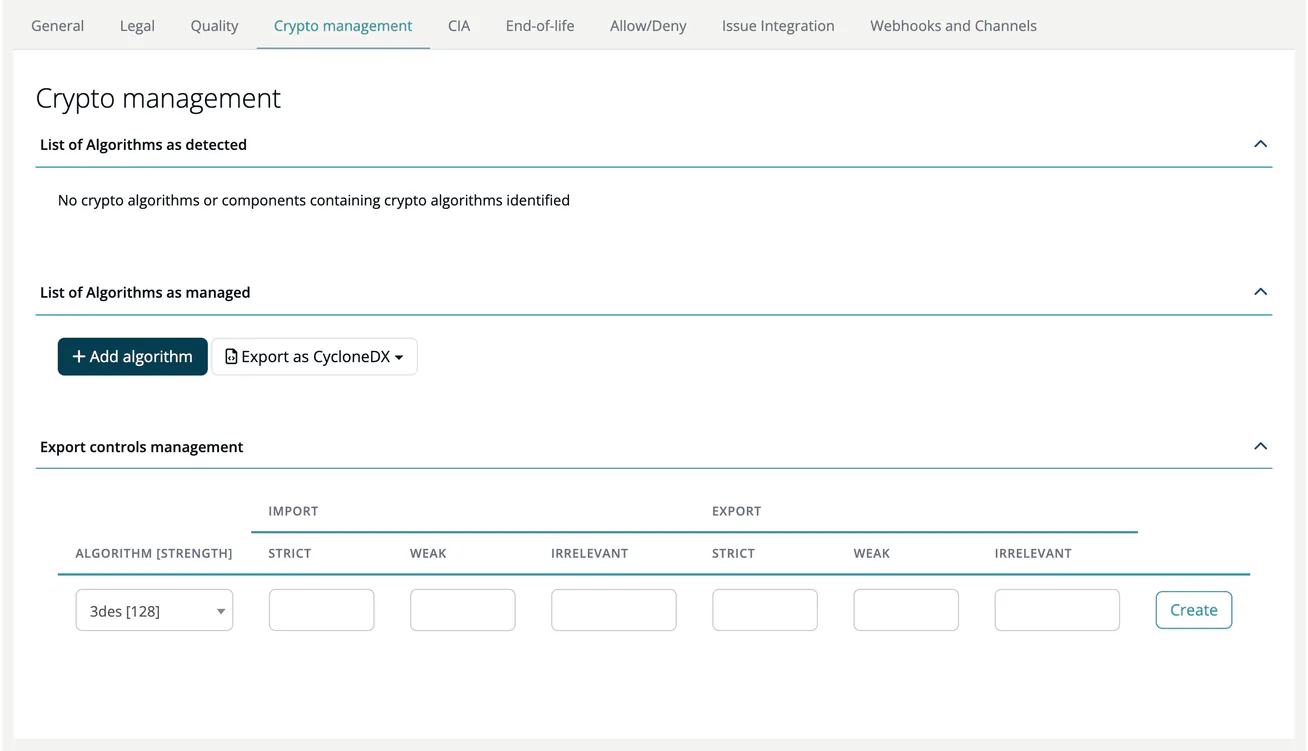
The Crypto management tab keeps the cryptographic inventory and the export-control rules of the project.
Panels
| Panel | What it holds |
|---|---|
| List of Algorithms as detected | One label per algorithm found in the project's components, for example AES [256]. A red B marks an algorithm denied by company policy. Without findings the panel reads No crypto algorithms or components containing crypto algorithms identified. |
| List of Algorithms as managed | Crypto assets you maintain yourself. Add algorithm opens the Algorithm evaluation dialog: enter the Name (the algorithm database and your company's own algorithms are suggested as you type) and optionally the asset type, primitive, mode, padding, functions, environment, platform, certification level, security levels, a Comment, In use and Origin, then click Add. |
| Export controls management | One row per algorithm and strength with the countries for which import and export are Strict, Weak or Irrelevant. Select the algorithm and countries and click Create. |
Export as CycloneDX offers CBOM (the cryptographic assets only) and Full BOM (components + crypto + AI).
Violations of these lists appear in the Algorithm report and the module's crypto status.
Related
- Encryption (Module): module-level encryption settings
- Algorithms: the global algorithm database
- Background: Crypto Agility