Releases
Note
Required role: Developer, Compliance manager or Manager (the Internal menu). Creating release keys needs Compliance manager, Manager or Account admin.
A release is an approved approval: a frozen set of module analyses with its SBOM, notice file and compliance report. After the release, TrustSource CE keeps tracking new vulnerabilities in its components, even when your team has moved on.
Release lifecycle
- A project or module goes through the approval workflow.
- A compliance manager approves; the approval is closed and cannot change.
- The approval appears in the releases list, and a release key is published for it.
- You can reuse the release in another project with Link, or connect it to a product. See Link with Release.
The releases list
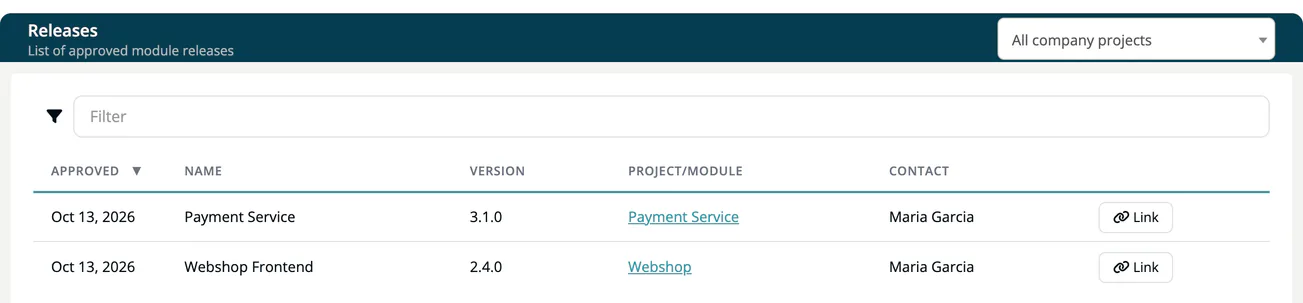
Open Internal → Releases. The page lists the approved module releases, newest first. The selector in the header narrows the list to one project (All module of ...) or one module; All company projects shows everything.
| Column | What it shows |
|---|---|
| Approved | Date the approval was approved. |
| Name | Name of the approval. |
| Version | Version of the approval. |
| Project/Module | Source project or module; click to open it. |
| Contact | The person who approved it. |
| (last column) | Link: reuse the release in a project. |
Click a row to open the release.
Link a release into a project
Link opens the dialog Link release. Choose the Project, that contains selected release and click Update. TrustSource CE creates a module in that project that stands for the release (name and version of the approval, with its modules). Use it when one product builds on a released component of another project.
Release details
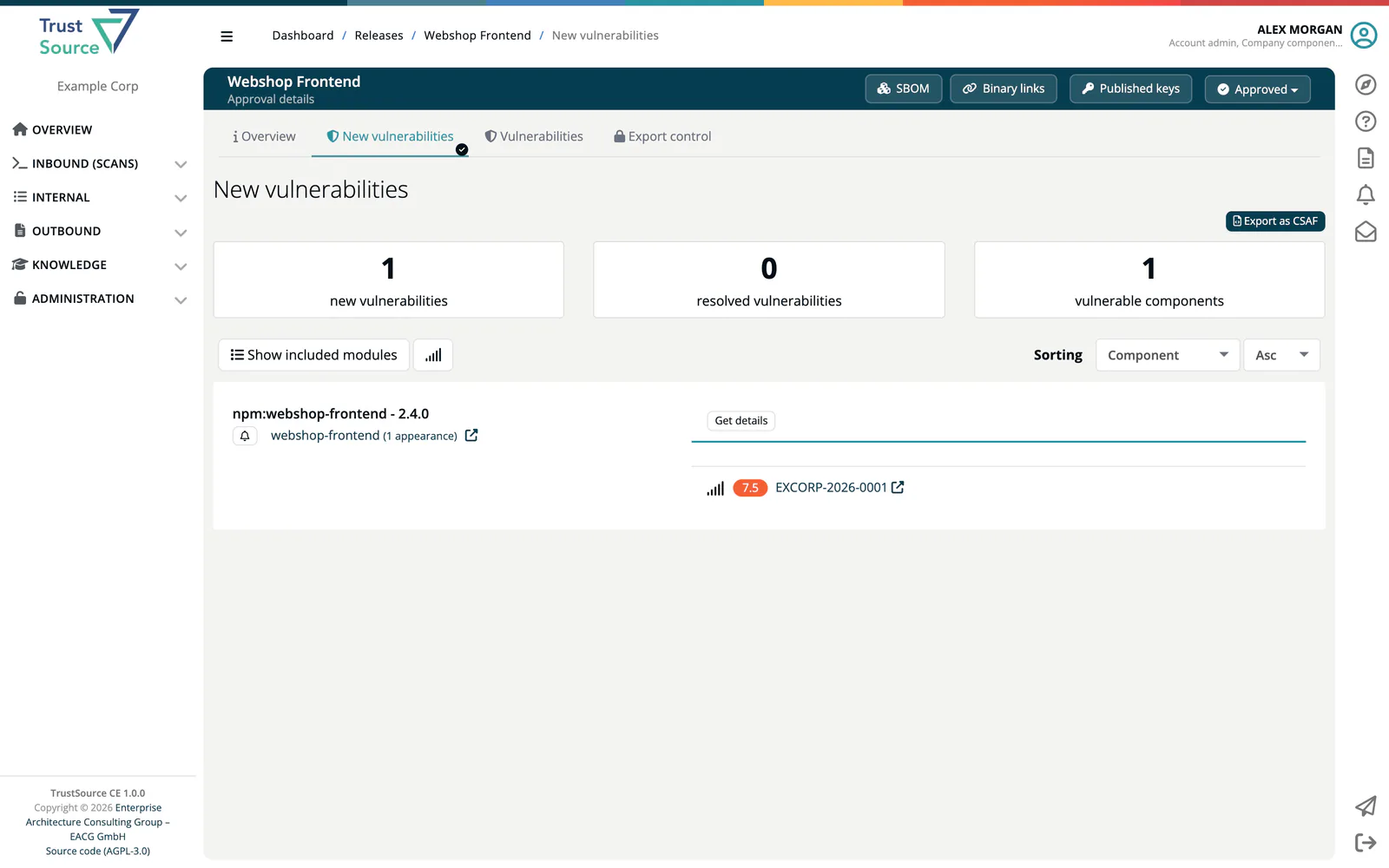
The header shows the name, Packageurl and description of the release, and the buttons:
- SBOM opens the SBOM file of the release. See SBOM + CBOM.
- Binary links shows the links of the release, read-only. See Binary Linking.
- Published keys lists and creates the release keys. See Public Approves.
- Approved shows who approved the release and when.
| Tab | What it shows |
|---|---|
| Overview | Modules, Components, Component status changes, Components outdated, Legal actions resolved, Vulnerabilities resolved and Notice file completed, followed by the modules table. |
| New vulnerabilities | Vulnerabilities found in the released components since the approval, with Export as CSAF. See Post-Release Vulnerabilities. |
| Vulnerabilities | The vulnerabilities as known at approval. |
| Export control | The crypto algorithms detected in the release. |
Related
- Approvals: the workflow that creates releases
- Post-Release Vulnerabilities: alerts for released versions
- Products → Link with Release: connecting releases to products