Component Lake
The Component Lake is TrustSource's component library. Use it to look up a package, check its licenses, versions and vulnerabilities, or to find out where your company already manages it. Open it from Knowledge → Component Lake.
Choose where to search
The page first asks Where do you want to search? and offers two cards. The logos on the first card show the ecosystems TrustSource scans (Maven, Cargo, Dart, Go, Gradle, npm, NuGet, PyPI).
| Search | Searches | Who |
|---|---|---|
| Registry search | Public packages from the component index, by name or purl. | Everyone |
| Internal search | The components your own company manages. An empty field lists all of them. | Everyone |
Searches run when you press Search, not on every keystroke. The search is part of the page address, so it survives a reload and can be shared. Back returns to the cards.
Registry search
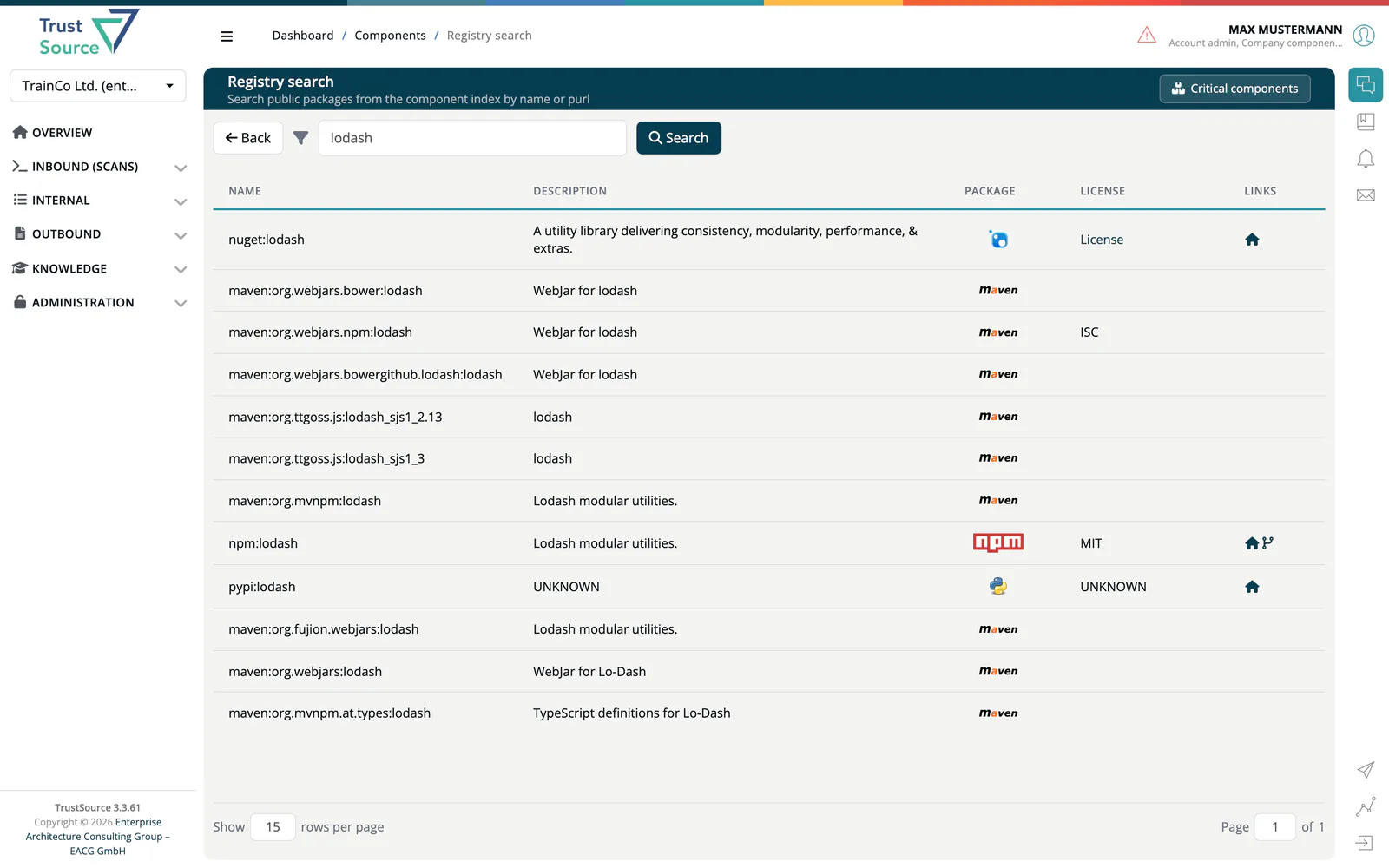
Results show Name, Description, Package (ecosystem icon), License and Links to the homepage and repository. Besides the ecosystems above the index also lists Swift and CRAN packages. Select a row to open the package page: licenses, homepage, repository, maintainer and Maven coordinates, and for each version its size, checksum, source archive and Maven artifacts. Vulnerabilities are looked up for every listed version, so a preloader may appear briefly.
Internal search
Results show Name, Description, Package, an OSSF score and Links. Sort by Name, Key, Language or Description, ascending or descending. A red B marks a component blacklisted in your company. Hover over the OSSF box to see the Scorecard checks and the date of the last run.
Component page
A component page shows the information (key, purl, homepage, repository, language, last update), a comment and the Versions table with license, checksum and copyright per version. Type part of a version into Filter versions to narrow the list; the badge changes to, for example, "2 of 4 versions".
The component data is maintained by TrustSource.
Tip
Users with the Company Component Manager role also find a Critical components button here, which opens the company Components report.