CIA (Project)
Note
Required role: everyone who can open the project settings reads the values. company_security_manager, and manager users who are the project's default project manager (or any manager while none is set), can edit them and use Import CIA requirements from....
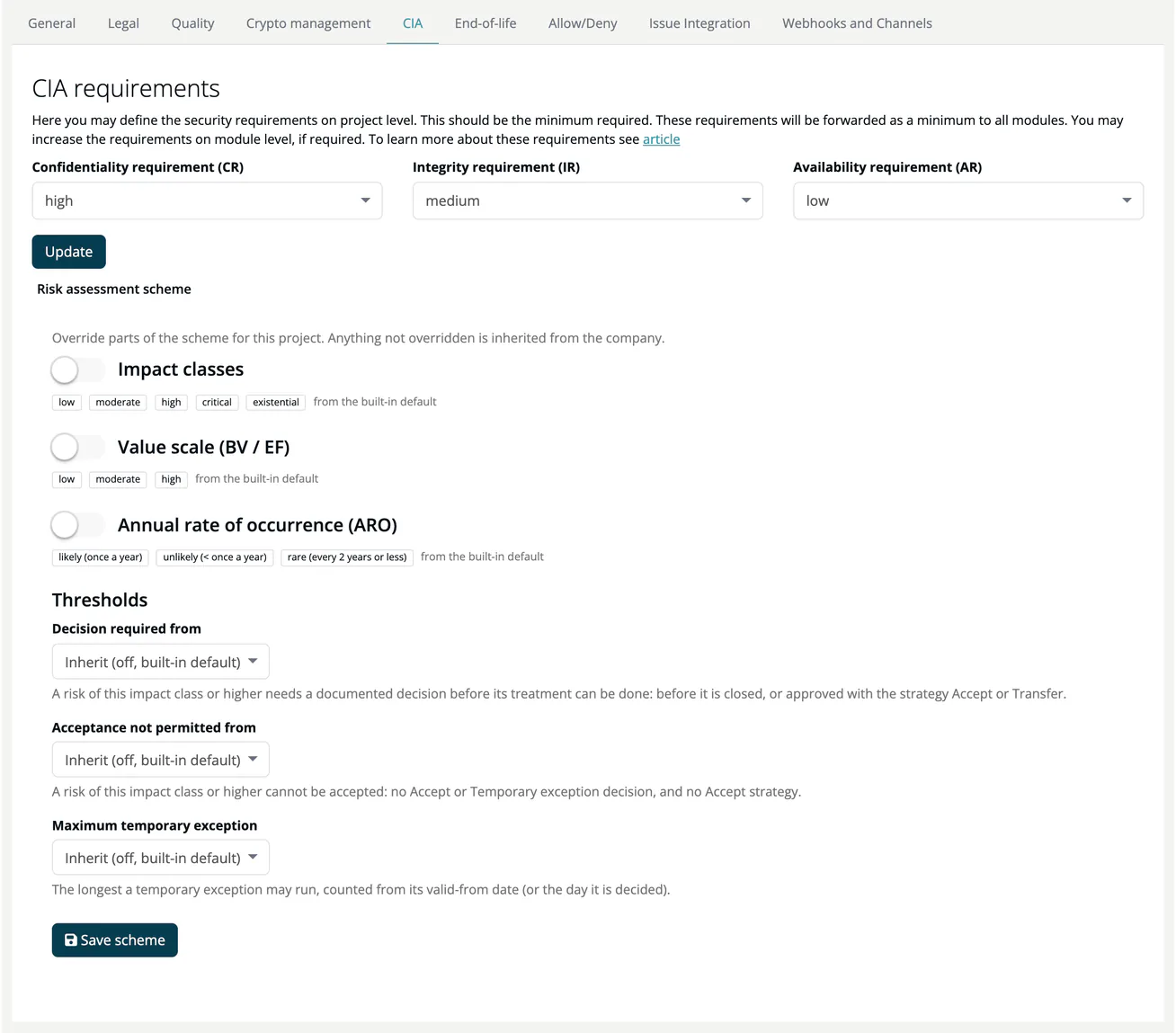
The CIA tab (heading CIA requirements) sets the Confidentiality, Integrity and Availability requirements at the project level. The tab describes them as the minimum that is forwarded to all modules; a module can set its own values on its CIA tab.
Fields
| Field | Options |
|---|---|
| Confidentiality requirement (CR) | not defined, low, medium, high |
| Integrity requirement (IR) | same |
| Availability requirement (AR) | same |
Click Update to save.
Actions
- Import CIA requirements from...: copy the CIA requirements of another project.
Note
The requirements are stored with every module analysis and are part of the environmental context that the REST API returns for projects and modules, next to the environmental CVSS vector set with Env. settings on the module page. The CVSS scores of findings are adjusted with that environmental vector, not with the CIA requirements.
Impact class proposals for risks
The CIA requirements of a module and its project (the stricter value counts) also weigh the impact class that TrustSource proposes for automatically created risks. A high requirement raises the proposal, a low one lowers it. The Risks tile on the project page shows the project's CIA rating. See Risks List.
Risk assessment scheme
Below the requirements, the panel Risk assessment scheme lets you override the company's risk assessment scheme for this project: impact classes, value scale, ARO scale and decision thresholds. It needs the risks feature and the role account_admin, manager or compliance_manager. Modules of the project inherit the override.