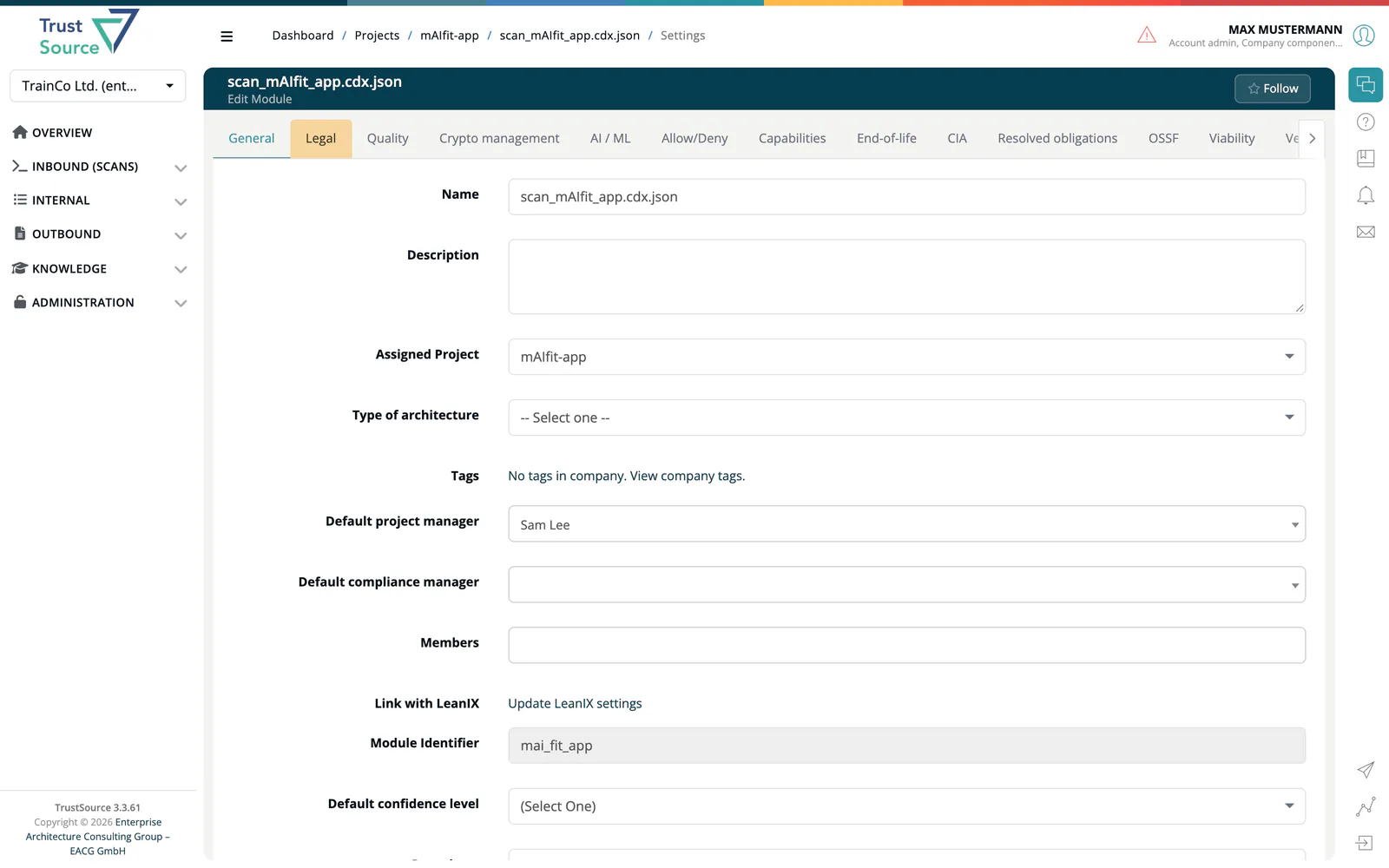
Module Settings
Module settings are organized in tabs (up to nineteen in the UI, depending on module type, account type and role). Open them with Settings in the module header or on the module card. Most settings inherit from the parent project and can be overridden at the module level.
The table lists the tabs in the order the app shows them. Infrastructure and COTS modules do not have the tabs Quality, Crypto management, AI / ML, Allow/Deny, Capabilities, MDR/IVDR Classification, Custom components, History and Export SPDX.
| Tab | What it configures |
|---|---|
| General | Name, description, project assignment, architecture type, version, tags, managers, confidence level. |
| Legal | Trade secret protection, sub-licensing and distribution of the module; legal templates. |
| Quality | Test and quality requirements. |
| Crypto management | Cryptographic inventory: detected and managed algorithms, certificates, protocols and key material; CBOM export. |
| AI / ML | Detected and managed AI artifacts; AIBOM export. |
| Allow/Deny | Allowed/denied licenses and components. |
| Capabilities | Software capability declarations. |
| End-of-life | EOL analysis thresholds. |
| CIA | Confidentiality, Integrity, Availability requirements; risk assessment scheme. |
| Resolved obligations | Obligations already fulfilled in this module. |
| MDR/IVDR Classification | Medical device classification (Medical accounts). |
| OSSF | OpenSSF Scorecard configuration and thresholds. |
| Viability | Repository health monitoring, activity thresholds. |
| Versioning | Component version tracking, jump detection. |
| Allowed vulnerability | Muted vulnerabilities (accepted risks, false positives). |
| Custom components | Manually added components not found by scans. |
| History | Analyses and uploaded scans of the module. |
| Export SPDX | SPDX RDF document generation. |
| Danger Operations | Archive the module, delete its analysis history, or delete it. |