Risks
Note
Menu: Internal → Risks is shown to Developer, Compliance manager and Manager. Adding a risk in the register needs Compliance manager or Manager.
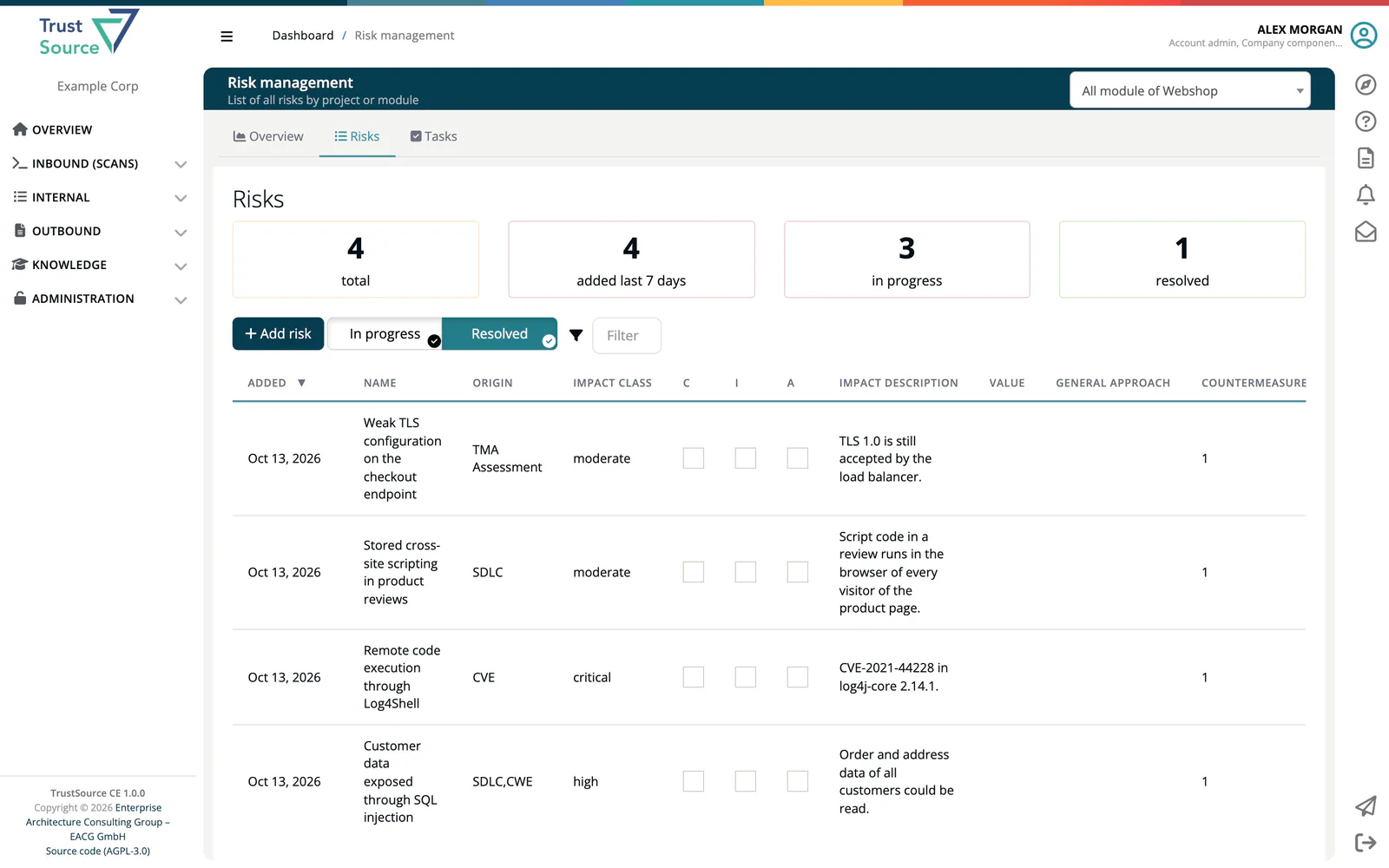
The Risks module is the risk register of TrustSource CE. It lets you document a risk, assess its impact, choose a mitigation strategy, assign countermeasures and tasks, and see where risks pile up across your projects. Risks can be entered by hand, created from findings (SARIF weaknesses, vulnerabilities, a manually set license) or kept up to date automatically from SARIF imports.
Open Risks in the menu. The page has three tabs: Overview (Risk management overview), Risks and Tasks. Risks belong to a project or to a module; the Risks and Tasks tabs always work on one project or module that you select at the upper right. A project's and a module's Reports dropdown also has a Risks entry that opens the register for it.
Where to start
| I want to... | Go to |
|---|---|
| See which projects and modules need attention | Overview |
| Find, create or edit a risk | Risks List |
| Follow up on countermeasures and tasks | Risk Tasks |
| Compare projects and modules at a glance | Portfolio Views |
| Understand mitigation strategy, state and "resolved" | Treatment and State |
| Record why a risk is accepted or transferred | Decisions |
| Know the scales risks are assessed on | Risk Assessment Scheme |
| Let TrustSource CE create risks from SARIF findings | Automatic Risks |
| See who created or removed a risk | Risk History |
| Record STRIDE, CWE and other threat-model details | Threat Model Fields |
In this section
| Page | What it covers |
|---|---|
| Overview | Portfolio treemap, new risks, unattended risks. |
| Risks List | The register: tiles, filters, the risk editor and its tabs. |
| Risk Tasks | Countermeasures, tasks, due dates, the Tasks tab. |
| Portfolio Views | The treemap by state or impact, drill-down per project. |
| Treatment and State | Mitigation strategy, the risk states and which count as resolved. |
| Decisions | How to document a decision in TrustSource CE. |
| Risk Assessment Scheme | The fixed impact classes and value scales. |
| Automatic Risks | Risks from SARIF weaknesses, vulnerabilities and manually set licenses. |
| Risk History | What the audit log records about risks. |
| Threat Model Fields | The Threat model tab of the risk editor. |
Note
TrustSource CE has no threat model generation and no Threat Models menu. You record threat-model details by hand on the Threat model tab of a risk. See CE and SaaS compared.
Related
- Risks API - read and write risks, countermeasures and tasks from your own tools
- SW Quality Scans - SARIF imports that feed automatic risks