Quality (Project)
Note
Required role: everyone who can open the project settings reads the tab. Managers who are the project's default project manager or default compliance manager (or any manager while none is set) can change it. See the Settings Permission Matrix.
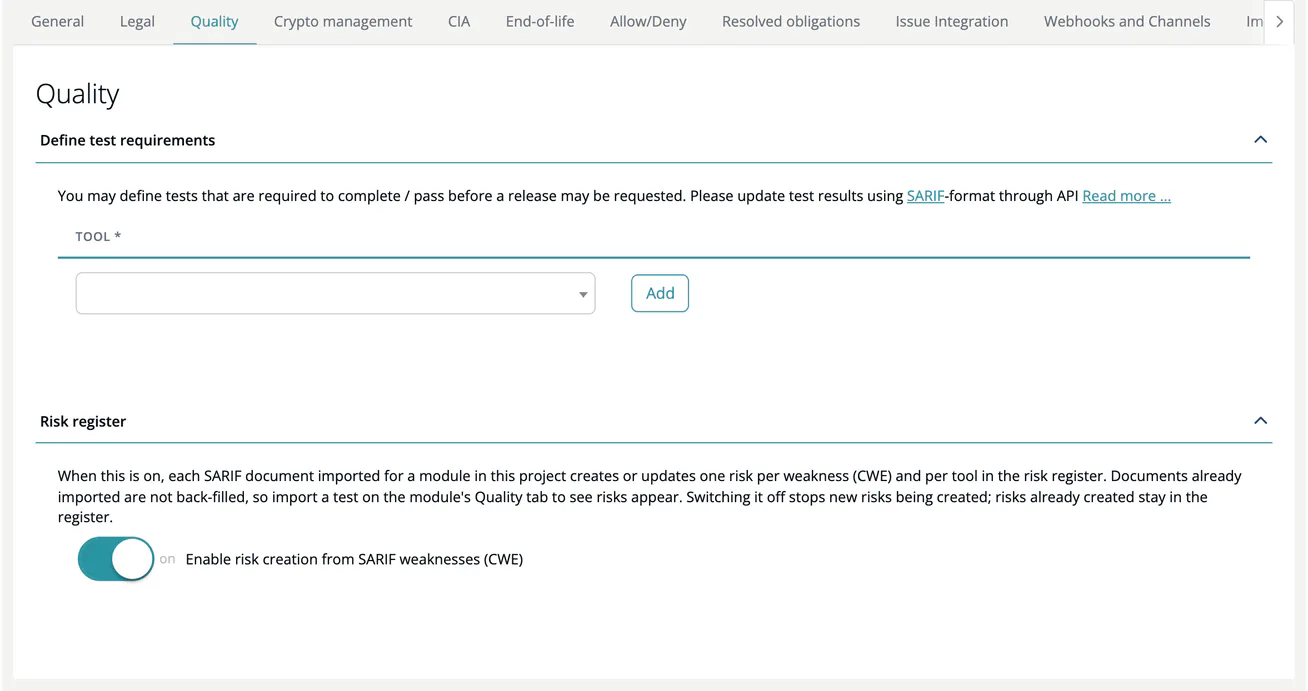
The Quality tab defines which test tools must report results before a release of a module in this project may be requested, and whether SARIF findings create risks.
Define test requirements
The panel Define test requirements has one row per required tool. Test results are uploaded in SARIF format through the REST API or the module's Quality view.
- Select a Tool.
- Click Add.
- To drop a requirement, click the trash icon at the end of its row.
Rows that come from the company's quality list carry the label in Company and link to where you can change them. Every module of the project shows the project rows with the label in Project.
Risk register
The panel Risk register has one switch, Enable risk creation from SARIF weaknesses (CWE). When it is on, each SARIF document imported for a module of this project creates or updates one risk per weakness (CWE) and per tool in the risk register.
- Documents imported before you switched it on are not back-filled. Import a test on the module's Quality view to see risks appear.
- Switching it off stops new risks; risks already created stay in the register.
The switch saves immediately. A toast confirms Saved. Risks appear after the next SARIF import.