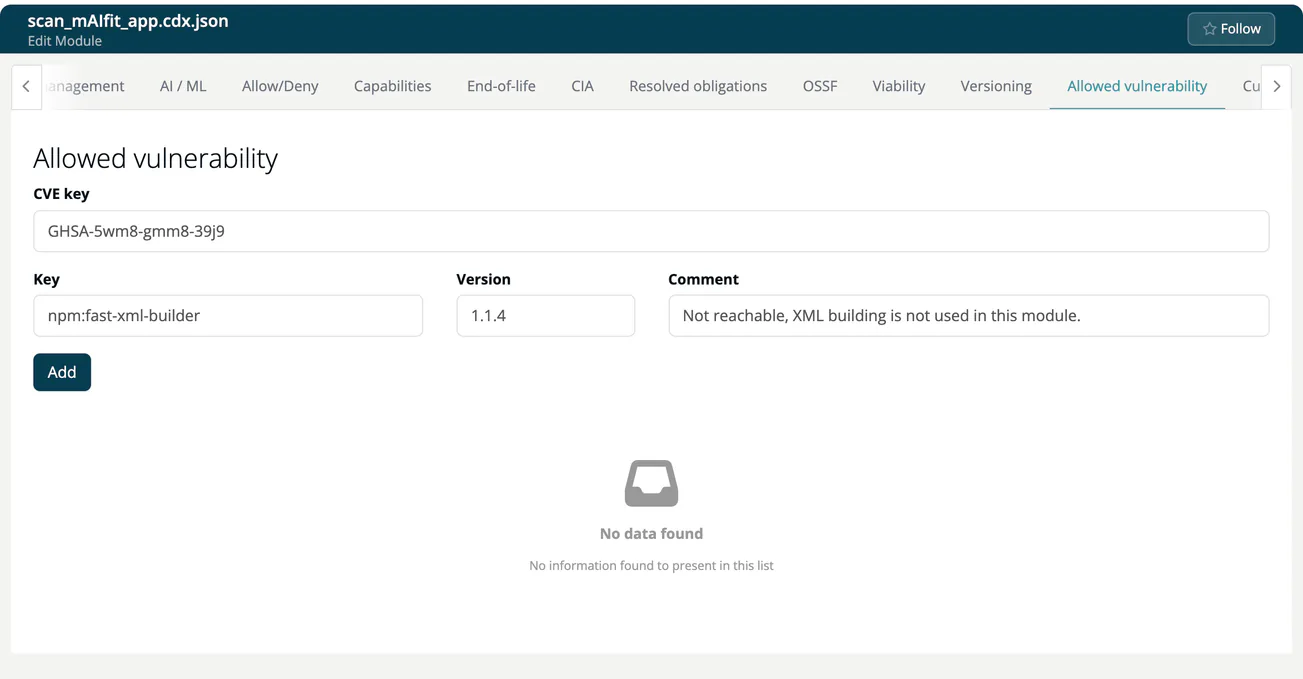
Allowed vulnerability (Module)
Note
Required role: everyone who can open the module settings reads the list. Adding, changing and removing entries is for developers and for managers and compliance managers who are the module's default manager (or if none is set). See the Settings Permission Matrix.
This tab lists the vulnerabilities you have muted for this module: accepted risks, false positives and findings that are already handled. A muted CVE no longer counts against the module's status. The panel is called List of muted vulnerability of module.
How entries get here
Normally you mute a CVE where you find it: the bell icon in the component details. You choose a reason, and the entry lands on this tab. See Component detail. The reason is kept with the entry and decides how the CVE is published in a CSAF advisory, see CSAF.
Add an entry by hand
Use the form to mute a CVE without opening the component.
| Field | Example |
|---|---|
| CVE key | CVE-2018-1270 |
| Component key | mvn:org.springframework:spring-messaging |
| Version | 4.3.14.RELEASE, or 4.3.* for all 4.3 versions |
| Comment | Required, up to 200 characters. Say why: Not reachable, STOMP endpoint is disabled. |
Click Add. An entry that already exists is refused with Entry already exists.
Edit, remove, approve
Click a row to load it into the form; Add becomes Update, and Cancel and Remove appear. Removing an entry makes the CVE count again. Rows labelled in Project, in User or in Company come from higher levels and link to where you can change them.
Where approved lists are enforced, entries of non-compliance managers are saved as Not approved until a compliance manager clicks Approve, as described under Allow/Deny.