Manage Infrastructure Components
Note
Required role: Company component manager.
Infrastructure components describe the platform your software runs on: operating systems, base images, databases, web servers and message brokers. TrustSource CE ships with a set of common ones; as Company component manager you extend and maintain the catalog. Open Knowledge → Infrastructure Elements; everyone else sees the same list read-only (see Infrastructure Elements).
Add a component
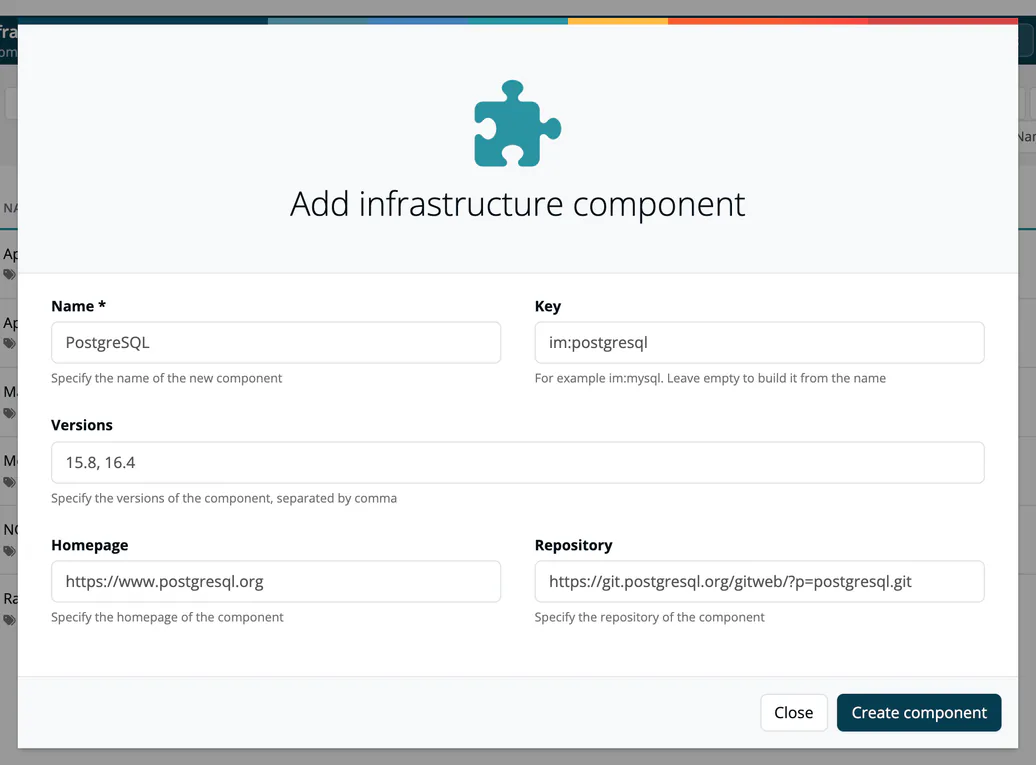
- Press Add infrastructure component.
- Enter the Name (required) and optionally the Key (for example
im:mysql; leave it empty to build it from the name), the Versions separated by commas, the Homepage and the Repository. - Press Create component.
Edit a component
Select a component in the list, then Edit. The page has two tabs, Info and Logs.
On Info you maintain:
| Area | Fields |
|---|---|
| Information | Key and purl (read-only), Category, Homepage, Repository, Issues, Release notes, Provider, Provider url, Provider address, Language, Declared licenses, Effective licenses, Concluded licenses, Declared copyright. Crypto algorithms and AI / ML models are shown read-only. |
| Text panels | Short description, Description, Comment. |
| Commercial terms | Right to re-sell, Right to distribute, Right to host/operate as SaaS, Right to modify, each unlimited, limited or no. |
| Versions | See below. |
Changes are saved as soon as you leave a field or change a selection.
In Versions, enter new versions as a comma-separated list and press Create versions. Filter long lists with the version filter. To change several versions at once, select them (or use the select-all box), choose licenses, a license text URL and a copyright line, and press Set to selected. Changing the filter clears the selection, so a bulk change only reaches versions you can see.
Logs lists who changed what, with date, person, version and message.
Remove a component
The header offers Soft-delete, which marks the component as removed, and Revert-delete to restore it. Delete removes it for good after a confirmation.
Where it is used
View used as Modules on the list shows the modules of type infrastructure that use these components. See Infrastructure modules.