Company details: general info, FOSS liaison, PSIRT and written offer
Note
Required role: Account admin. The cards for FOSS liaison and Written offer are also shown to Compliance managers, and PSIRT contacts to Company security managers, but only Account admins see the forms.
Four cards on Administration → Settings hold data about your company in TrustSource CE. Each form is saved with Update.
General info
The page has two panels.
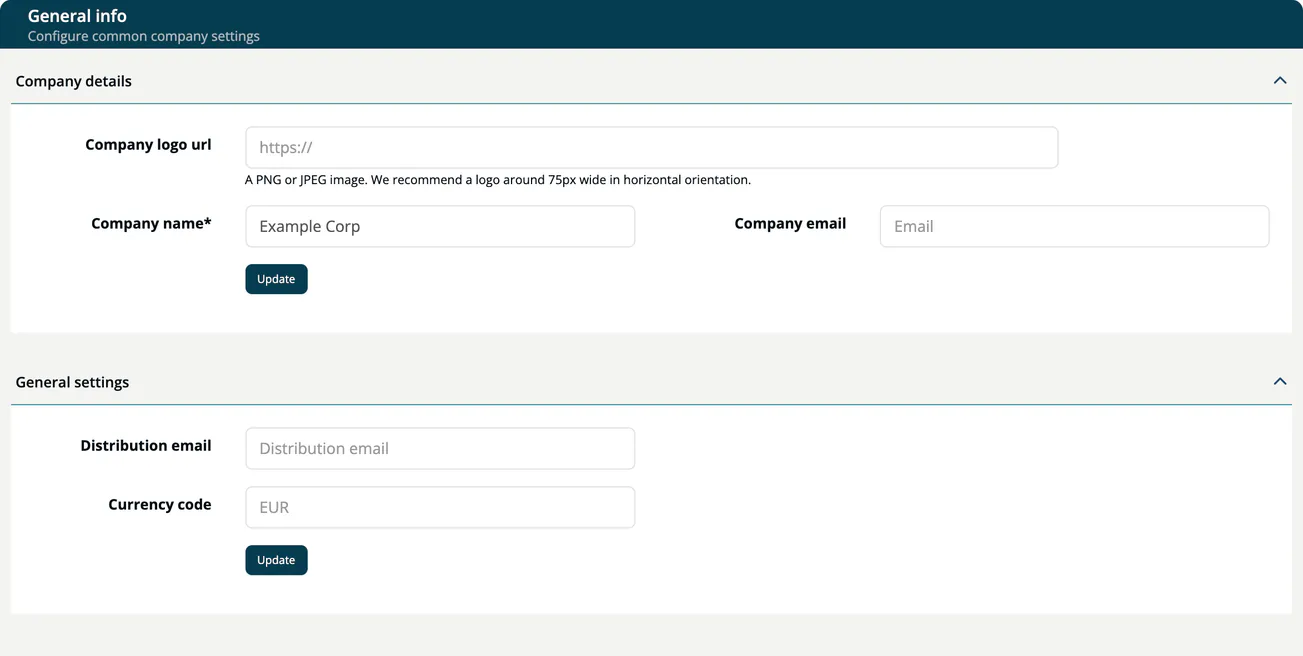
Company details
| Field | Description |
|---|---|
| Company logo url | Address of a PNG or JPEG image, about 75 px wide in horizontal orientation. The app downloads the image and uses it in PDF reports instead of the TrustSource logo. The image must be reachable from the server under a public address and may be up to 512 KB; addresses that are or resolve to private, loopback, link-local or CGNAT addresses are refused. |
| Company name | The name shown in the sidebar header. Required. |
| Company email | Contact address of your company. |
An Account admin whose company has no name yet sees Finish company setup in the sidebar header, which opens this page.
General settings
| Field | Description |
|---|---|
| Distribution email | When set, the Contact Account Admin link in the right bar and the contact on the open source policy page use this address instead of the first Account admin's address. |
| Currency code | The currency for amounts in risks, for example EUR. When empty, EUR is used. |
FOSS liaison
The contact for open source questions, for example your open source program office. All fields are marked required: Name of contact, Name of company, Postal code (ZIP), Mail address, Postal address, Phone number, Country (country code) and Webpage.
The data is available over the REST API with GET https://<your-host>/api/v2/compliance/company/foss. See Compliance FOSS.
PSIRT contacts
Data for your Product Security Incident Response Team. When you create a product, its contacts are prefilled from these values.
| Field | Description |
|---|---|
| Registered Trade Name | The registered trade name of your company. |
| Manufacturer Name | The name of the manufacturer. |
| Manufacturer Address | The postal address of the manufacturer. |
| Manufacturer Website | The web address of the manufacturer. |
| Product Security Contact | The contact for product security, for example psirt@acme.example. |
| Weblink | A web address for product security information. |
Written offer
The text that offers recipients the source code of GPL/LGPL components. TrustSource CE uses it in your notice files.
| Field | Description |
|---|---|
| Title | Heading of the offer. The default is "Open Source Announcement". |
| Details | The offer text. The default explains the three-year source-code offer and contains placeholder addresses (some-alias@your-company.com, a contact-form URL) that you must replace. |
Update saves your text. Reset restores the default title and text and saves them.