Risk Overview
Note
Menu: Internal → Risks is shown to Developer, Compliance manager and Manager.
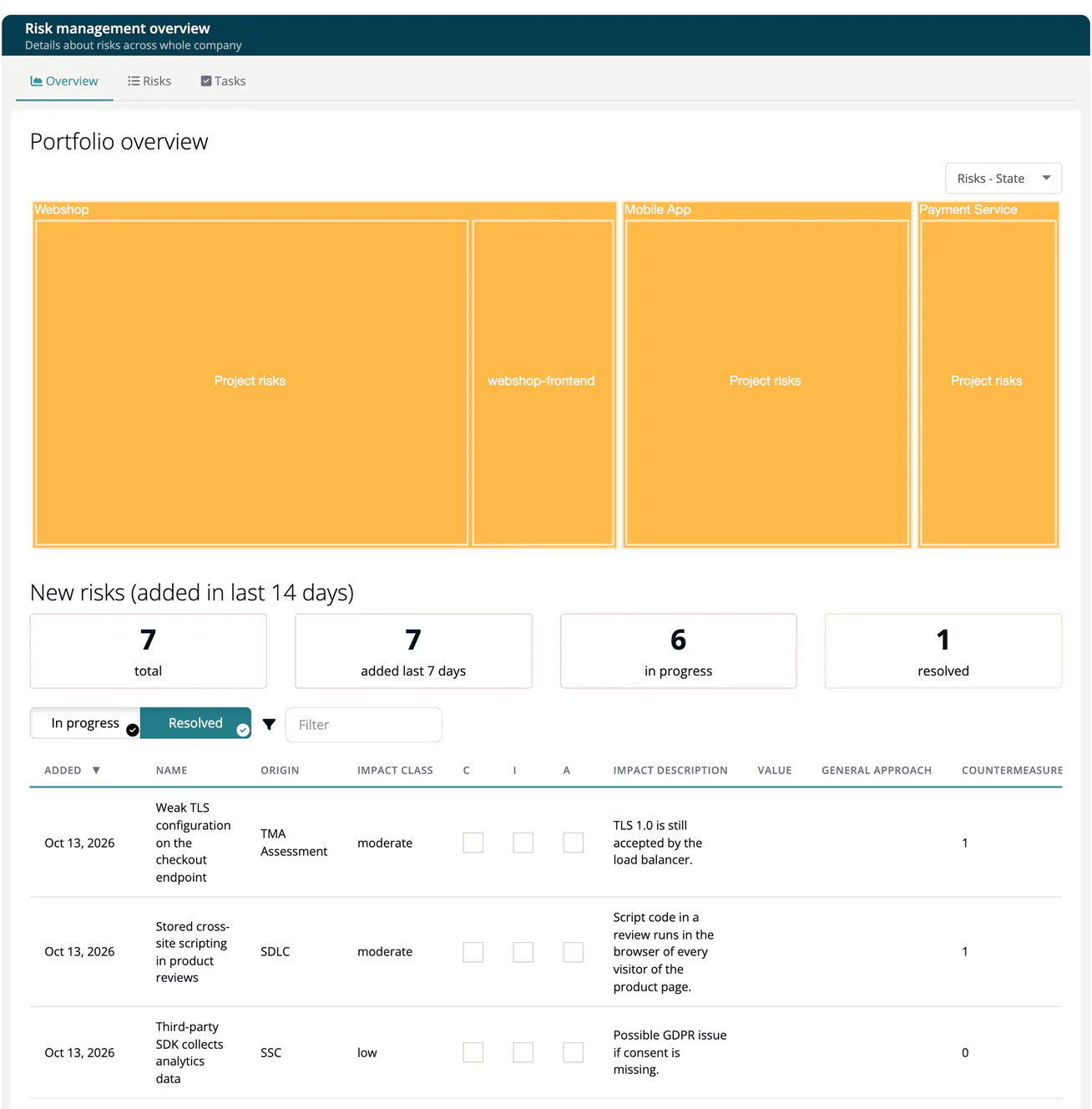
The Overview tab (Risk management overview, "Details about risks across whole company") answers two questions for the whole company in TrustSource CE: which projects and modules carry risks that need attention, and which risks are new or unattended. It opens when you choose Risks in the menu.
If the register is still empty, the page shows No risks tracked yet and lists what it will show once risks exist.
Portfolio overview
A treemap of projects and modules, sized by the number of risks and coloured by state or impact. See Portfolio Views.
New risks (added in last 14 days)
All risks of the company created in the last 14 days, with the tiles total, added last 7 days, in progress and resolved. Which states count as resolved is explained in Treatment and State.
Unattended risks
Risks that nobody has started to work on: risks without any countermeasure whose mitigation strategy is not ignore. The same four tiles are shown above the list.
Both lists are read-only. Use the link button at the end of a row to open the risk in the Risks List in a new browser tab, where you can edit it.
Related
- Risks List - the register behind these lists
- Portfolio Views - the treemap in detail