The 8 Roles
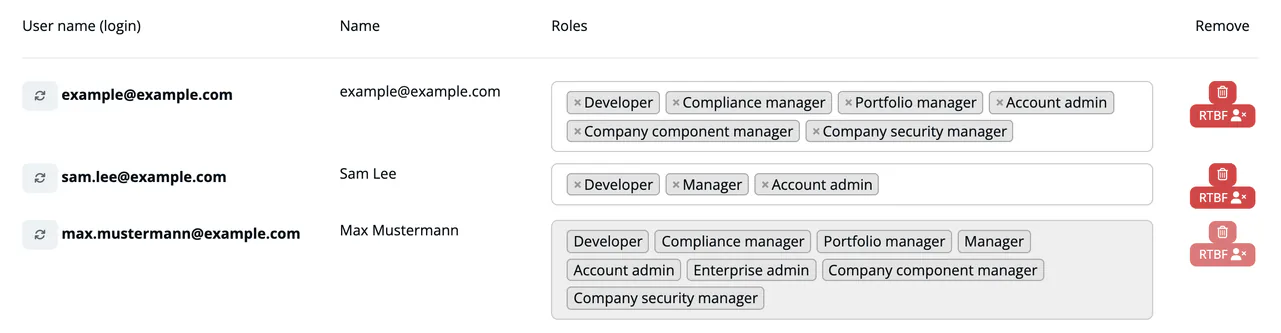
TrustSource knows eight roles that account admins can assign. Roles are set per company, and a user can hold several at once; the rights add up. One more role is bound to a licence, see Licence-bound role.
| Role | Key | Focus |
|---|---|---|
| Developer | developer |
Works with scans and modules. Edits module settings such as tags, thresholds, allow/deny lists and CIA. |
| Compliance manager | compliance_manager |
Owns the compliance workflow: approvals, allow/deny lists and their approval, outbound documents, license-related company settings and policies. |
| Portfolio manager | portfolio_manager |
Organizes the portfolio: sees every project and module, maintains capabilities. |
| Manager | manager |
Leads projects: approvals, tags, webhooks, and broad rights on the projects and modules they manage. |
| Account admin | account_admin |
Administers the company: users, integrations, API keys, policies, billing and audit logs. |
| Enterprise admin | enterprise_admin |
Administers an enterprise group: account and integrations, and the list of member companies. |
| Company component manager | company_component_manager |
Maintains company-wide component lists and manual vulnerabilities. |
| Company security manager | company_security_manager |
Maintains security settings: CIA and capabilities, encryption, private algorithms, crypto policies and manual vulnerabilities. |
For what each role sees and can change, see Functions by Role and Functions by Area.
Assigning roles
- Who: account admins use Administration → User Management. They pick roles when they invite a user, and can change them later in the user list. See User Management.
- At least one role. A user must keep one role; remove the user instead of clearing all roles.
- Your own roles cannot be changed in the list.
- New companies. When someone registers a new company, that person receives the roles Developer, Compliance manager, Portfolio manager, Manager, Account admin, Company component manager and Company security manager. Enterprise admin is not part of the default.
- Corporate login. With an identity provider, the roles come from the provider at the first login. If your company enforces corporate login, they are taken from the provider at every login. See Identity Integration.
Warning
Ticking every role for one user gives that user all privileges. The app shows a warning when you do this, because it overrules the idea that compliance duties are shared between people.
Licence-bound role
CVD Coordinator (cvd_coordinator) requires the cvdself license. It is assignable only in companies that hold the license, carries no permissions in the app and is passed on to the CVD service as a role claim. If the license is removed, the role stops taking effect.