Risk
Note
Required license feature: risks
The Risk capability turns TrustSource from a compliance system into a risk-management system. It adds a risk register on top of the components, modules and findings the core already manages, with documented decisions, deadlines and a full audit trail.
What this capability adds
- Risk register: document, assess and track risks per module, project or company-wide. Financial figures (SLE, ALE) are calculated from business value, exposure factor and rate of occurrence.
- Treatment model: the strategy (Avoid, Mitigate, Transfer, Accept) is recorded apart from the state (progress), and every risk falls into one of three groups: Untreated, In treatment or Done. All views use the same rules. See Treatment and State.
- Decisions: a documented decision with a mandatory rationale, who decided and when, including temporary exceptions that expire on their own and return the risk for a new decision. See Decisions.
- Assessment schemes: your own impact classes, scales and decision limits, set per company and overridable per project and module. See Risk Assessment Scheme.
- Automatic risks: one risk per SARIF weakness (CWE), per vulnerability (CVE) or per OBOM finding, kept up to date by imports and checks, with a proposed impact class. See Automatic Risks.
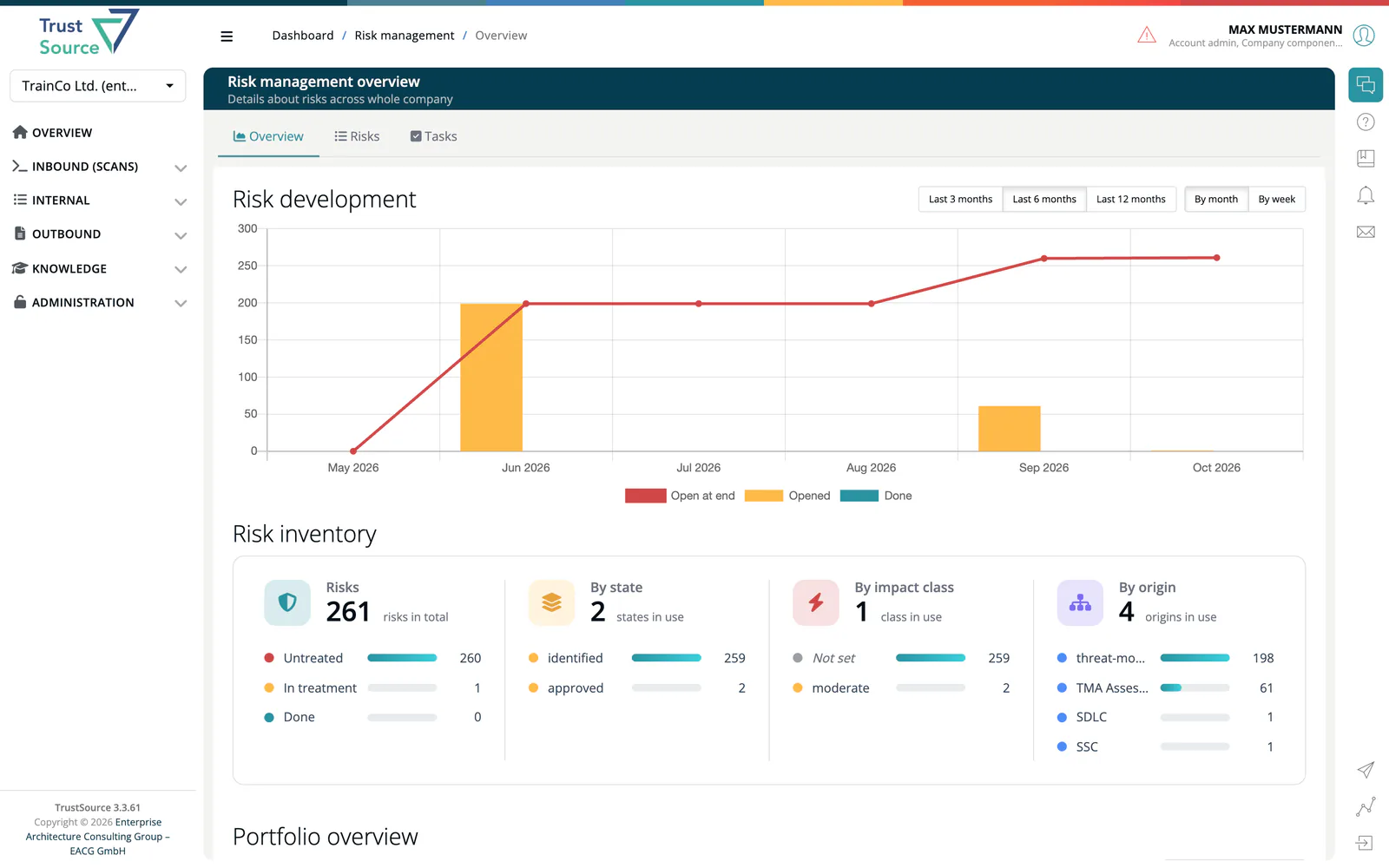
- Overview and portfolio: a development chart, an inventory by state, impact class and origin, and a project and module treemap. See Risk Overview.
- Countermeasures and tasks: turn a risk into concrete work with owners, due dates and overdue reminders. See Risk Tasks.
- History: every change with who, when, from where and old and new values, also in Company Logs. See Risk History.
- Integration with the Threat Modeling Agent: risks raised by the TMA land in the same register with
origin: TMA Assessmentso they are distinguishable from risks entered manually. The agent never overwrites a state a person has set; see the TMA capability page for the full guarantees.
Works together with
| Feature | What it adds to risks |
|---|---|
sarif |
Risks from SARIF weaknesses. Needs risks as well. |
obom |
Risks from OBOM findings. Needs risks as well. |
csaf |
A published VEX advisory moves the matching CVE risk to assessed. |
threat |
Threat-model risks and the project's threat model list on its Risks page. |
Roles
The Risks menu sits in the Internal section, which is shown to developer, compliance_manager, manager and account_admin; everybody who can open it can view and edit risks. Adding a risk by hand and creating risks from findings needs compliance_manager or manager. The company scheme can be changed by account_admin, compliance_manager and company_security_manager.
Editions
- SaaS: available with the
risksfeature flag enabled. - Community Edition: a risk register is included, without decisions, history and configurable assessment schemes; see CE vs. SaaS.
Related
- Internal → Risks: risk register, list and tasks
- Risks API: read and write risks and reports
- Internal → Threat Models: the threat-model workflow that feeds risks with
origin: TMA Assessment - Threat Modeling Agent: the automated engine behind those threat-model risks