CSAF feed keys
Note
Required role: Account admin. The key list is shown only to Account admins.
A CSAF feed key gives a partner or customer read access to your company's CSAF documents in TrustSource CE, limited to the TLP levels you choose. The feed is a public REST route: the key in the URL is the only credential, no login or API key is needed.
Open Administration → API keys and select the CSAF feed keys card ("TLP-scoped keys for the CSAF document feed").
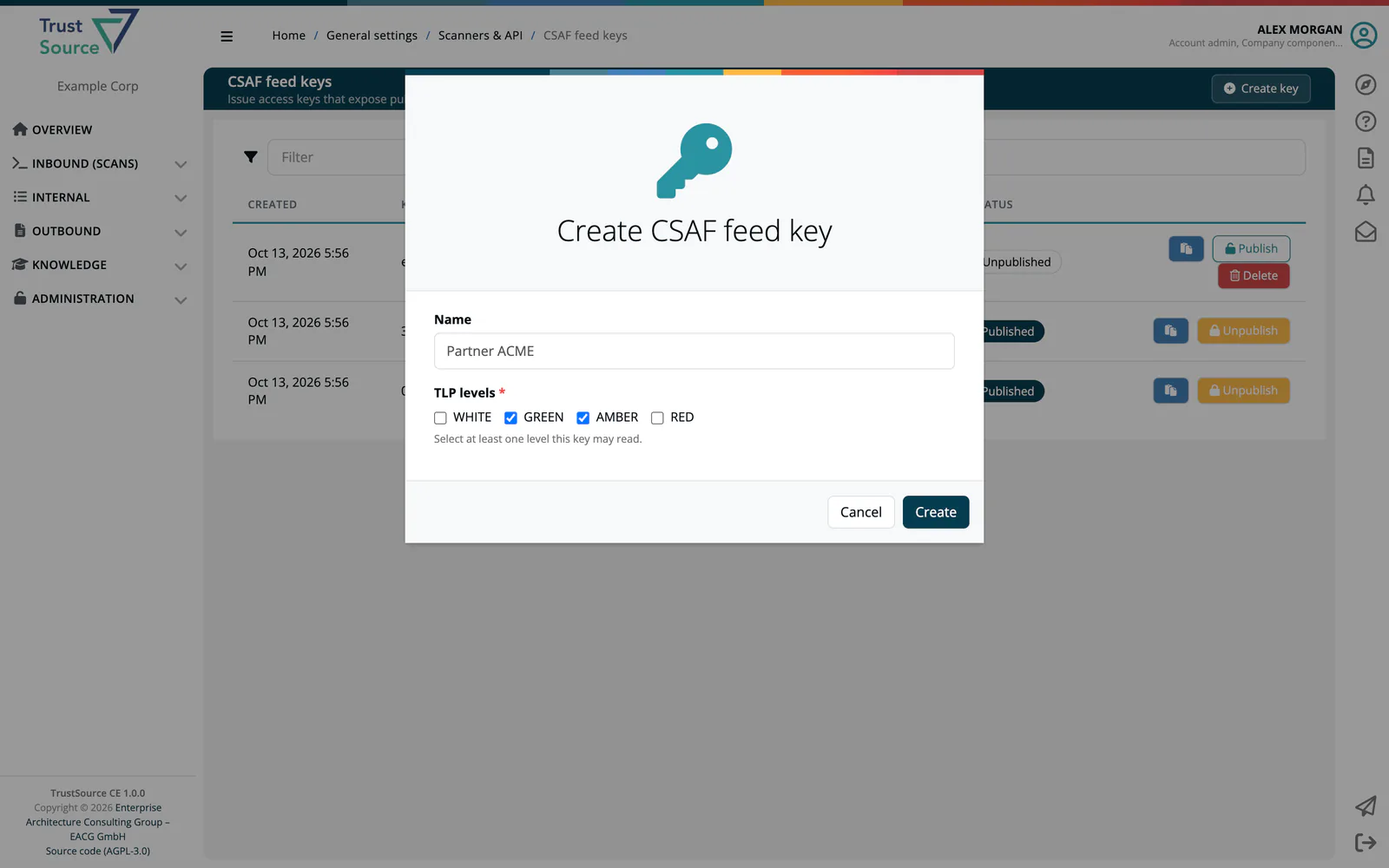
TLP levels
Every CSAF document carries a Traffic Light Protocol label in its distribution data. A feed key lists the levels it may read:
| Level | Typical audience |
|---|---|
WHITE |
Anyone. |
GREEN |
Your community or partners. |
AMBER |
Named recipients with a need to know. |
RED |
Named individuals only. |
A key serves a document only when the document's TLP label is one of the key's levels. Documents without a TLP label are never served through the feed.
Warning
The feed serves every document of your company whose TLP level the key permits, whether it is published or still a draft. Removed documents are not served. Set the TLP label of drafts with care before you hand out a key that covers that level.
Create a key
- Select Create key.
- Enter a Name, for example the partner, such as "Partner ACME".
- Tick at least one of the TLP levels:
WHITE,GREEN,AMBER,RED. - Select Create.
A new key is published immediately.
The key table
| Column | Meaning |
|---|---|
| Created | When the key was created. |
| Key | A shortened form of the key. The clipboard button copies the full key. |
| Name | The name you gave the key. |
| TLP levels | The levels the key may read. |
| Operations | What the key may do. Always View: the feed is read-only. |
| Requests | How often the key was used. |
| Status | Published or Unpublished. |
Use Filter to search by name, key or TLP level.
Unpublish, publish and delete
- Unpublish switches the key off. The feed answers
404for it. - Publish switches an unpublished key on again.
- Delete is offered for unpublished keys and removes the key for good.
The TLP levels of a key cannot be changed. Create a new key instead.
Tip
Give each recipient their own key. When a relationship with a partner or customer ends, or a key may have leaked, rotate it: create a new key for the recipients who should keep access, then unpublish and delete the old one.
Use the feed
| Request | Returns |
|---|---|
GET https://<your-host>/api/v2/compliance/csaf/<csaf_key>/documents |
A list of the accessible documents, newest first, with id, trackingId, title, category, tlp and published. |
GET https://<your-host>/api/v2/compliance/csaf/<csaf_key>/documents/<id> |
The full CSAF document. |
An unknown, unpublished or deleted key, or a document outside the key's TLP levels, answers 404. See Compliance CSAF feed.
Because the key is part of the URL, it appears in the app log and in the access logs of any reverse proxy in front of TrustSource CE. Restrict who can read these logs.
Related
- CSAF: create, edit and publish CSAF documents
- Public routes
- API keys