API keys
Note
Required role: Account admin for company API keys. Every user can create personal access keys in the profile.
API keys let scanners, CI/CD pipelines and integrations call the REST API of TrustSource CE without a login. Each key carries a name and a scope that limits what it may do. Send the key in the x-api-key header.
Open Administration → API keys. The page Scanners & API keys opens with a card for each key type:
| Card | What it manages |
|---|---|
| API keys | Keys for the REST API ("List of all general keys"). This page. |
| Release keys | Keys that publish the documents of one approved release. See Release keys. |
| CSAF feed keys | TLP-scoped keys for the CSAF document feed. See CSAF feed keys. |
Select API keys to see the key list.
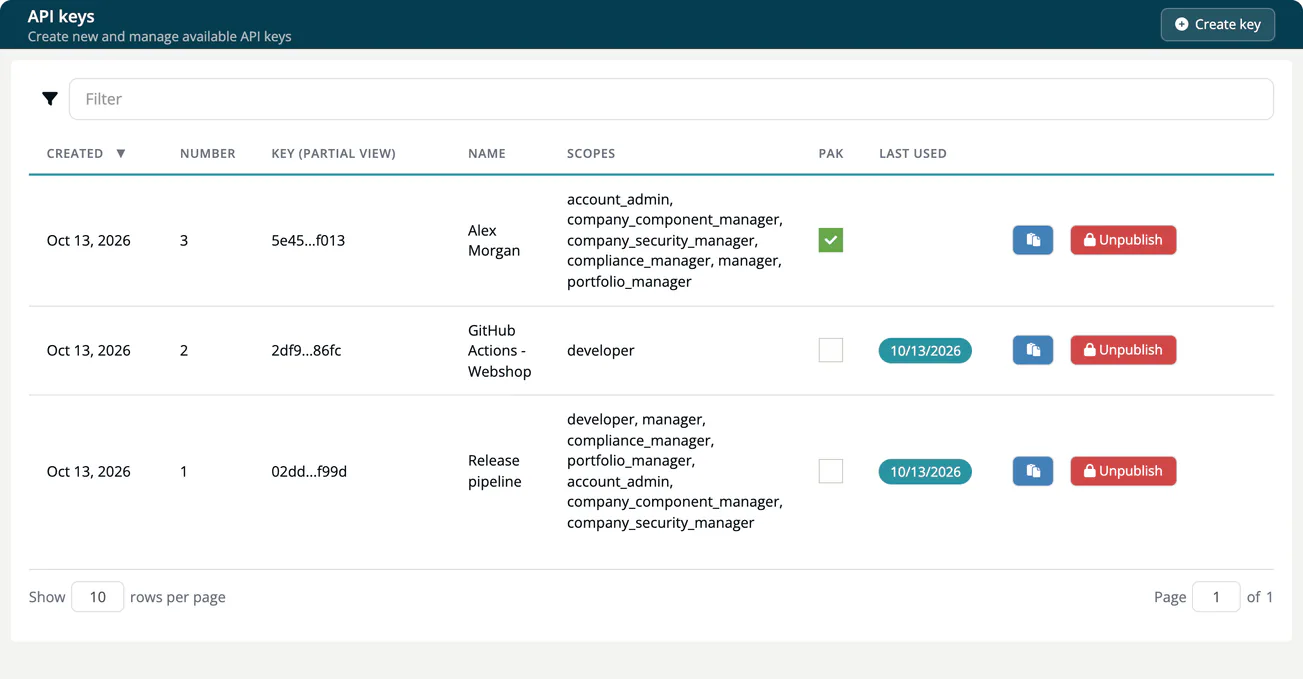
The key list
| Column | Meaning |
|---|---|
| Created | When the key was created. |
| Number | Position of the key in the list. |
| Key (partial view) | A masked form of the key. Unpublished keys show "Key available after publish". |
| Name | The name you gave the key. It also appears as the actor in the Audit logs. |
| Scopes | The roles the key acts with. |
| PAK | Ticked for a personal access key created by a user in the profile. |
| Last used | The day of the last request with this key. The label turns from green to yellow after 14 days, orange after 28 days and red after 42 days, so unused keys stand out. |
TrustSource CE records only the day of last use. There are no per-key usage statistics or charts.
Create a key
- Select Create key.
- Enter a Name. Pick a name that tells you who or what uses the key, for example the pipeline.
- Select one or more Scopes. The dialog refuses to create a key without a scope.
- Select Create.
The new key starts unpublished. Select Publish in its row to activate it. The full key is never displayed: the clipboard button copies the complete key once the key is published, and each copy is recorded in the audit log.
Note
Keys are stored as a hash and in encrypted form, protected by TS_ENCRYPTION_KEY. If that setting changes, existing keys can no longer be copied ("This key's stored value could not be read back"). Create a new key and delete the old one. See Environment variables.
Scopes
A scope is a role key, for example developer, manager or compliance_manager. A key may call an operation only if at least one of its scopes is allowed to. A call outside the scope fails with 403 "API-key scope is limited".
Pick the smallest scope that does the job. A scanner that only submits scans needs developer, not account_admin. API scopes lists which scope may call which operation.
The scope cannot be changed after the key is created. To give a pipeline a different scope, create a new key, replace the old key in the pipeline, then unpublish and delete the old key.
Publish and unpublish
| Action | Effect |
|---|---|
| Publish | Activates the key. |
| Unpublish | Switches the key off. Requests with it fail with 403 "Invalid API-key". The copy button is disabled. You can publish it again at any time. |
Delete a key
Only an unpublished key can be deleted. Select Delete in its row and type the key name to confirm. Deleting cannot be undone. Earlier audit log entries keep the key name.
Personal access keys
Every user can create a key under Profile → Personal access keys.
- The key takes the user's roles in the current company at creation time as its scope. The scope cannot be chosen or changed. Its Name is the user's name.
- In the profile, only the owner can publish, unpublish or copy it. It also appears in this list, marked in the PAK column, where the Account admin can unpublish or delete it.
- The profile offers publish, unpublish and copy, but no delete.
Warning
Removing a user from the company or reducing their roles does not affect their personal access keys. A key keeps the roles the user had when they created it and keeps working until an Account admin unpublishes and deletes it here. Make this part of offboarding; see User Management.
Use a company API key, not a personal one, for pipelines that run for a long time. A personal key belongs to one person.