Public Approves
Note
Required role: Compliance manager, Manager or Account admin to create, publish, unpublish or delete release keys
Public approves let you share the documents of an approved release with external stakeholders (customers, auditors, partners) without giving them a TrustSource CE login or an API key. Access works through a release key: a random key bound to one release.
How it works
- Approve the request in the app. See Approve / Reject.
- TrustSource CE creates a release key for the approval and publishes it.
- Give the key to the external party, or ship it with your product. They fetch the documents from your installation:
| Request | Returns |
|---|---|
GET https://<your-host>/api/v2/compliance/releases/{release_key}/sbom |
The bill of materials of the release (name, description, components) as JSON. |
GET https://<your-host>/api/v2/compliance/releases/{release_key}/notice |
The licenses and components of the release's notice file as JSON. |
GET https://<your-host>/api/v2/compliance/releases/{release_key}/csaf |
A CSAF VEX document for the vulnerabilities of the release. |
GET https://<your-host>/api/v2/compliance/releases/{release_key}/csaf-changes |
A CSAF VEX document for the vulnerability changes since the release. |
No x-api-key header is needed. Every document carries an HMAC integrity check (signatures in the JSON) derived from TS_ENCRYPTION_KEY. It is not a public signature: only your installation can check it, under Outbound → Verify, which needs a login. A recipient who wants a document confirmed has to ask you. An unknown, unpublished or out-of-scope key is answered with 404.
You do not have to mark an approval as public: the key alone grants access.
Warning
Anyone who holds the key can read what it serves. Treat it like a password. The key is part of the URL, so it also appears in the app log and in reverse proxy access logs; restrict who can read them. When a recipient relationship ends, create a new key for those who keep access and unpublish the old one. The routes are only reachable for people who can reach your installation; see HTTPS and reverse proxy.
Manage the keys of a release
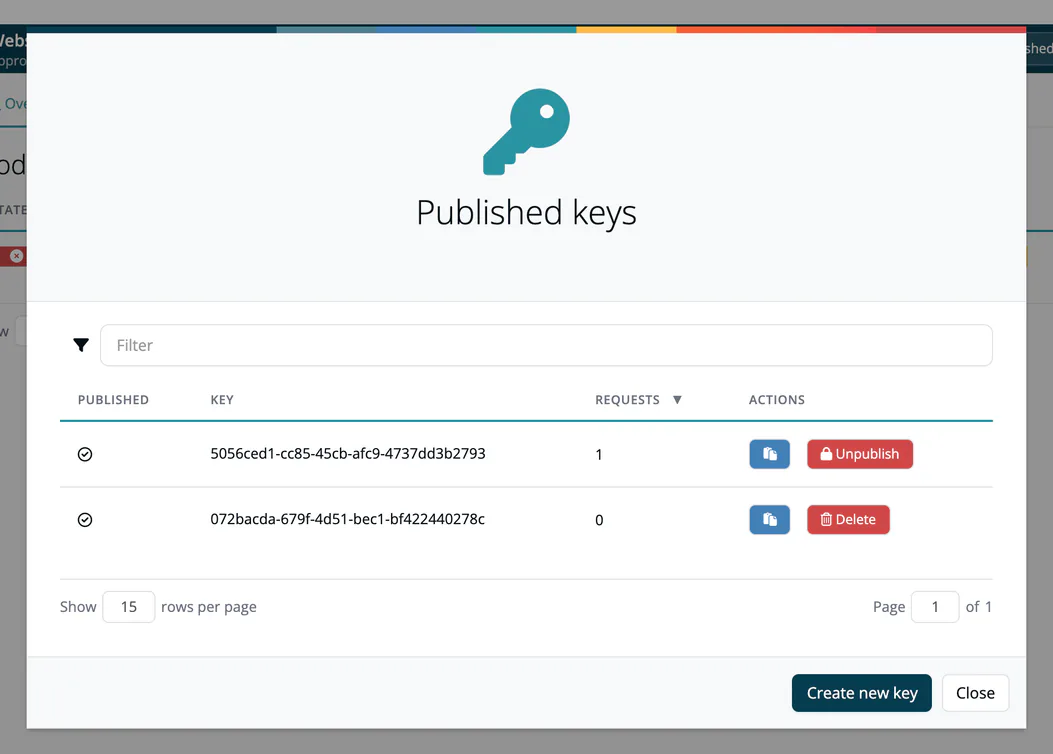
On the release page, Published keys opens the list of keys of that release:
| Column | Meaning |
|---|---|
| Published | Whether the key is active. |
| Key | The key itself, or Key available after publish. |
| Requests | How often the key was used. |
| Actions | Copy the key, Publish it, Unpublish it (a key that was already used) or Delete it (a key never used). |
Create new key adds a further key, for example one per recipient, so you can withdraw access for one recipient without affecting the others. A new key must be published before it works.
To limit what a key serves (SBOM, notice, CSAF), see Release keys under Administration → API keys.
Packageurl
The Packageurl you enter in the approval wizard is stored with the approval and shown in its header.
This is useful for CRA compliance: you can give customers proof of your software composition without exposing your internal tooling.
Related
- Approve / Reject: approving creates the first key
- Release keys: scope and all keys of the company
- REST API → Public routes: the routes behind release keys
- Recipe: Share an SBOM publicly