The 7 Roles
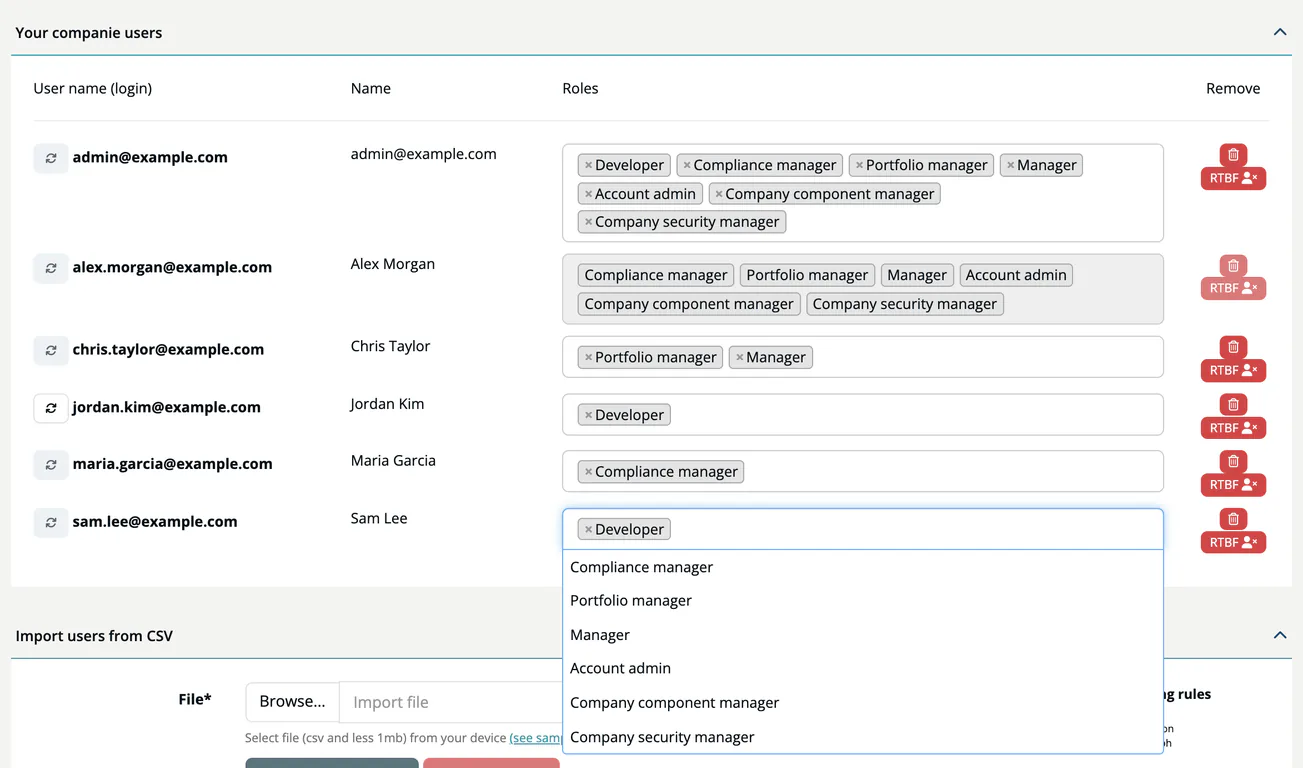
TrustSource CE knows seven roles. Account admins assign them per company, and a user can hold several at once; the rights add up.
| Role | Key | Focus |
|---|---|---|
| Developer | developer |
Works with scans and modules. Edits module settings such as name, tags, thresholds, allow/deny lists, CIA and crypto management, and maintains products. |
| Compliance manager | compliance_manager |
Owns the compliance workflow: approvals, the company license lists and their enforcement, approval of allow-list entries, outbound documents, private licenses, legal templates and the open source policy. |
| Portfolio manager | portfolio_manager |
Organises the portfolio: assigns the default project manager and default compliance manager, maintains module tags and capabilities, and sees the company portfolio view on the dashboard. |
| Manager | manager |
Leads projects: creates projects, starts and decides approvals, maintains tags and webhooks, and has broad rights on the projects and modules they manage. |
| Account admin | account_admin |
Administers the company: users, integrations, API keys, company settings, policies and audit logs. |
| Company component manager | company_component_manager |
Maintains company-wide component knowledge: infrastructure elements, COTS, critical components, license entries and component allow/deny lists. |
| Company security manager | company_security_manager |
Maintains security settings: CIA and capabilities, PSIRT contacts, encryption, crypto policies and CSAF documents. |
For what each role sees and can change, see Functions by Role and Functions by Area.
Assigning roles
- Who: Account admins use Administration → User Management. They change roles in the user list or set them in a CSV import. See User Management.
- Invited users start with the role Developer.
- At least one role. A user must keep one role; remove the user instead of clearing all roles.
- Your own roles cannot be changed in the list.
- Per company. Roles belong to one company. A user who is a member of several companies on the same installation can hold different roles in each and switches the company in the sidebar header.
- The initial admin created at installation, and every user who registers a new company when self sign-up is enabled, receives all seven roles in that company.
Warning
Holding every role gives a user all privileges. The app warns when you tick all roles for a user, and such a user sees "ATTENTION! You are using all roles. This is not intended for production use." in the header. Compliance duties are meant to be shared between people; give the initial admin's daily work to accounts with fewer roles.