Danger Operations (Project)
Note
Required role: managers who are the project's default project manager or default compliance manager (or any manager while none is set). See the Settings Permission Matrix.
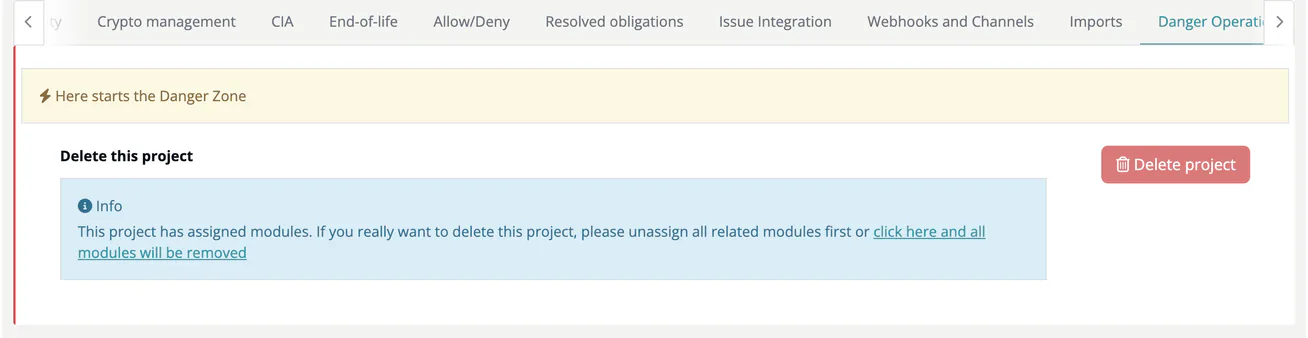
The Danger Operations tab opens with the banner Here starts the Danger Zone and offers one operation: Delete this project.
Delete project
- Project without modules: click Delete project and confirm Are you sure you want to delete project ...? with Yes, delete it!
- Project with modules: Delete project is disabled and an info box asks you to unassign all modules first, or to click here and all modules will be removed. That link asks Are you sure you want to delete project ... and all modules? and, after Yes, delete it!, deletes the project together with all its modules.
After deletion you return to the project list. The deletion is written to the audit log.
Warning
Deleting a project is permanent and cannot be undone. All project settings and, when you delete the modules too, all module data, analyses and settings are lost. To keep modules, move them to another project in their General settings (Assigned Project) first, or archive modules you no longer need in their Danger Operations.