Account & Billing
Note
Required role: account_admin or enterprise_admin
Administration → Account & Billing holds your company data, your account type and the legal documents. Use it to keep invoices correct and to change your plan. See Account Types for what each plan includes.
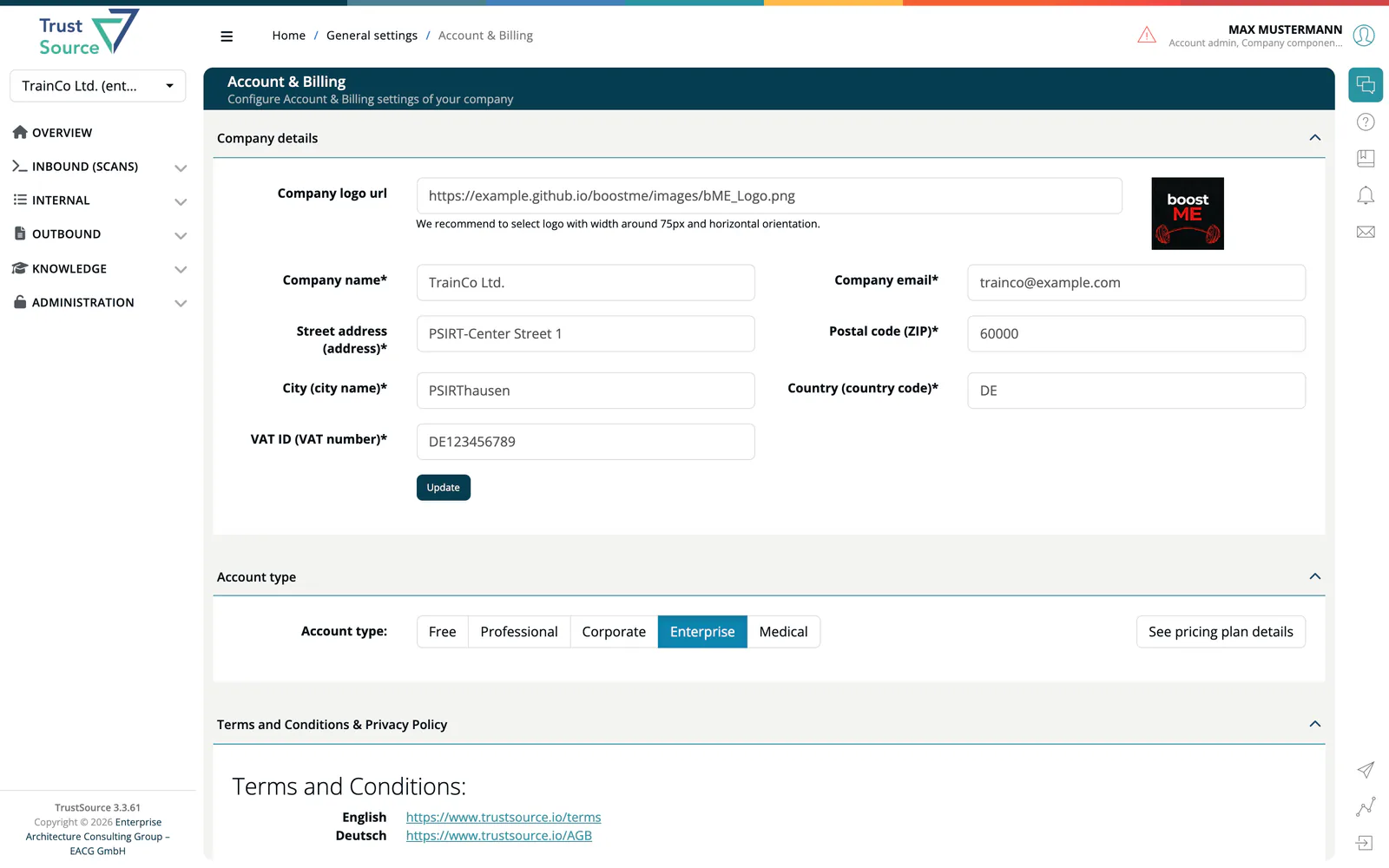
Company details
Fill in this form before you change your plan. Fields marked * are required. Select Update to save.
| Field | Description |
|---|---|
| Company logo url | Address of your logo. |
| Company name* | The name of your company. |
| Company email* | The contact address for your company. |
| Street address (address)* | Billing address. |
| Postal code (ZIP)* | Postal code of the billing address. |
| City (city name)* | City of the billing address. |
| Country (country code)* | Country code, for example DE. |
| VAT ID (VAT number)* | Your VAT number. |
Account type
Choose Free, Professional, Corporate, Enterprise or Medical. See pricing plan details shows the limits and monthly price of each plan.
- Upgrade to Professional or Corporate: a dialog confirms the new account type and the monthly charge. The first charge happens when you confirm. Where a trial is available, Start trial starts it instead; the dialog shows when a running trial expires.
- Upgrade to Enterprise or Medical: your request goes to the sales team, who contact you within 24 hours.
- Downgrade: takes effect with the next billing period. The dialog asks why you leave.
- Billing information first: Ok stays disabled until the company details above are complete.
You must accept the terms and conditions in each dialog.
Note
Which optional features your company can use, such as Products, Risks or CSAF, is not set here. TrustSource provisions these license features for your company. See License Features.
Terms and conditions and privacy policy
The last panel links to the terms and conditions and the privacy policy in English and German.