Authentication Settings
Note
Required role: account_admin
Required account type: Enterprise or Medical
Authentication settings list the steps of the browser login flow of your identity store. Each step has a drop-down that decides whether the step is required.
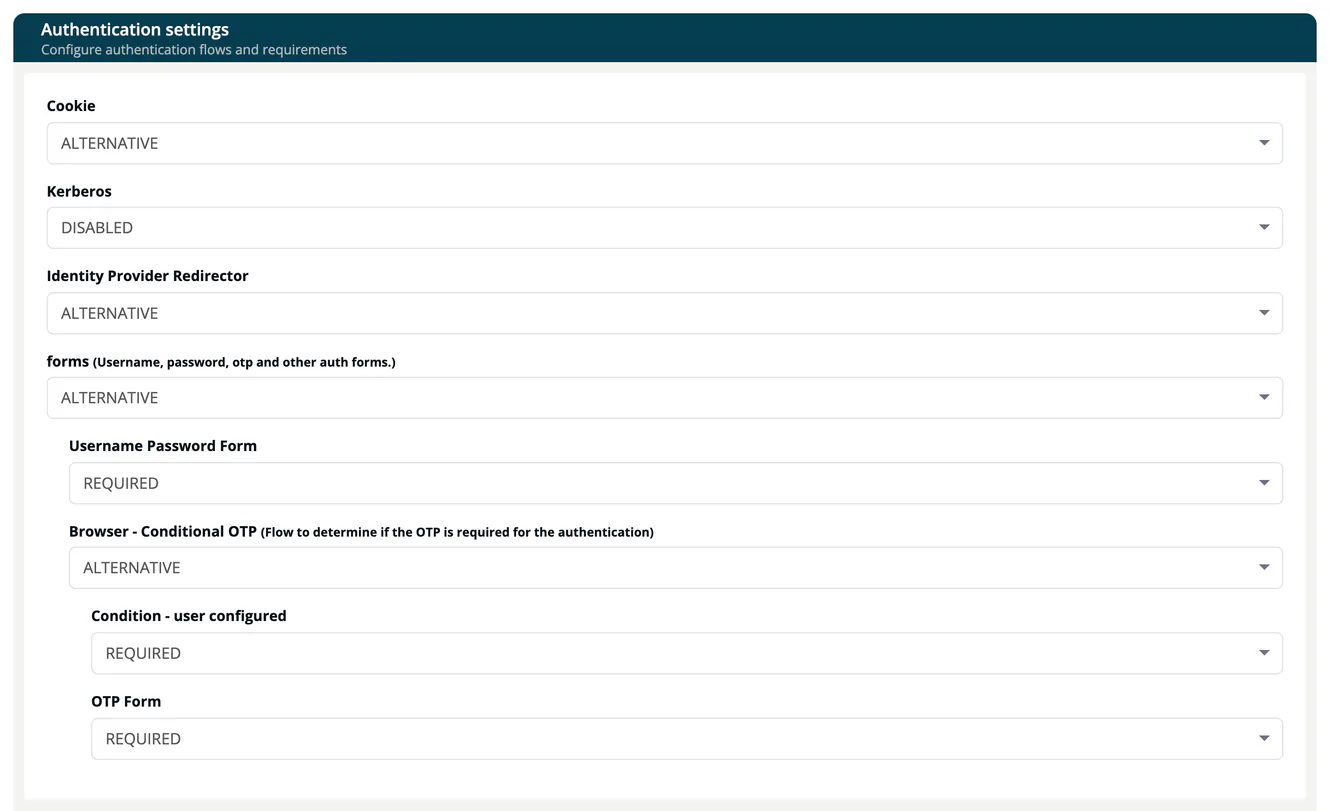
For every step the page shows its name, for some steps a short description in brackets, and a drop-down with the requirement. Sub-steps are indented below their parent step. The choices come from your identity store and differ per step: REQUIRED, ALTERNATIVE, DISABLED and, for some steps, CONDITIONAL.
Changes are saved the moment you pick a value: there is no Update button. A message confirms "Authentication settings updated". The change applies to the browser login flow of your company.
Warning
Changing a requirement affects how every user of your company signs in with the browser flow.