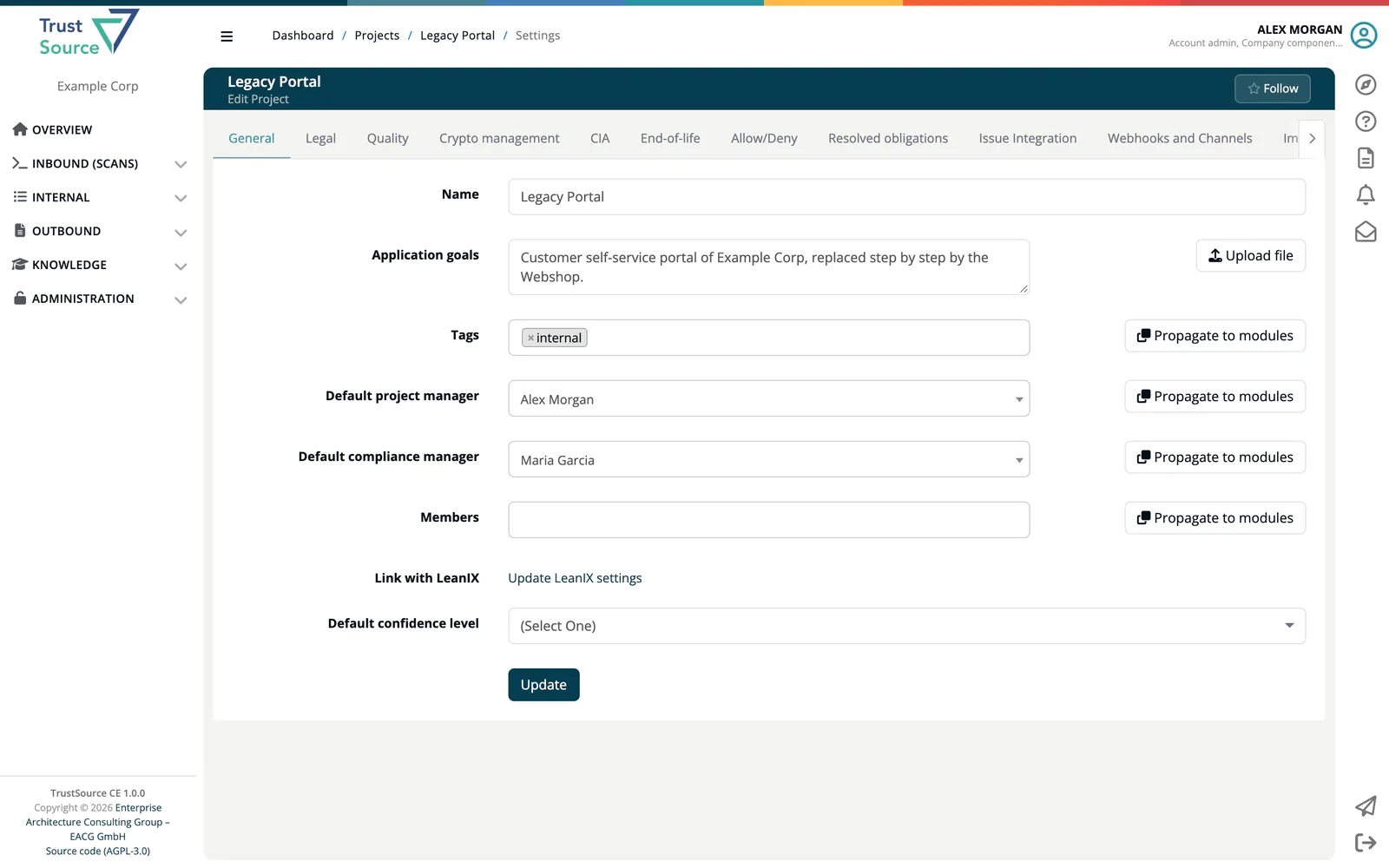
Project Settings
Open the project settings with Settings on the project page or the cogs icon in the project list. The page header shows the project name, the subtitle Edit Project and a Follow action. Settings defined here act as defaults for the modules of the project; several of them can be pushed to the modules with Propagate to modules.
The tabs appear in this order. A tab is shown only if your role may read it.
| Tab | What it configures |
|---|---|
| General | Name, application goals, tags, default managers, members, LeanIX link, default confidence level. |
| Legal | Commercial aspects, operating model, inbound and outbound IP protection. |
| Quality | Required test tools and risk creation from SARIF weaknesses. |
| Crypto management | Managed algorithms and export controls. |
| CIA | Confidentiality, integrity and availability requirements. |
| End-of-life | End-of-life analysis switch and thresholds. |
| Allow/Deny | Enforce allow list; always allowed and always denied licenses and components. |
| Resolved obligations | Obligations the project has already fulfilled. |
| Issue Integration | TFS, Jira or GitHub issues for this project. |
| Webhooks and Channels | Webhooks and chat channels for project events and vulnerability alerts. |
| Imports | Module import and its history. |
| Danger Operations | Delete the project. |
Who may change which setting is listed in the Settings Permission Matrix. In short, "owner" below means the project's default project manager or default compliance manager; while the project has none, every manager and compliance manager counts as owner.
- A Manager who is owner can change almost every tab and delete the project.
- A Compliance manager who is owner can change General, Legal and Resolved obligations and use Imports. Every compliance manager can change Allow/Deny.
- Account admin links LeanIX and configures Issue Integration. Company security manager edits CIA. Portfolio manager sets the default managers.
- Everyone else reads.
MDR/IVDR classification is not part of TrustSource CE; see CE and SaaS compared.