Audit Logs
Note
Required role: account_admin
The Audit logs page is your company's audit trail: who did what, when, and to which object. It lists every recorded action of every user and of API keys, newest first.
Open Administration → Audit logs in the menu, or click View all logs on the dashboard's activity panel.
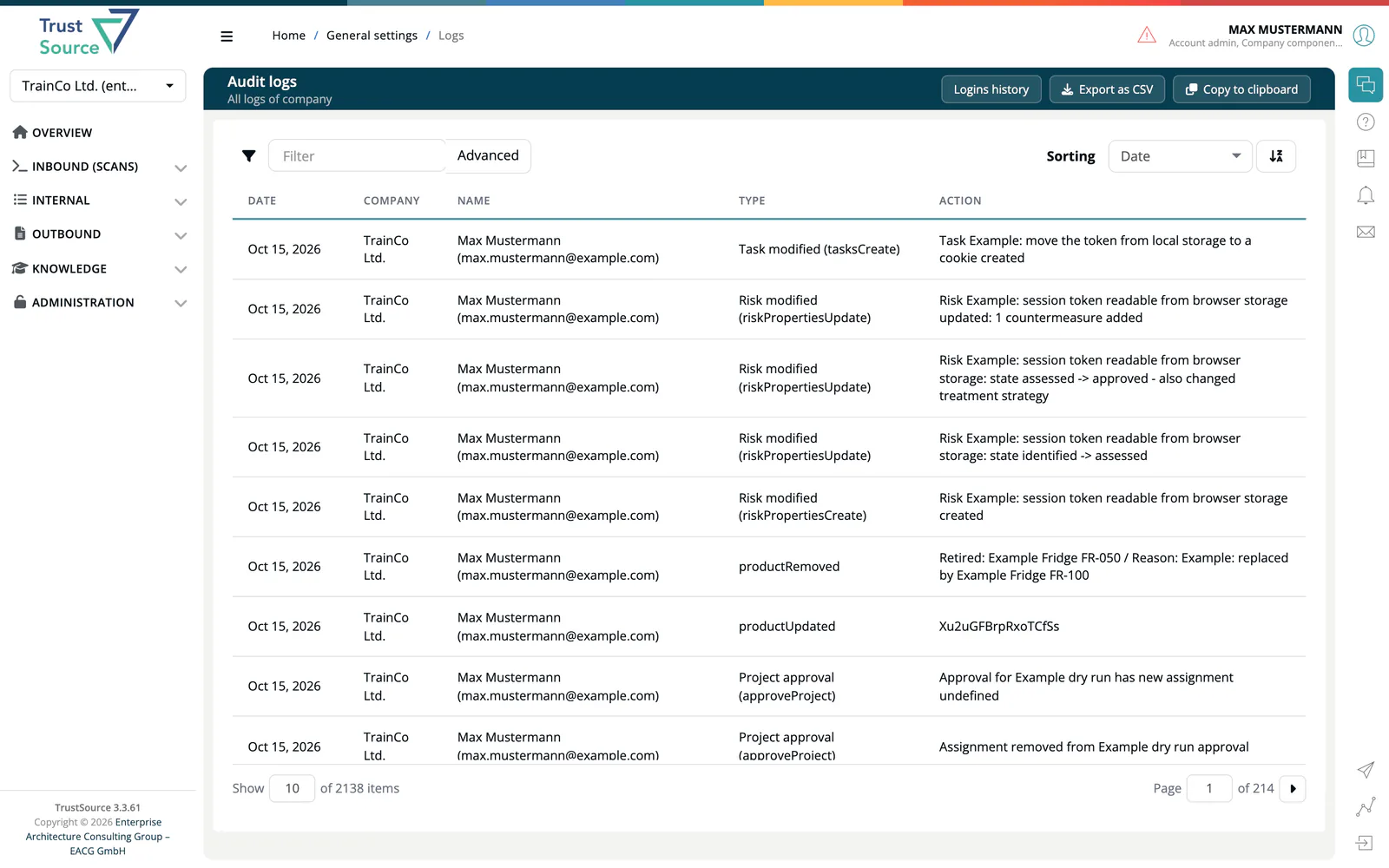
Read the table
| Column | Meaning |
|---|---|
| Date | When the action happened. |
| Company | Your company. |
| Name | The user, or the name of the API key, or unknown if the actor no longer exists. |
| Type | A group label followed by the event key, for example Risk modified (riskPropertiesUpdate). |
| Action | A plain sentence describing the change. |
Find an entry
- Type in the Filter box to search the user name, the event label and the message at once.
- Click Advanced to combine filters: User name, Event, Message and Event type. Event type is a list of all event keys, which is the most exact way to narrow down. A badge on the button shows how many filters are active. Clear removes them.
Export
- Export as CSV downloads the entries that match the current filter and sorting, as
export_logs_<date>_<user>.csvwith the columns Date, Name, Type and Action. The delimiter is a semicolon. Cells that start with=,+,-or@are written as text, so a spreadsheet never runs them as a formula. - Copy to clipboard copies the same table.
What is logged
The Type filter groups events by label. The most useful ones:
| Group | Examples |
|---|---|
| Test imported | Every SARIF import: who uploaded it (a user, or the API key by name), the module and project, how many runs were stored or skipped, and the tools. |
| Risk modified | A risk was created, updated or removed, including by imports and by the deadline sweep. State changes read Risk ...: state a -> b. Also: switching Create risks from SARIF weaknesses (CWE), from vulnerabilities (CVE) or from OBOM findings on or off, with old and new value, whether from the UI or the Projects API. |
| Risk assessment scheme modified | The company, project or module scheme changed. |
| Task modified | A risk task was created, changed or removed. |
| Quality settings modified | A test tool was added to, changed on or removed from a company, project or module. The entry names the setting. |
| Rules modified | A CWE assignment was assigned or withdrawn on a scanning rule; a withdrawal names the old value. |
| Scan added, Scan processed, Scan deleted | Dependency scans. Dependencies skipped during processing are recorded here. |
| Project modified, Module modified | Create, delete and settings changes. |
| Approval created, Project approval, Module approval | The approval workflow. |
| User modified, Account modified, Auth updated | Invitations, roles, company and sign-in settings. |
| Policy modified, Allow/deny-list modified, License modified | Policies and lists. |
| CSAF created / updated / published / checked | CSAF documents. |
| Integration modified, Webhook created | Integration settings. |
| API activity recorded | API key and release-key use. |
Some imports and checks are written as a single entry, even for hundreds of changes: a settings change on a very large list adds one summary entry, and a SARIF import that exceeds the risk register limits adds one entry that says how many weaknesses were not tracked. See Automatic Risks.
Logins
User logins are not part of this table. Click Logins history at the top right to open the Login History.
Related
- Login History - sign-ins and users who have not logged in
- Risk History - the full old and new values of a risk
- SW Quality Scans - what a SARIF import records