Policies
Note
Required role: Account admin, Company security manager or Compliance manager. The Opensource policy list is limited to Compliance managers.
Administration → Policies collects the company-wide rules that projects and modules of TrustSource CE are measured against. The page ("Please select policy type") shows three cards.
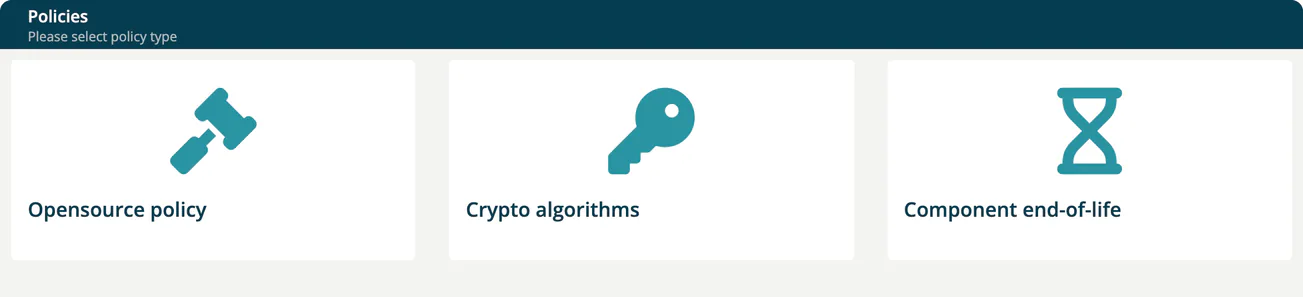
| Card | What it holds |
|---|---|
| Opensource policy | The policy documents your company publishes to its users. |
| Crypto algorithms | Algorithms your company denies. |
| Component end-of-life | The company default for end-of-life monitoring. |
Opensource policy
Compliance managers upload the policy document here. Users then see the active policy under Knowledge → Open source policy. See Open Source Policy.
- Select Upload new policy.
- Enter the Policy name with its version.
- Choose the Document (PDF or PPTX, up to 20 MB).
- Under Notify users, choose the roles that must be informed about the policy.
- Add a Summary of changes and select Create Policy.
The list shows Active, Active from, Created, Updated, Policy name, Document, Notify, Presented, Viewed and Confirmed, so you can follow who has read and confirmed the policy.
Crypto algorithms
"Configure crypto algorithms denied for your company". Each row shows Created, Key, Strength, Comment and Added by.
- Select Deny algorithm.
- Choose the Name. The list offers the algorithms defined under Private algorithms, so add them there first.
- Enter the Strength (numeric value like 256 or 1024) and an optional Comment.
- Select Add.
The trash button in a row removes the entry.
Component end-of-life
Switch Enable end-of-life analysis for all modules on to monitor end-of-life dates company-wide. A confirmation asks you to approve the change, because it affects all future analyses.
While it is on, two sliders under End-of-life thresholds set the thresholds in months, from 0 to 24 (the sliders show values such as 12m). Select Update to save them.
| Slider | Meaning |
|---|---|
| Warning threshold | The threshold in months at which an end-of-life component is reported as a warning. |
| Violation threshold | The threshold in months at which an end-of-life component is reported as a violation. |
The value 0 shows "no monitoring". The violation threshold may not be larger than the warning threshold. Projects and modules can set their own values; see End-of-life (Project).
Note
Saving the end-of-life policy is accepted from Account admins, Managers and Compliance managers. A Company security manager can open the page but cannot save changes without one of these roles.