SBOM + CBOM
Note
Required role: Compliance manager, Manager or Account admin to open the list. Editing, versioning and freezing need Compliance manager or Manager.
TrustSource CE keeps SBOM files: editable bills of materials for a project or a module. From one SBOM file you download the Software Bill of Materials, the Cryptography Bill of Materials (CBOM) and the AI / ML Bill of Materials (AIBOM). Open Outbound → SBOM + CBOM.
The SBOM files list
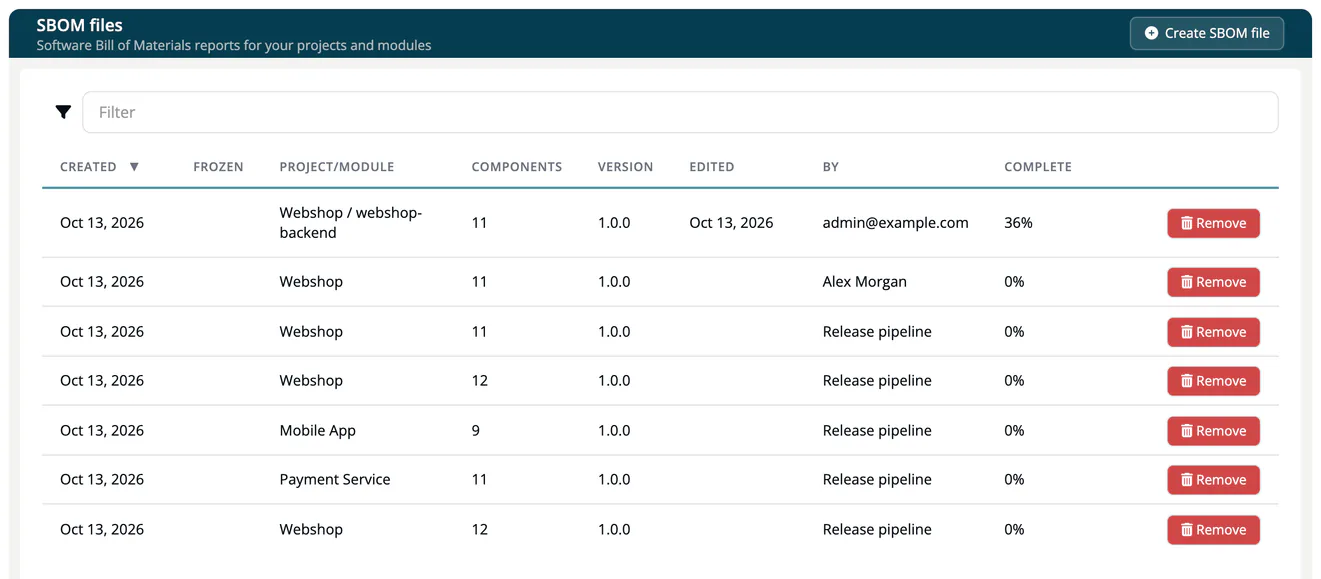
The page SBOM files lists every SBOM file of your company, including the ones created by approvals.
| Column | Meaning |
|---|---|
| Created | When the file was created. |
| Frozen | When it was frozen, if it was. |
| Project/Module | What the file describes. |
| Components | Number of components. |
| Version | Version of the file. |
| Edited, By | Last change and who made it. |
| Complete | How many components are cleared, in percent. |
| (last column) | Remove. |
Create an SBOM file
- Click Create SBOM file.
- Choose the Project or module: All module of ... for a whole project, or one module.
- Click Create SBOM file.
The file is built from the current analyses. An approval creates an SBOM file for its release in the same way, from the analyses it pins.
Work on an SBOM file
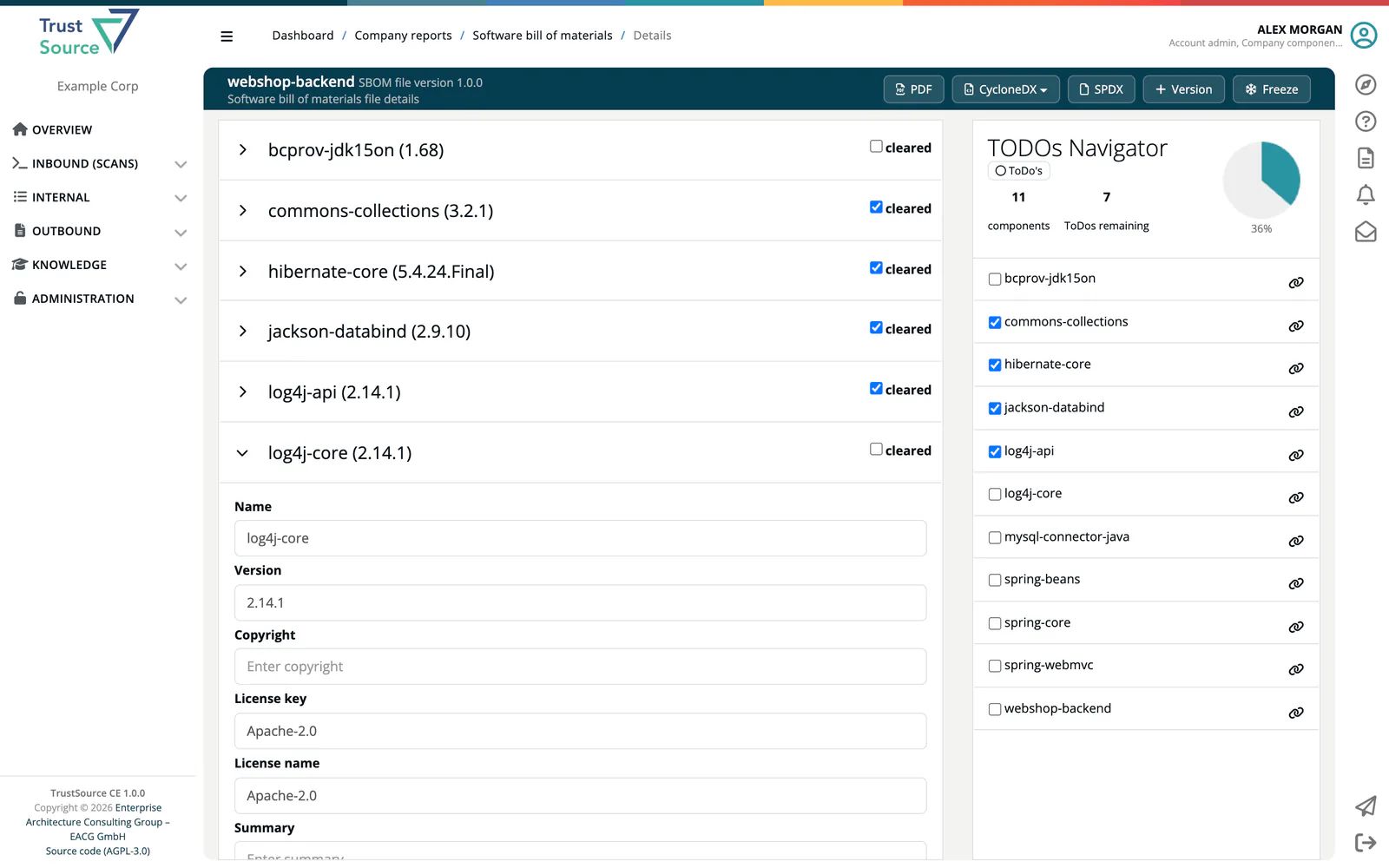
Click a row to open the file. The left side lists the components; open one to edit its fields: Name, Version, Copyright, License key, License name, Summary, Package file name, Source info, Originator, Supplier, Download location, Hash of executable, Homepage url, Repo url, Source url, Hash of source, Binary url, Other. Save component stores the changes. Tick cleared once a component is reviewed.
The TODOs Navigator on the right counts components and remaining ToDos, shows the completion in percent, and jumps to a component. ToDo's / Show all switches between open and all components.
Versions and freezing
- Version increments the version of the file (dialog Increment version, Save version).
- Freeze locks the file. A frozen file cannot be changed; a copy with an increased version is created for further work. The header then shows Frozen with the date.
If the project or module of a file was removed, the file is marked DEPRECATED.
Download
| Button | Format |
|---|---|
| A PDF report of the file, with your company logo from Administration → Settings → General info. | |
| CycloneDX → SBOM (components) | CycloneDX 1.7 JSON with the components. |
| CycloneDX → CBOM (cryptography) | CycloneDX 1.7 JSON with the cryptographic assets. |
| CycloneDX → AIBOM (AI / ML) | CycloneDX 1.7 JSON with the AI / ML models. |
| CycloneDX → Full BOM (components + crypto + AI) | All of the above in one CycloneDX 1.7 JSON document. |
| SPDX | SPDX JSON (.spdx.json). |
Further ways to get a bill of materials:
- SPDX RDF of one module: module settings, tab Export SPDX. See Export SPDX.
- REST API:
GET /api/v2/core/projects/{project_id}/sbom(and the same for modules) returns the bill of materials in TrustSource's own tree and list format;/cbomand/aibomreturn CycloneDX 1.7. See Projects and Modules. - Release key: external parties read the SBOM of a release, with an HMAC integrity check, from
/api/v2/compliance/releases/{release_key}/sbom. See Public Approves.
SPDX tag-value and CycloneDX XML are not produced.
Related
- Import Scans: how component data enters
- Approvals: SBOM files of releases
- Recipe: Crypto inventory and PQC
- Background: SBOM formats