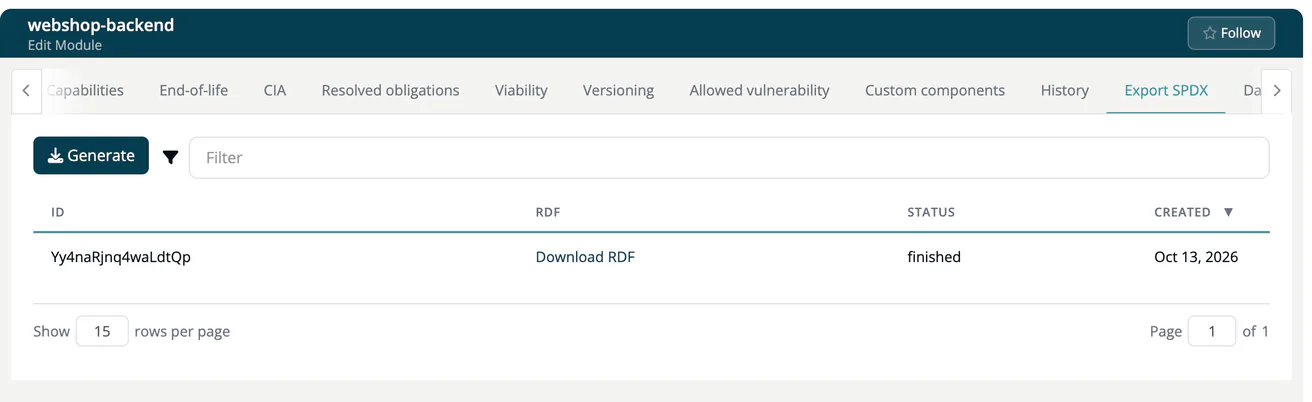
Export SPDX (Module)
Note
Required role: Developer, Compliance manager, Portfolio manager and Manager see the tab. Generate is for the same roles; developers who are not members of a module with members can only read. See the Module Settings Permission Matrix.
Create an SPDX document for the module, the format many customers and authorities ask for to describe the software bill of materials. The tab is not shown for infrastructure and COTS modules.
Generate a document
- Click Generate.
- A toast confirms SPDX generation successfully added to queue! The document is built in the background.
- Watch the Status column of the table. It moves from
createdtogenerating rdf fileand ends withfinished. - Click Download RDF in the RDF column.
If the request cannot be queued, the toast reads Error: could not add to queue! (or the reason given by the server).
The table
| Column | Content |
|---|---|
| ID | Identifier of the export. |
| RDF | Download RDF once the file exists. |
| Status | created, generating rdf file or finished. |
| Created | When you requested it; newest first. |
Each click on Generate creates a new document; earlier ones stay in the list.
Note
This tab produces SPDX 2.3 in RDF. SPDX JSON and CycloneDX documents are available under SBOM + CBOM. SPDX tag-value is not supported.