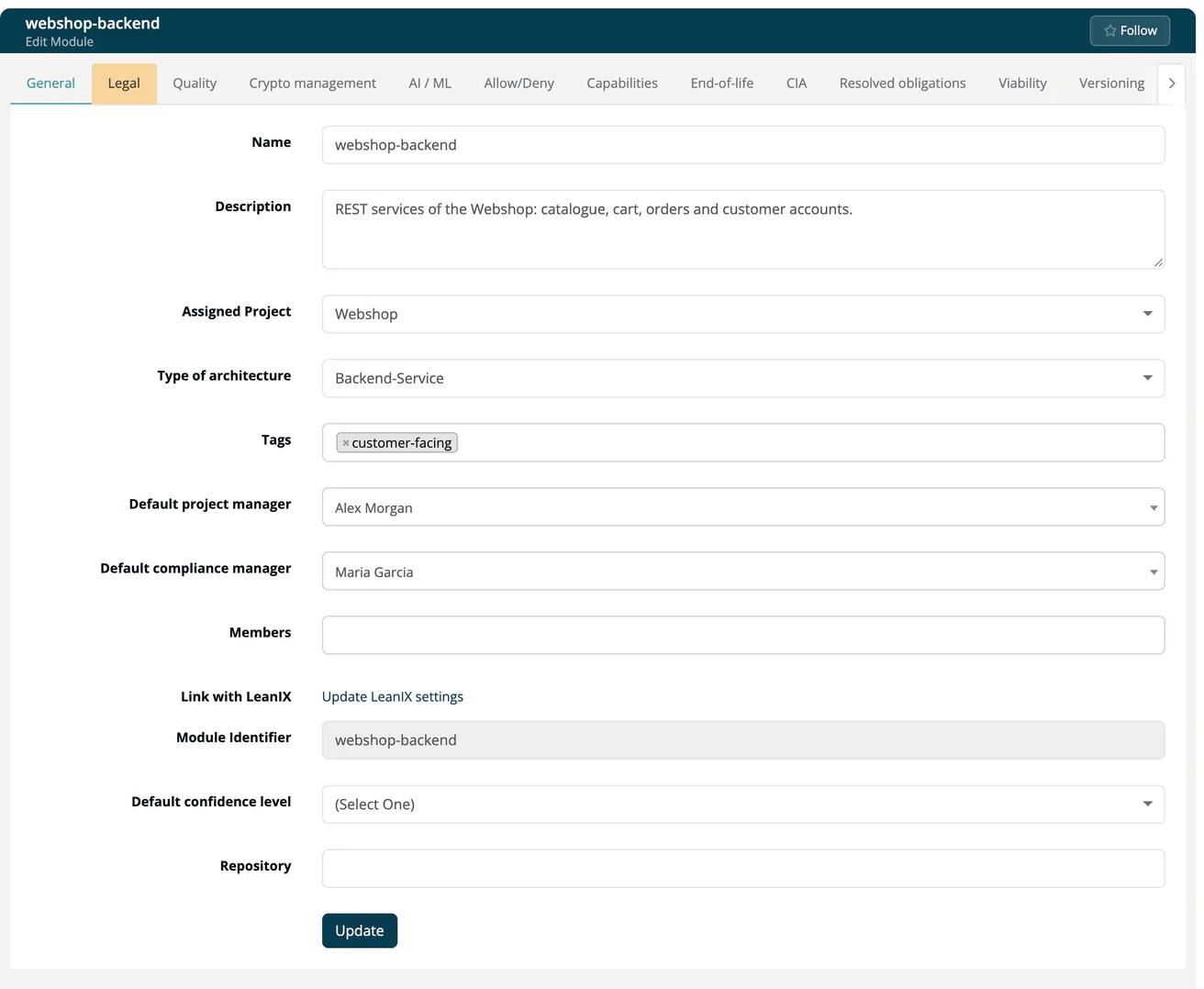
General (Module)
Note
Required role: everyone who can open the module sees the tab. Who may change a field is listed below; the full list is in the Module Settings Permission Matrix.
The General tab holds the identity of a TrustSource CE module: what it is called, which project it belongs to, who looks after it and how reliable its vulnerability findings must be.
Fields
| Field | What you enter |
|---|---|
| Name | 1 to 200 characters, no < or >. Example: payment-service. |
| Version | Infrastructure and COTS modules only. |
| Description | Up to 2000 characters. |
| Assigned Project | The project the module belongs to. -- unassigned -- detaches it. |
| Type of architecture | Frontend-UI-Module, Frontend-Endpoint, Frontend-Service, Backend-Service, Backend-Endpoint, System component, Infrastructure Service or Distributable Component. |
| Tags | Company tags. If the company has none, a link to the company tags shows instead. |
| Default project manager | The manager responsible for the module. |
| Default compliance manager | The compliance manager who reviews and approves its releases. |
| Members | Users working on the module. Developers who are not members can only read the settings of a module that has members. |
| Link with LeanIX | Select a LeanIX fact sheet. Without a LeanIX connection, the field shows Update LeanIX settings instead. |
| Privacy | Infrastructure and COTS modules only: Open source or Private. |
| Module Identifier | Read-only. The key that scans and the REST API use to find the module. |
| Default confidence level | High only, Medium + or All. Vulnerability findings below this level are hidden. |
| Repository | URL of the source repository. |
Click Update to save. A toast confirms Module settings changed!.
Confidence level and inheritance
If you leave Default confidence level empty, the module inherits the value of its project, and the project in turn the company default. A hint under the field says where the value comes from, for example Inheriting from project: Medium +. Setting a value here overrides both for this module only.
Who can change what
"Owner" means the module's default project manager or default compliance manager, or any manager and compliance manager while none is set. A developer can edit only if the module has no members or lists them as a member.
| Field | Who can edit |
|---|---|
| Name, Version, Description, Default confidence level, Repository | Developers and managers who are owner. |
| Assigned Project, Tags | Developers, and managers and compliance managers who are owner. Portfolio managers can also change Tags. |
| Type of architecture, Privacy, Members | Managers and compliance managers who are owner. |
| Default project manager, Default compliance manager | Managers and compliance managers who are owner, and portfolio managers. |
| Link with LeanIX | Developers who are members, and managers who are owner. |
Tip
An infrastructure module hides the tabs Quality, Crypto management, AI / ML, Allow/Deny, Capabilities, Custom components, History and Export SPDX. See Infrastructure Modules.