CI/CD Scan
Note
Required role: Developer, Compliance manager, Manager or Account admin to open the list. Re-Process needs Manager or Compliance manager.
A scan is a snapshot of a module's bill of materials at one point in time: every component with its versions, licenses and dependencies. Scans from your build pipeline are the main way data enters TrustSource CE. Open the list from Inbound (Scans) → CI/CD Scan.
How scans arrive
| Source | How |
|---|---|
| Scanner in the pipeline | A scanner such as ts-scan or one of the build plugins runs after each build and posts the result to https://<your-host>/api/v2/core/scans with your API key in the x-api-key header. |
| REST API | Post scan data to the scans endpoint yourself. |
| SBOM import | An uploaded SPDX or CycloneDX file creates a scan too. See Import Scans. |
To connect a scanner to your installation:
- Create an API key under Administration → API keys. See API keys. A key with no scope at all passes every check; a scoped key needs the Developer or Manager scope to upload scans.
- Create the target project in TrustSource CE. An upload that names a project that does not exist is answered with
404; the module, in contrast, is created on the first upload. - Point the scanner at your installation instead of the TrustSource SaaS address, and give it the key and the project name.
With ts-scan 1.10, the base URL is your installation's address followed by /api; ts-scan adds the rest of the path:
ts-scan scan -o scan.json .
ts-scan upload --base-url "https://<your-host>/api" --project-name "Storefront" scan.json
ts-scan upload reads the key from the environment variable TS_UPLOAD_API_KEY (in a pipeline, fill it from the CI secret store). You can also pass --api-key, but then other users on the same host can see the key in the process list.
ts-scan names the module after the artefact it detected. Run ts-scan upload --help if your version differs. See Recipe: CI/CD integration for a complete pipeline.
Each scan belongs to exactly one module. Names are compared after removing every character other than letters, digits, -, _ and / (case is kept), so a SARIF upload or an SBOM import with the same module name lands on the same module.
Warning
A mismatch in the module name, for example a package manifest name against a checkout folder name, silently creates a second module instead of adding to the first. See SW Quality Scans.
Example upload
curl -X POST https://<your-host>/api/v2/core/scans \
  -H "x-api-key: YOUR_API_KEY" \
  -H "Content-Type: application/json" \
  -H "User-Agent: my-pipeline/1.0.0" \
  -d '{
        "project": "Storefront",
        "module": "billing-service",
        "branch": "main",
        "tag": "v1.4.0",
        "dependencies": [ ... ]
      }'
The answer 201 carries the id of the new scan and of the module. Processing and analysis run in the background.
Limits and rejections
- A request without a
User-Agentheader is refused with400. Unknown user agents are accepted. - A request without an API key is refused with
401, an invalid key with403, a key whose scope does not allow uploads with403(API-key scope is limited). - A dependency tree nested more than 80 levels is refused with
400; the message names the limit and the component. The same check covers deeply nested content elsewhere in the upload. - JSON request bodies are limited to 5 MB. File uploads to the import endpoints may be up to 50 MB by default (
TS_UPLOAD_MAX_MB). - One unusable dependency does not stop the scan: it is skipped and recorded. The scan keeps the count and the first 100 entries, and Audit logs show how many were skipped.
Scanners and plugins
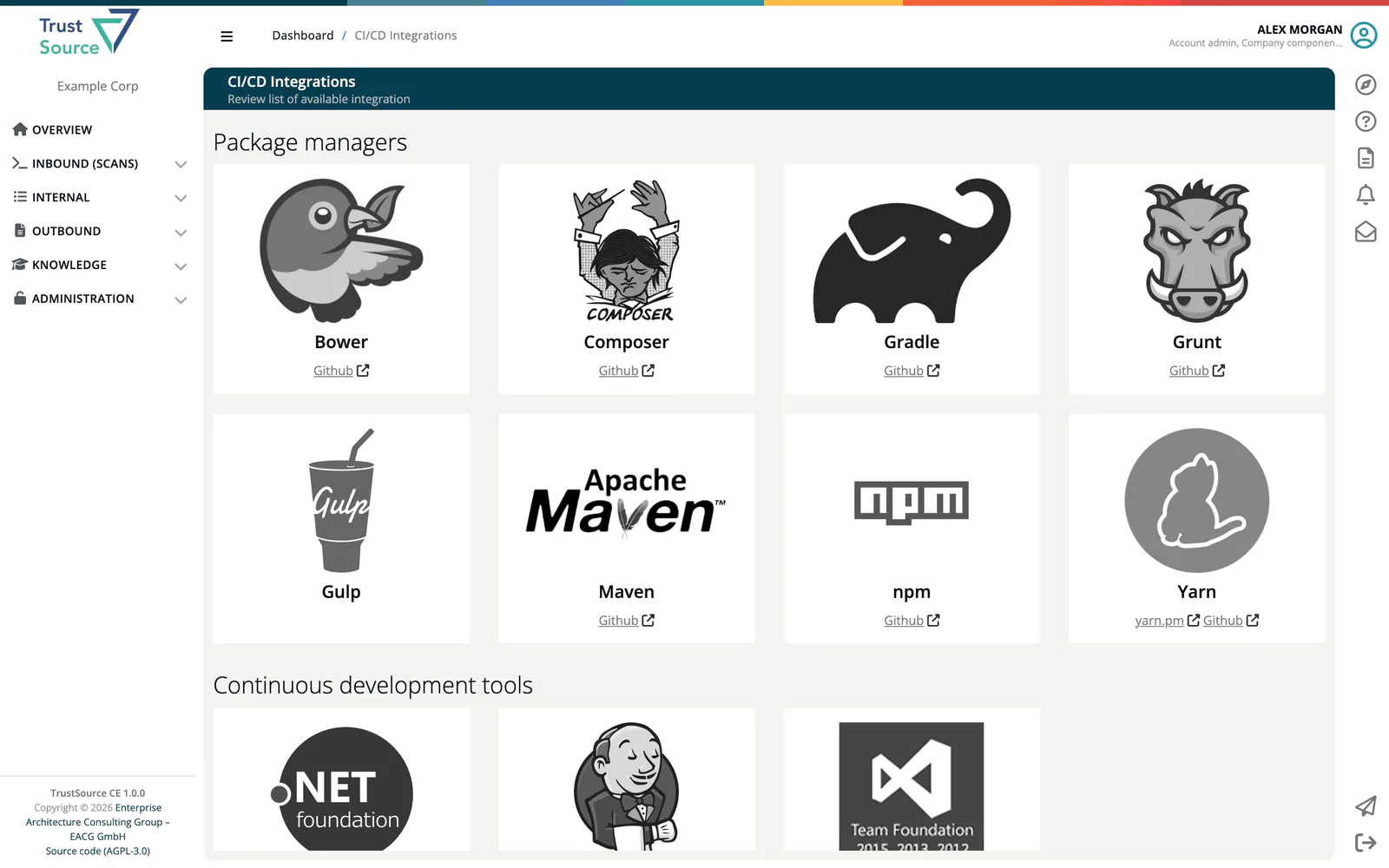
The CI/CD Integrations page lists the available scanners and plugins with links to their repositories and guides. It has no menu entry; open https://<your-host>/scanners.
| Group | Entries |
|---|---|
| Package managers | Bower, Composer, Gradle, Grunt, Gulp, Maven, npm, Yarn |
| Continuous development tools | .Net foundation, Jenkins, TFS |
| Containers | Docker scanner |
| Development languages | Java, JavaScript, NodeJS, C/C++, PHP, Python, Ruby |
| IDE Plugins | VisualStudio |
The scan list
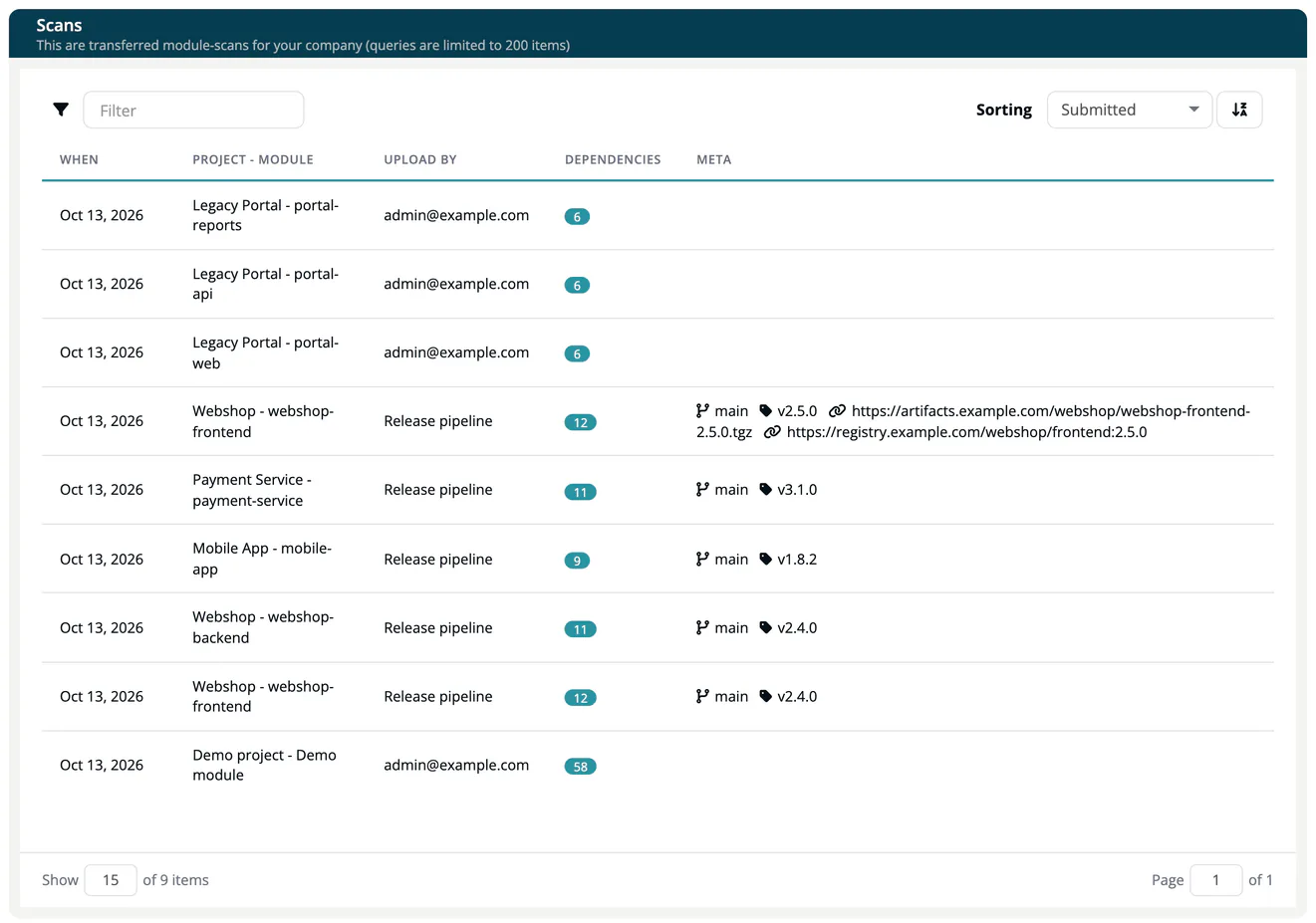
The page Scans shows the transferred scans of your company, newest first. Queries are limited to 200 items.
| Column | Meaning |
|---|---|
| When | Time the scan was received. |
| Project - Module | Where the scan belongs. |
| Upload by | The user the API key belongs to, or who imported the file. |
| Dependencies | Number of dependencies found. |
| Meta | Branch, tag and binary links of the scan. |
Select a row to open the scan.
Scan details
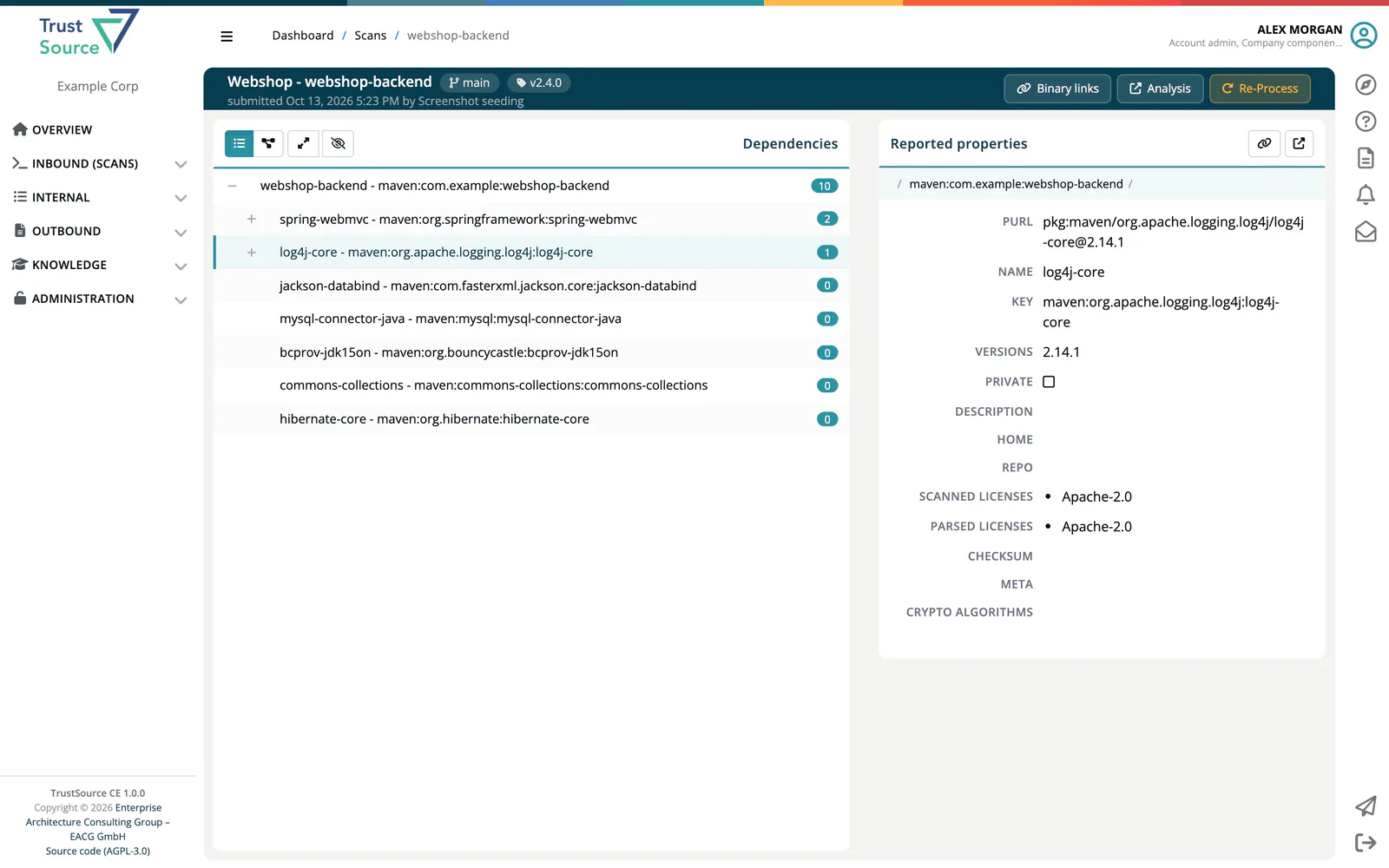
The header shows project, module, branch, tag and the number of binary links, and who submitted the scan when. Buttons:
- Binary links opens the dialog to add or remove links to the built artifacts (Link, Comment, Add link). See Binary Linking.
- Analysis opens the module analysis for this scan; it shows as Analysis N/A while no analysis exists.
- Notices appears when validation found unknown licenses (Scan validation found Unknown licenses); check that they do not affect your company.
- Re-Process (Manager and Compliance manager) runs processing and analysis of the scan again, for example after policies changed. Over the API the same is
POST /api/v2/core/scans/{id}/reprocess.
The body shows the dependency tree. Switch between List and Diagram, Expand or Collapse all levels, and Show linked or Hide linked modules. Selecting a dependency opens Reported properties at its side: purl, name, key, versions, private flag, description, home, repo, scanned and parsed licenses, checksum, meta data and crypto algorithms. Lake opens the component in the Component Lake.