Login History
Note
Required role: account_admin, manager or compliance_manager
The Logins history page lists every sign-in attempt of your company. Use it for security audits and to investigate a login problem.
How to open it
Click Logins history at the top right of the Audit Logs page (Administration → Audit logs). The page has no menu entry of its own, and the Audit Logs page needs account_admin; manager and compliance_manager reach the Logins history by its address, /settings/company/loginsHistory.
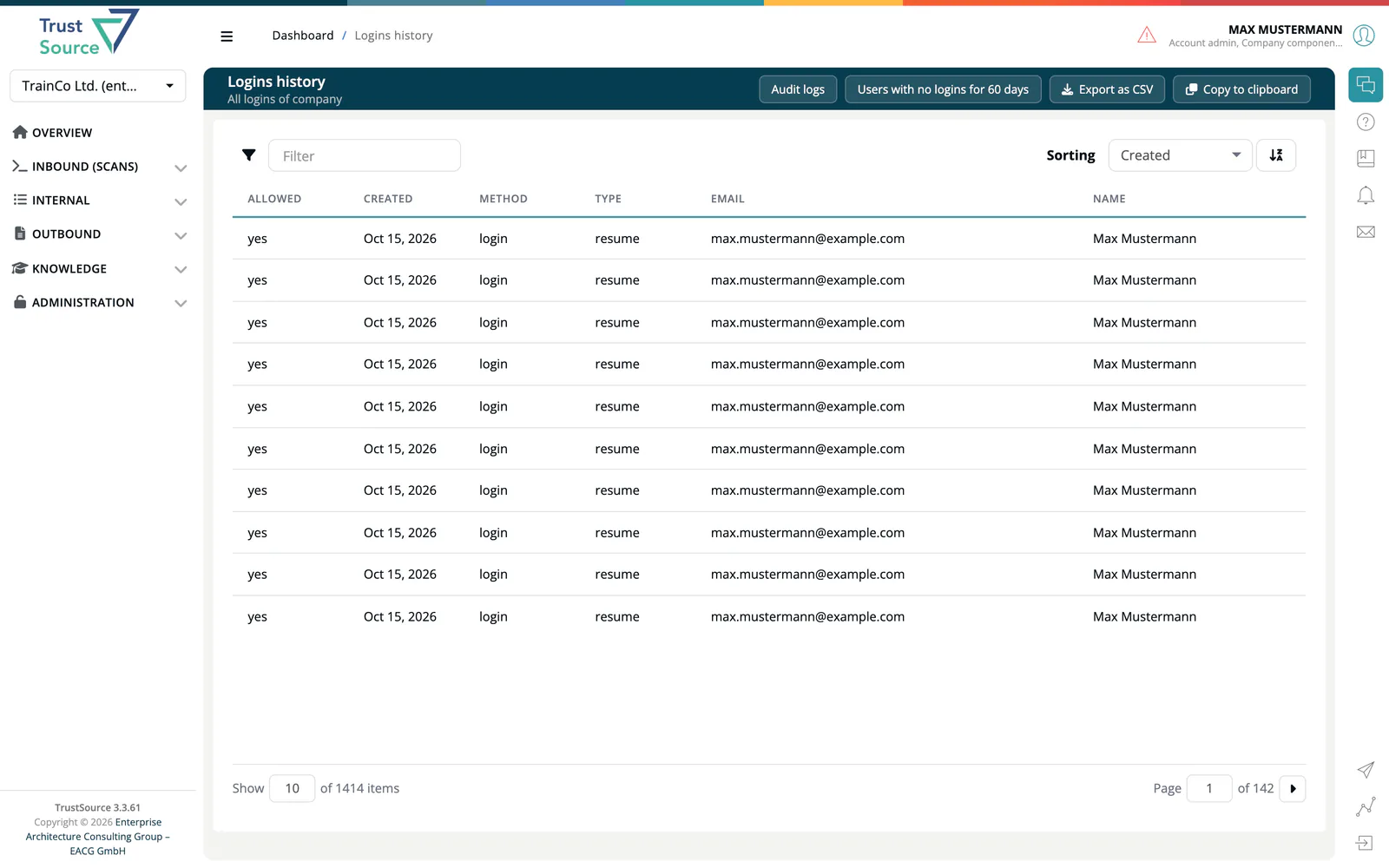
The table
| Column | Meaning |
|---|---|
| Allowed | yes if the login succeeded, no if it was refused. |
| Created | Date and time. |
| Method | The sign-in method used. |
| Type | The kind of login. |
| The account's e-mail address. | |
| Name | The user's name. |
Use the Filter box to search by method, type, e-mail and name. Newest entries come first.
Buttons
- Audit logs - back to the audit trail.
- Users with no logins for 60 days - lists the users who have not signed in during the last 60 days, a quick way to find accounts you may want to remove. All logins history returns to the full table.
- Export as CSV and Copy to clipboard - take the table with you; semicolon-delimited.
Related
- User Management - manage members and their roles
- Audit Logs - the broader company-wide activity trail