Crypto management (Module)
Note
Required role: everyone who can open the module settings reads the tab. Editing is for developers and for managers and compliance managers who are the module's default manager (or if none is set). Add algorithm and the CycloneDX export buttons show for managers and compliance managers. See the Settings Permission Matrix.
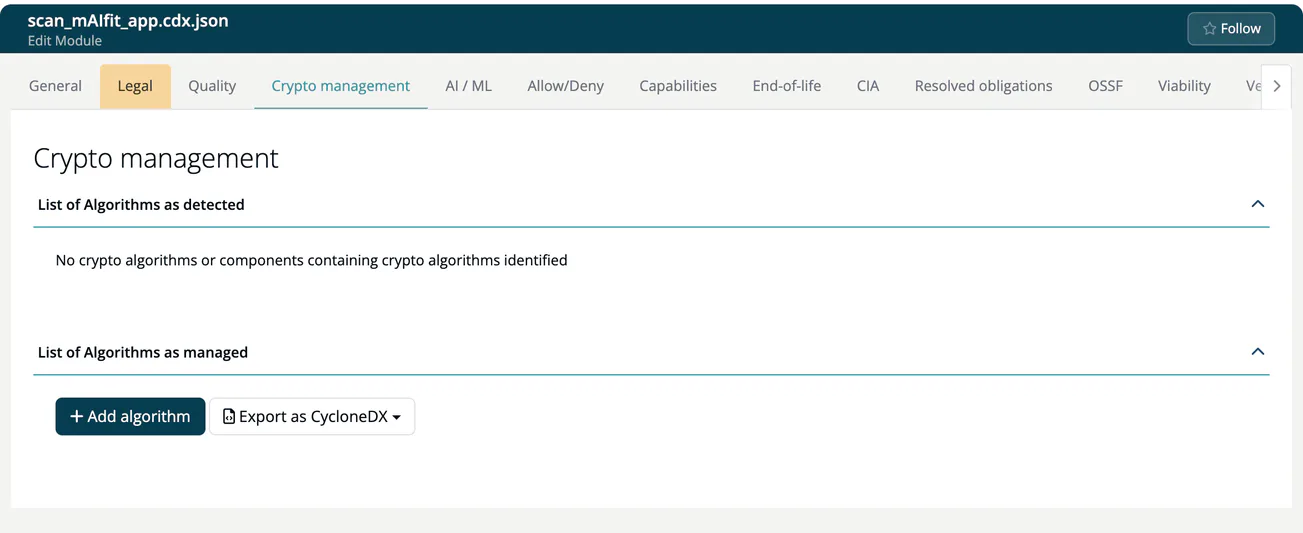
This tab keeps the cryptographic inventory of the module. TrustSource lists the algorithms it detected in the components, and you add what the scanner cannot see: algorithms in your own code, certificates, protocols and key material. The tab is not shown for infrastructure modules.
Detected algorithms
List of Algorithms as detected shows one label per algorithm found in the module's components, for example AES [256]. A red B marks an algorithm that the company policy denies. If nothing was found, the panel says so.
Managed algorithms
List of Algorithms as managed is the list you maintain. Click Add algorithm to open the dialog Algorithm evaluation:
| Field | Notes |
|---|---|
| Name | Required. Suggestions come from the algorithm database; see Algorithms. |
| Asset type | algorithm, certificate, protocol or related-crypto-material. The fields below the type change with it. |
| Algorithm | Primitive, Parameter Set Identifier, Elliptic Curve, Mode, Padding, Cryptographic functions, Execution Environment, Implementation platform, Certification Level, Classical security level, NIST QSL (0-6). |
| Certificate | Subject name, Issuer name, Not valid before, Not valid after (ISO 8601), Certificate format, File extension, Serial number, State. |
| Protocol | Protocol type, Version, for example 1.3. |
| Related crypto material | Material type, State, Size (bits) and Format. |
| Comment, In use, Origin | Free text and a checkbox for every asset type. |
Click Add; the toast says Algorithm settings added. The table shows Added, B, Name, Asset type, Details, Comment and In use. The pencil edits an entry (dialog Edit crypto asset), the trash icon removes it. Entries inherited from the project are labelled in Project and can be changed only there.
Export
Export as CycloneDX offers CBOM (only the cryptographic assets) and Full BOM (components + crypto + AI).
Tip
New to the topic? Read Crypto Agility and the crypto inventory recipe.
Related