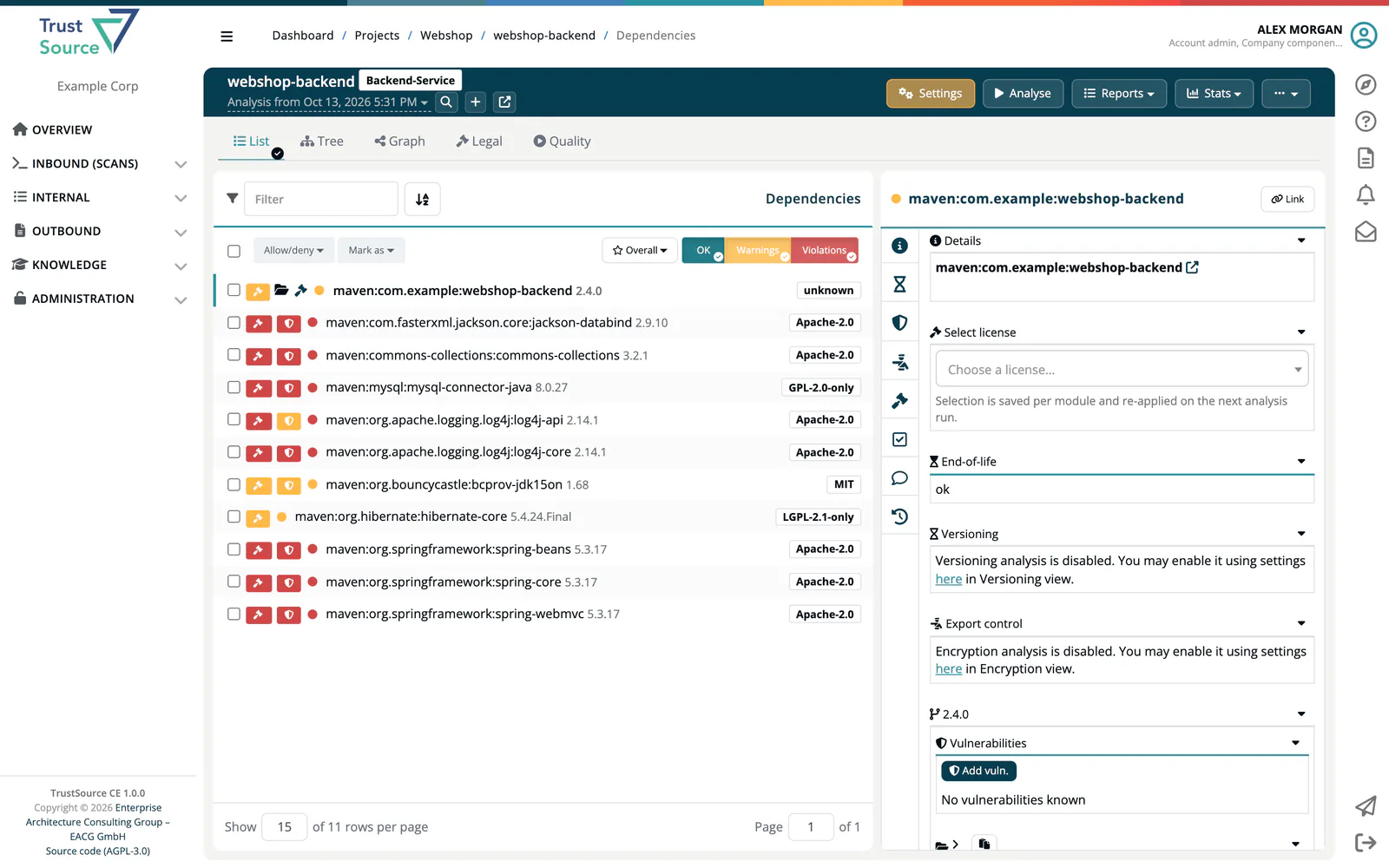
Modules & Infrastructure Modules
A module is the unit of analysis in TrustSource CE. It represents one piece of software, for example a microservice, a library, a frontend or a firmware build, together with its bill of materials.
In this section
| Page | What it covers |
|---|---|
| Create & List | Creating, linking and importing modules; the module list within a project. |
| Module Detail Tabs | The module page: header actions, choosing an analysis, the List, Tree, Graph, Legal and Quality views. |
| Infrastructure Modules | How infrastructure and COTS modules differ from regular modules. |
| Component details | The side panel in the List view and the full component page. |
| License details | The license text page reached from a module's Legal view. |
| Manual license resolution | Setting the license of a component the scan could not match. |
| Module Settings | All settings tabs, from General to Danger Operations. |
Key concepts
- A module belongs to at most one project. Modules without a project appear under Unassigned Modules.
- A module's components come from scans: CI/CD scans through the REST API, imported SPDX or CycloneDX files, and components you add by hand.
- Every analysis run is kept. The module page shows one analysis at a time; the newest is the default.
- Modules have a traffic-light status that rolls up from their components.
- Module settings add to the project defaults. Some, such as the default confidence level, inherit from the project when left empty.
Repository deep scans, the OpenSSF Scorecard, MDR/IVDR classification and the OBOM tab are not part of TrustSource CE; see CE and SaaS compared.