Post-Release Vulnerability Tracking
Once a module is approved and released, TrustSource keeps matching its components against the current vulnerability database to find newly discovered vulnerabilities. This is critical for CRA and NIS2 compliance: you must respond to new CVEs even after shipping.
What you see
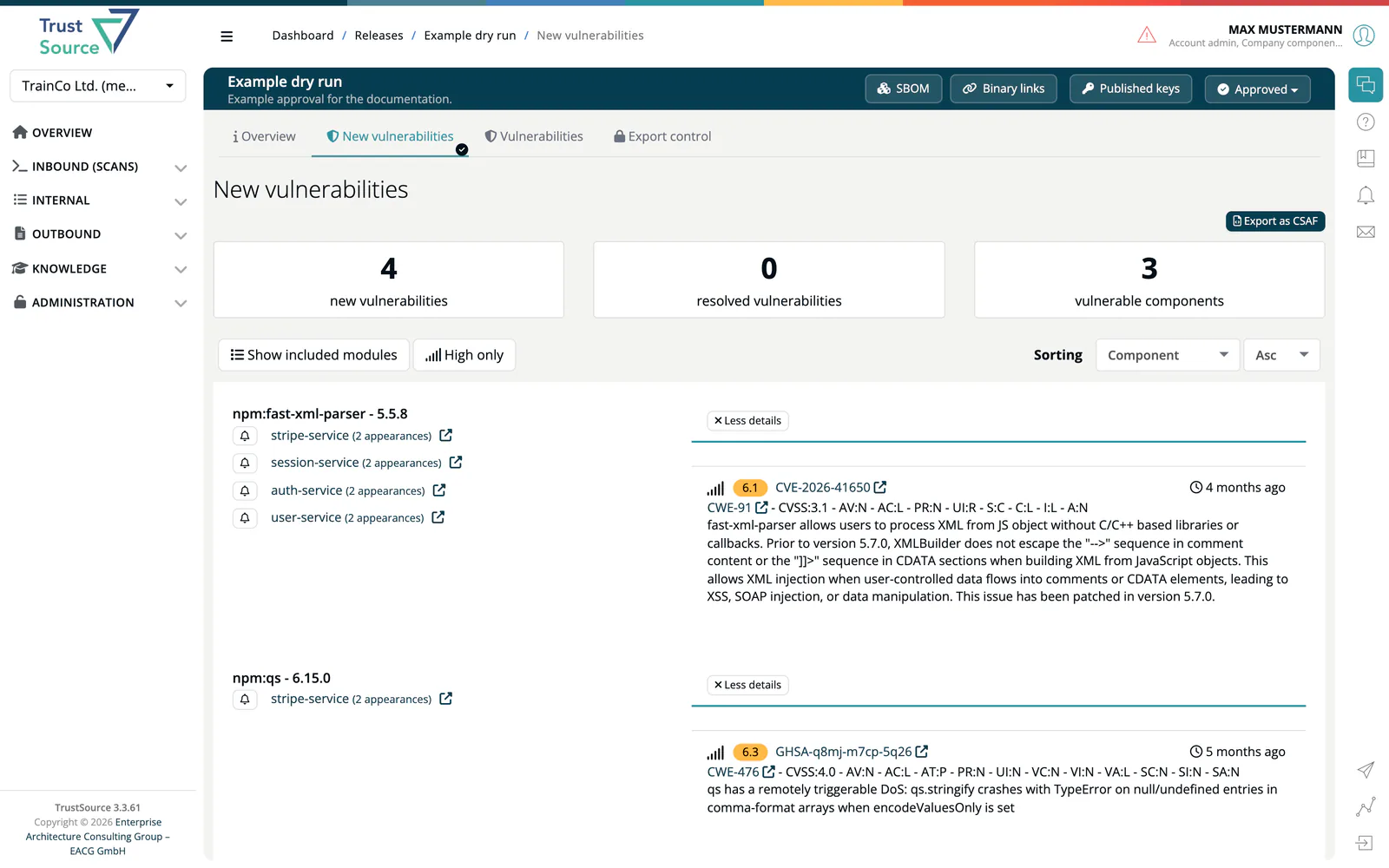
Open the release under Internal → Releases and select the New vulnerabilities tab. It compares the vulnerabilities known today for the components in the frozen snapshot with those recorded at approval, and lists:
- new vulnerabilities: CVEs that were not part of the release snapshot, also on components that were already vulnerable at approval,
- resolved vulnerabilities: the new ones that are muted,
- vulnerable components: the components affected by new vulnerabilities.
Below the counters, each vulnerable component is listed with its new CVEs. Export as CSAF downloads a CSAF/VEX document of the new findings. The Vulnerabilities tab shows the vulnerabilities as known at approval, the Export control tab the detected crypto algorithms. See Releases.
Tip
To be notified when a new CVE matches a released component, add a webhook or channel with the Vulnerabilities in releases trigger on the project's Webhooks and Channels tab.
Related
- Releases: managing released versions
- Vulnerability Lake: the CVE database