Resolved obligations (Project)
Note
Required role: everyone who can open the project reads the list. Editing, Import settings from project... and Propagate settings to... are for manager and compliance_manager users who are the project's default project manager or default compliance manager (or any of them while none is set). All n projects is offered to portfolio_manager only.
The Resolved obligations page tracks which license obligations have been resolved at the project level. It is not a settings tab: open it from the Reports dropdown in the project page header.
What it does
When your project uses open-source components, those components come with license obligations: attribution, source disclosure, copyleft compliance and so on. This page lets you record which obligations you have already fulfilled so that they count as resolved in every module of the project.
Which obligations exist at all is not authored here. It is the deterministic output of ts-legalcheck given the project's Legal settings, each module's Legal settings and the component licences. If a new obligation appears without you doing anything, the input picture changed: a new module, a new component, an edit to the Legal Questionnaire answers, or a rule-set bump.
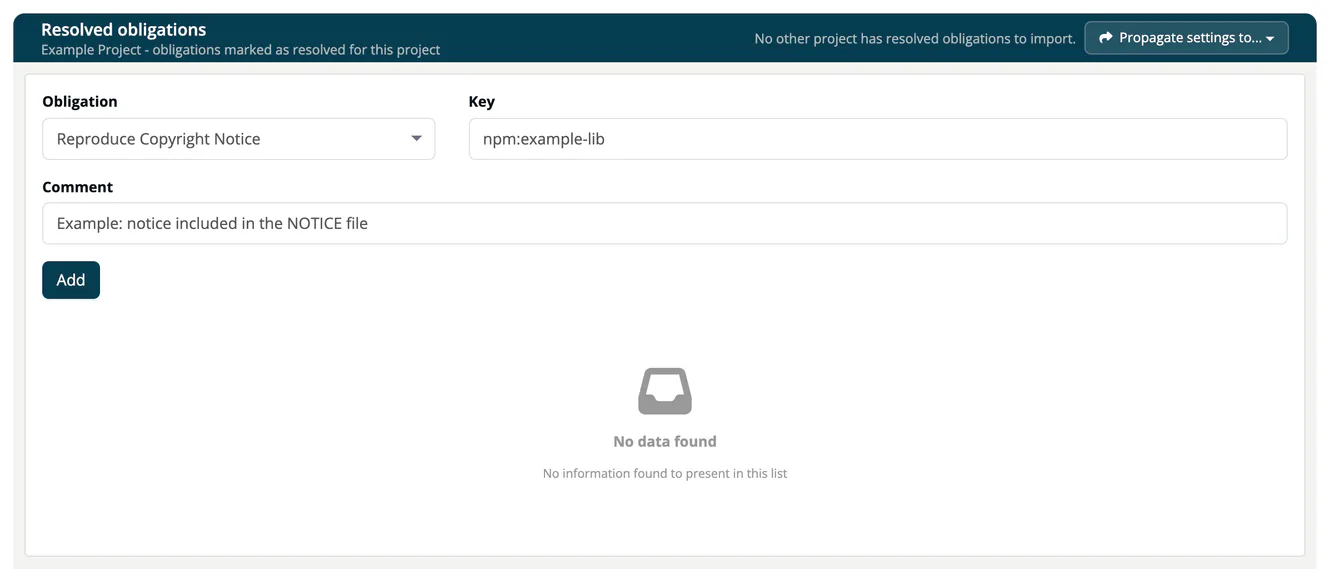
Record a completed obligation
The list has three columns: Obligation, Comment and Component.
- Select the Obligation.
- Optionally enter the component Key it was resolved for.
- Enter a Comment (required, up to 200 characters).
- Click Add.
Click a row to change it: the button becomes Update, and Cancel and Remove appear. Rows labelled in Company come from the company. If you may view but not change the list, the page says You can view but not change the resolved obligations.
Actions
The page header offers two actions (shown when you have the rights to use them):
- Import settings from project...: copy the resolved obligations from another project. If no other project has any, the header says so instead.
- Propagate settings to...: push your list to one project, to All my n projects or (portfolio managers) to All n projects.
Related
- Obligations (Module): module-level obligation tracking
- Legal (Project): the legal framework that determines which obligations apply
- Fill in the Legal Questionnaire: end-to-end recipe covering both parts