Reports
Note
Menu: Internal → Reports is shown to Developer, Compliance manager and Manager. Some tiles need a further role, marked below.
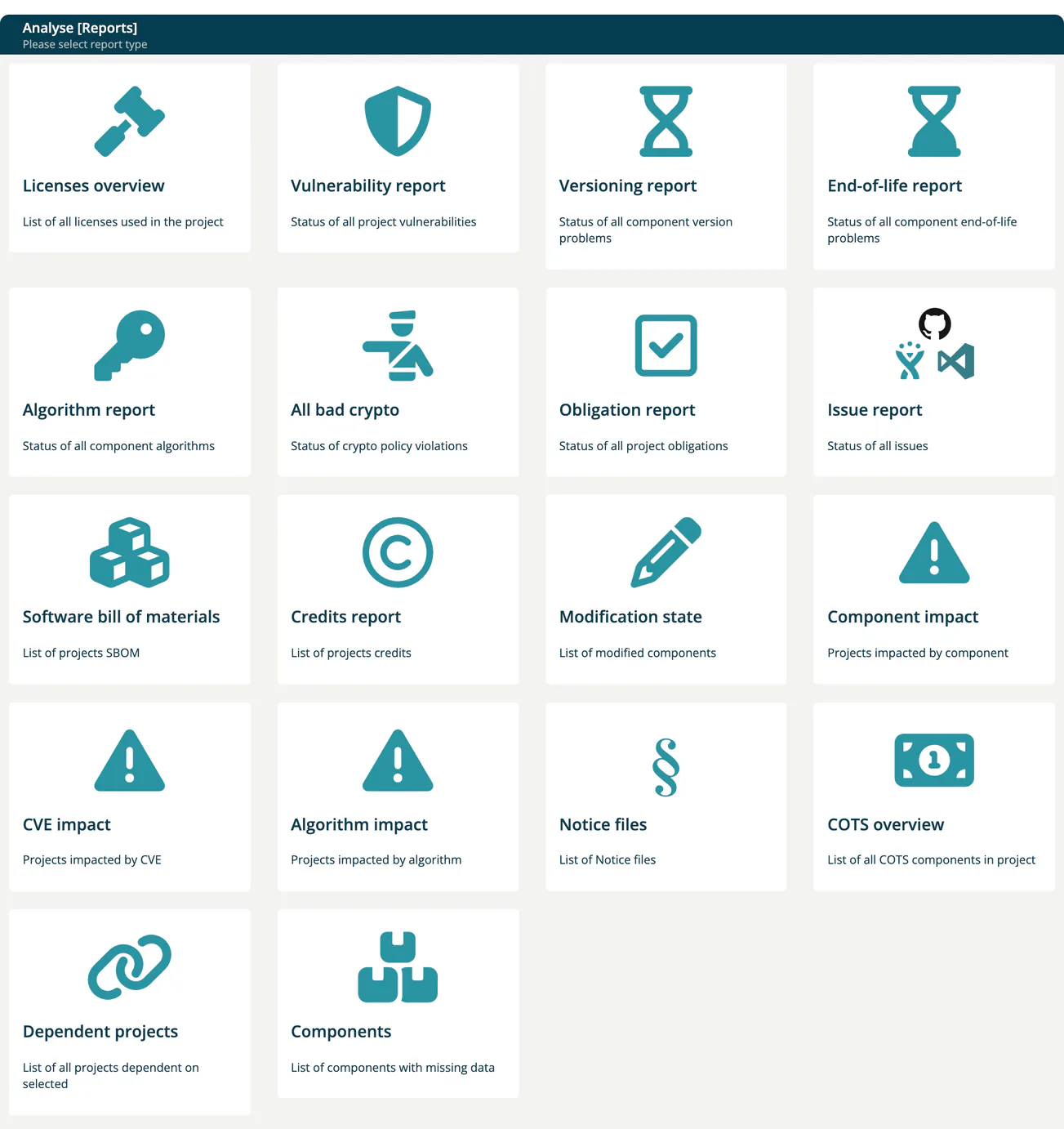
The Reports page (titled Analyse [Reports] in the app) is the hub of the reports in TrustSource CE. Each tile opens a report. The Software bill of materials and Notice files tiles lead to the same lists as the Outbound chapter.
Report tiles
| Tile | Shows |
|---|---|
| Licenses overview | All licenses used in a project. |
| Vulnerability report | Status of all vulnerabilities of a project or module. |
| Versioning report | Component version problems. |
| End-of-life report | Component end-of-life problems. |
| Algorithm report | Cryptographic algorithms used by components. |
| All bad crypto | Crypto policy violations. Roles: Company security manager, Compliance manager, Portfolio manager. |
| Obligation report | Obligations of a project or module. |
| Issue report | Tasks from your issue tracker (Jira, GitHub, TFS). |
| Software bill of materials | List of SBOMs; see SBOM + CBOM. |
| Credits report | Copyrights of the components of a project. |
| Modification state | Modified components. |
| Component impact | Projects impacted by a component. Roles: Compliance manager, Manager, Portfolio manager. |
| CVE impact | Projects impacted by a CVE. |
| Algorithm impact | Projects impacted by an algorithm. |
| Notice files | List of Notice files; see Notice Files. |
| COTS overview | Commercial (COTS) components in a project. |
| Dependent projects | Projects that depend on a selected project. |
| Components | Components with missing data. Role: Company component manager. |
A project's and a module's own Reports dropdown opens a report with that project or module preselected.
CSAF documents are not part of this hub; find them under Outbound → CSAF. The risk register has its own menu entry; see Risks.
Note
The hub has no Viability report tile; the viability data is available through the REST API with GET /core/reports/viability. The OpenSSF Scorecard and Vulnerability activity reports of the SaaS edition are not part of TrustSource CE. See CE and SaaS compared.
Details
- Vulnerability Report - CVSS vs. EPSS chart, confidence filter, treatments
- Analysis Reports - single project or module: licenses, versioning, end-of-life, algorithms, obligations, credits, modification state
- Impact and Portfolio Reports - impact of a component, CVE or algorithm, bad crypto, COTS, dependent projects, components with missing data, issues
Related
- Outbound chapter - SBOM, Notice files, CSAF
- Approvals - reports are often used as part of the approval workflow