Login Settings
Note
Required role: account_admin
Required account type: Enterprise or Medical
Login settings control what users can do on the sign-in page of your identity store. Each setting is a switch. Select Update to save.
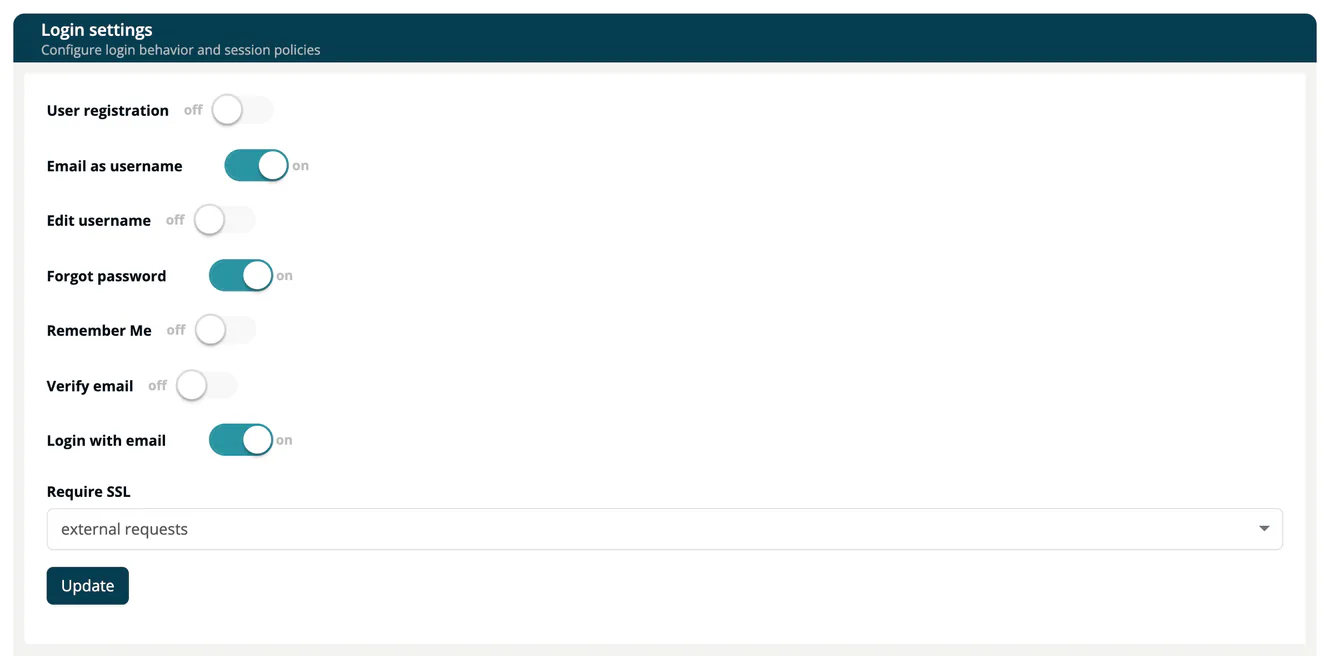
| Setting | When switched on |
|---|---|
| User registration | Users can register themselves. |
| Email as username | The email address is the username. |
| Edit username | Users can change their username. |
| Forgot password | The sign-in page offers a password reset. |
| Remember Me | The sign-in page offers "Remember me". |
| Verify email | New users must verify their email address. |
| Login with email | Users can sign in with their email address. |
Require SSL is a drop-down with the values none, external requests and all requests. It states for which requests the identity store insists on HTTPS.
Note
Password policies, session timeouts and brute-force thresholds are not part of this page. Suspending a single account is not done here either; see User Management.