Modules & Infrastructure Modules
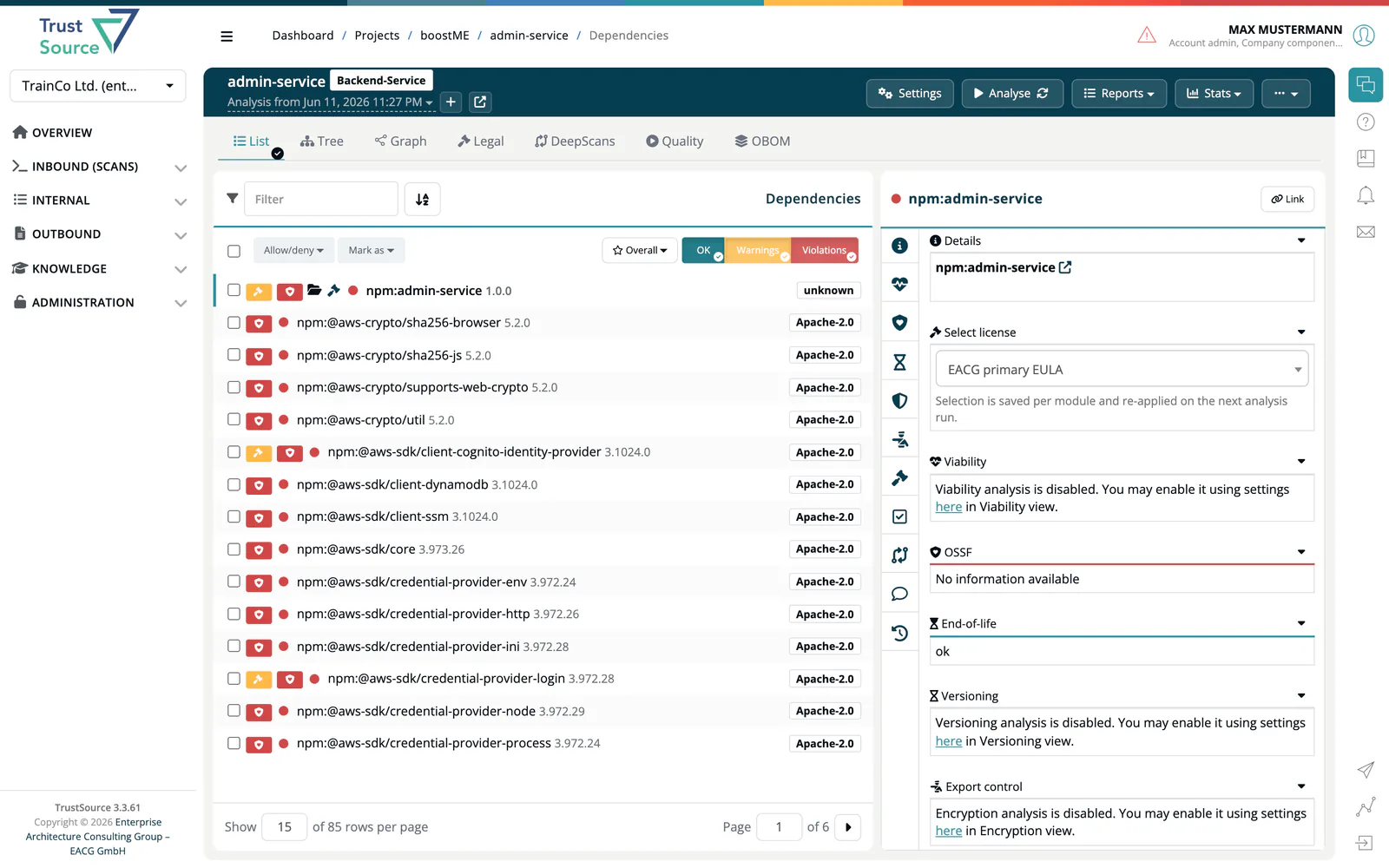
A module is the unit of analysis in TrustSource. It represents one piece of software (a microservice, a library, a frontend, a firmware build) and its bill of materials.
In this section
| Page | What it covers |
|---|---|
| Create & List | Creating, linking and importing modules; the module list within a project. |
| Module Detail Tabs | The main module view: tabs, header actions, choosing an analysis. |
| Infrastructure Modules | How infrastructure and COTS modules differ from regular modules. |
| Component details | The side panel in the List tab and the full component page. |
| License details | License text and status from a module's Legal tab. |
| Manual license resolution | Setting the license of a component the scan could not match. |
| OBOM tab | The operational BOM of a module. |
| Module Settings | All settings tabs, including AI / ML. |
Key concepts
- A module belongs to at most one project. A module without a project (Assigned Project set to
-- unassigned --in its General settings) is listed under Unassigned Modules in the project list. That row appears only while at least one such module exists. - A module's components come from scans: CI/CD, manual upload, SBOM import, or deep scan. A module can also hold an operational BOM (OBOM).
- Modules have a traffic-light status that rolls up from their components.
- Module settings can override project-level defaults.