Reports
Note
Required role: developer, compliance_manager, manager or account_admin. Reports is an entry of the Internal menu, which is shown to these four roles. Some tiles need further roles, see the table.
The Reports page (titled Analyse [Reports] in the app) is a hub of 22 tiles. Each tile opens a report in TrustSource. The SBOM, Notice and SOUP tiles lead to the same lists as the Outbound chapter.
Report tiles
| Tile | Shows |
|---|---|
| Licenses overview | All licenses used. |
| Vulnerability report | Status of all vulnerabilities. |
| Viability report | Viability status of components. |
| OpenSSF Scorecard report | Scorecard status of components. |
| Versioning report | Component version problems. |
| End-of-life report | Component end-of-life problems. |
| Algorithm report | Algorithms used by components. |
| All bad crypto | Crypto policy violations. Roles: company_security_manager, compliance_manager, portfolio_manager. |
| Vulnerability activity | Track and mute vulnerabilities across the company. Role: company_security_manager. |
| Obligation report | Obligations of all projects. |
| Issue report | Tasks from your issue tracker (Jira, GitHub, TFS). |
| Software bill of materials | List of SBOMs. |
| Credits report | Credits of projects. |
| Modification state | Modified components. |
| Component impact | Projects impacted by a component. Roles: compliance_manager, manager, portfolio_manager. |
| CVE impact | Projects impacted by a CVE. |
| Algorithm impact | Projects impacted by an algorithm. |
| Notice files | List of Notice files. |
| SOUP files | List of SOUP files. Shown with the medical license or when SOUP reports are part of your plan. |
| COTS overview | COTS components in projects. Same condition as SOUP files. |
| Dependent projects | Projects that depend on a selected project. |
| Components | Components with missing data. Role: company_component_manager. |
Open a project's or module's own Reports dropdown to start a report with that project preselected.
The tiles you see depend on your role and license. CSAF documents are not part of this hub; find them under Outbound → CSAF.
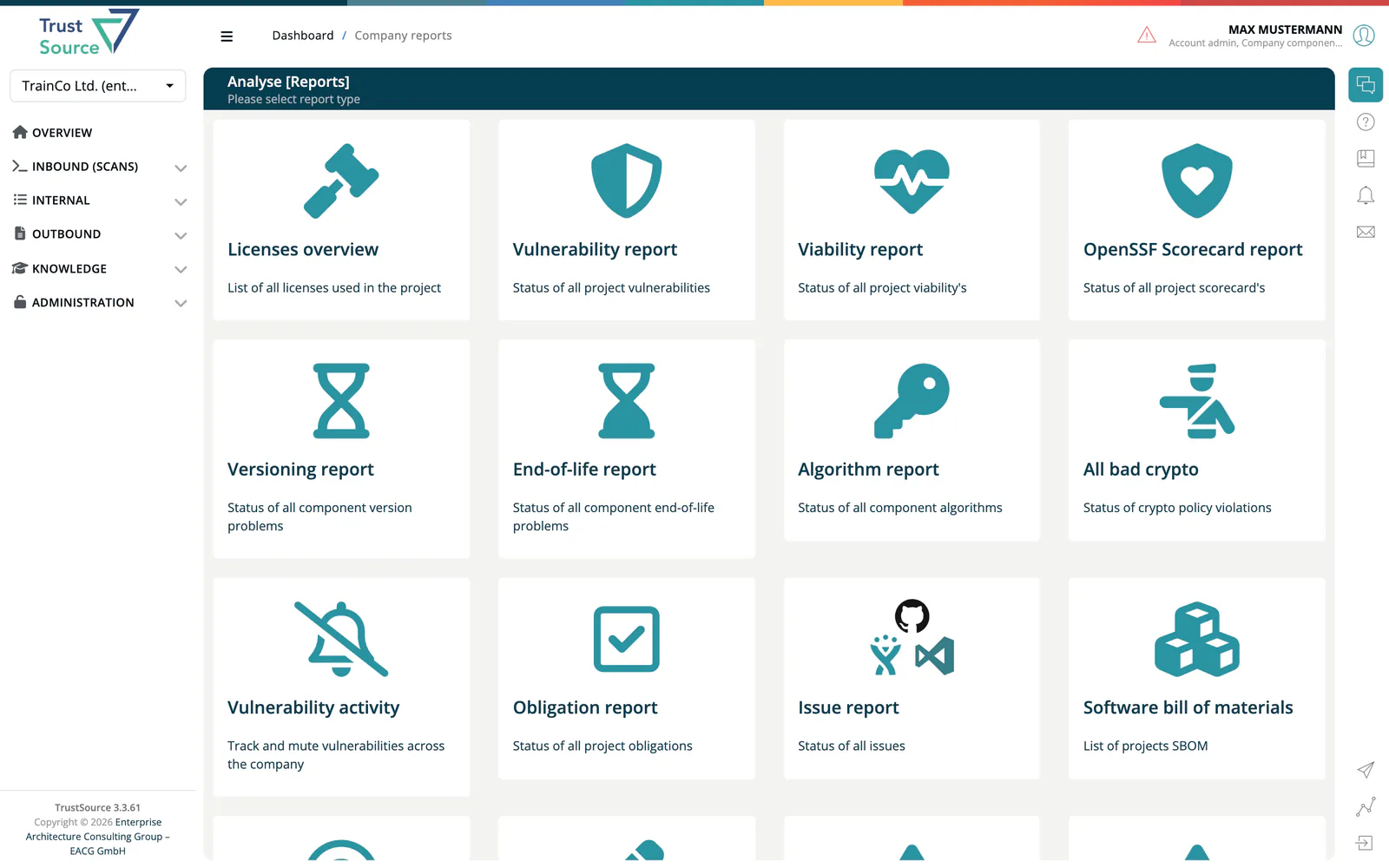
Details
- Analysis Reports: single project or module: licenses, viability, Scorecard, versioning, end-of-life, algorithms, obligations, credits, modification state
- Impact and Portfolio Reports: impact of a component, CVE or algorithm, bad crypto, COTS, dependent projects, issues
Related
- Vulnerability Report: CVSS vs. EPSS chart and treatments
- Outbound chapter: SBOM, Notice, SOUP and CSAF documents
- Approvals: an approval request generates its own compliance report, Notice, SoUP and SBOM