Infrastructure Modules
Note
Required role: Manager or Compliance manager to create and analyse.
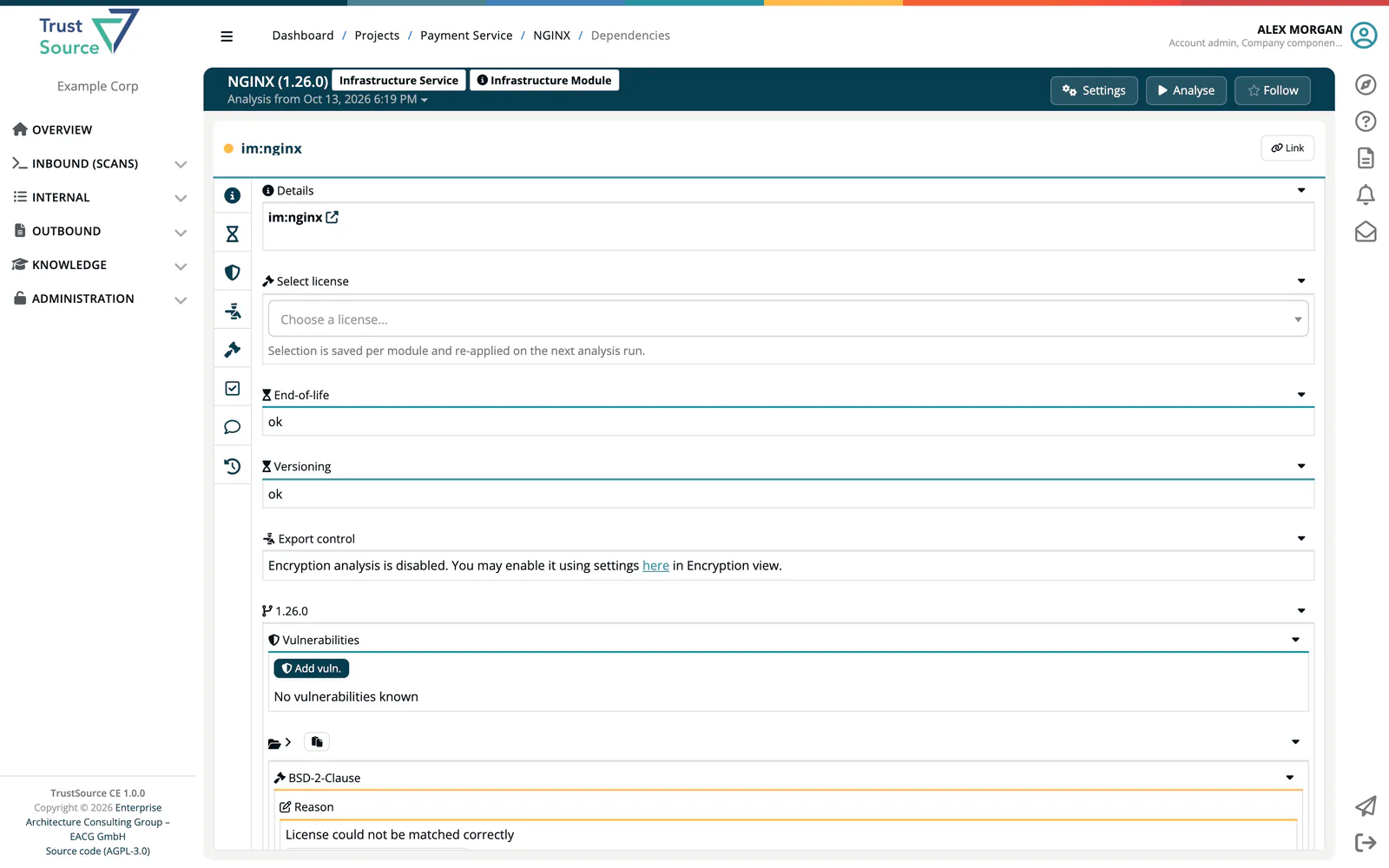
An infrastructure module represents a third-party runtime component that your software depends on, such as a database server, a base container image, a message broker, a web server or an operating system. A COTS module does the same for purchased (commercial off-the-shelf) software.
Why infrastructure modules exist
Your software supply chain risk does not stop at your application code. A vulnerability in mysql:8.0.36, an end-of-life debian:11 base image or a known CVE in nginx is just as relevant as a CVE in an npm package. Infrastructure modules let you track these dependencies alongside your code modules.
How they differ from regular modules
| Aspect | Source-code module | Infrastructure or COTS module |
|---|---|---|
| Tab bar | List, Tree, Graph, Legal, Quality | None. The page shows the Component Details panel of the linked catalog entry. |
| Component source | Scans (CI/CD, import, REST API) | Linked from the Infrastructure Elements or the 3rd party (COTS) catalog |
| Version field | Derived from scans | Editable in General settings |
| Header actions | Full set, see Module Detail Tabs | Settings, Analyse and Follow only |
| Settings tabs | All | Without Quality, Crypto management, AI / ML, Allow/Deny, Capabilities, Custom components, History and Export SPDX |
| Card in the list | Licenses, components, last analysis and scan | License and last visit of the catalog entry |
The header and the card carry a label, Infrastructure Module or COTS Module.
Creating an infrastructure module
- Open a project and click Add/link in the header.
- Set Module type to COTS or Infrastructure component.
- Under Select pre-defined module, search the catalog (for example
postgres) and choose the entry, then choose its Module version. - Choose the Type of architecture and tick Is open source module if it applies.
- Click Create module.
If the entry is missing, click Not finding what you are looking for?, enter name and version and click Send request; the module is created with your values. A Company component manager can add the entry to the catalog; see Infrastructure Elements and 3rd party (COTS).
Once created, the module takes part in the project's license findings, approvals and SBOMs like any other module. TrustSource CE does not look up vulnerabilities for catalog components, so the module shows no vulnerability findings. Click Analyse after changing settings to refresh the module's statistics. If the catalog entry has no details yet, the page reads Sorry, detailed information not available yet.
When to use them
- You ship Docker images and want to track the base image as a dependency.
- Your compliance process requires documenting the complete runtime surface (CRA, NIS2).
- You want vulnerability monitoring for your database, web server or runtime.
Related
- Infrastructure Elements: the catalog
- Mental Model: where infrastructure modules fit
- Add an infrastructure module