3rd party (COTS)
The COTS (Commercial Off-The-Shelf) catalog holds commercial software components: products you license rather than build. Unlike open source components found by scans, they are maintained by hand. Open it from Knowledge → 3rd party (COTS); the page is titled COTS components.
The catalog starts empty. Users with the Company component manager role add and maintain the entries; the catalog is shared by all companies of the installation.
Browse the catalog
Filter the list and select a component to open its page. Each row shows the name with its categories, a short description and links to the homepage and repository; a red B marks a component on your company's deny list.
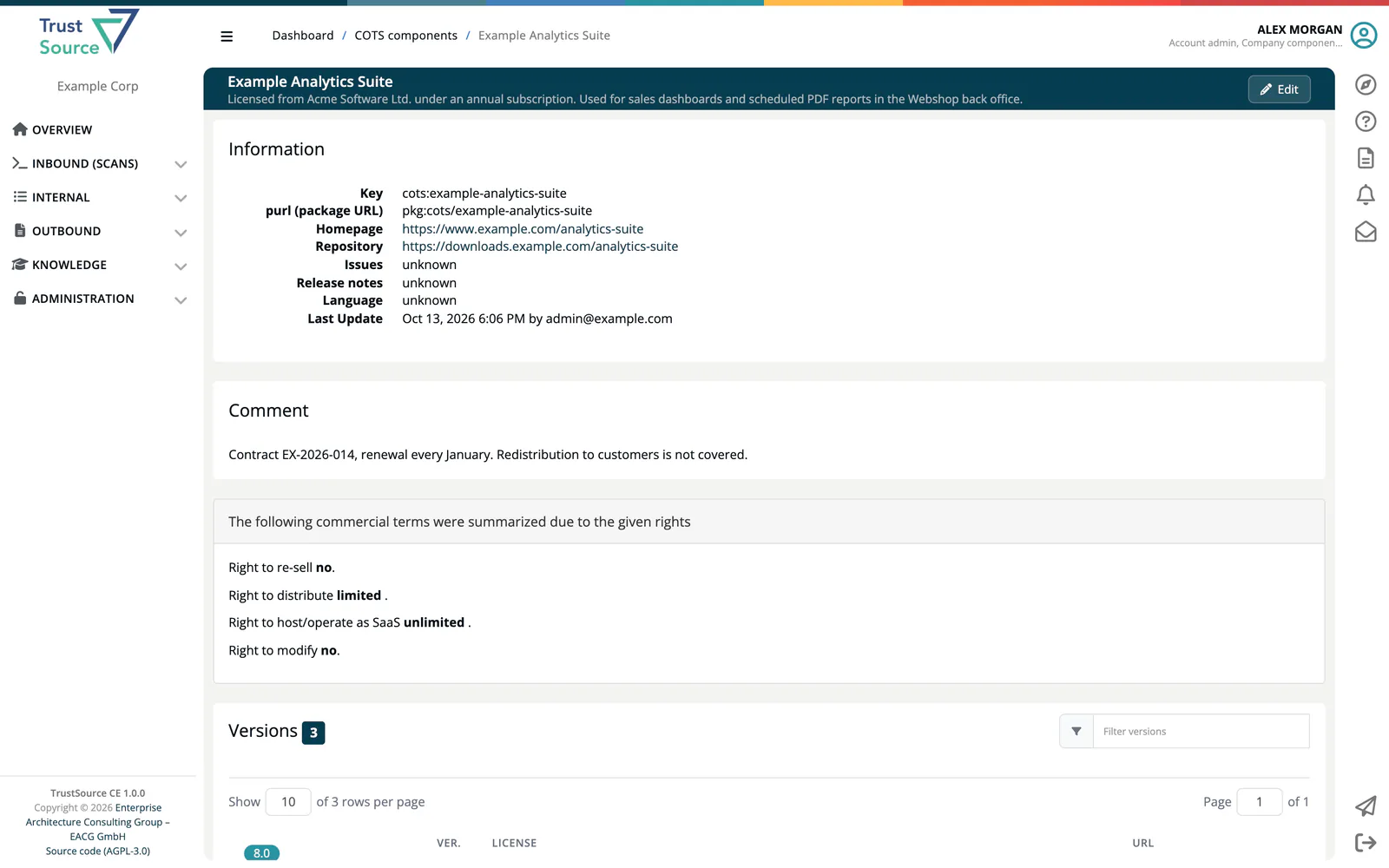
The component page shows the Information (key, purl, homepage, repository, language, last update), the Comment, the Versions and the component's commercial terms: Right to re-sell, Right to distribute, Right to host/operate as SaaS and Right to modify, each unlimited, limited or no. In this view the terms are read-only.
Note
Everyone can read the catalog. Company component managers also see Add COTS component, View used as Modules and an Edit button. See Manage COTS Components.
COTS components are added to projects as modules of the COTS type (Add/link module → COTS or Infrastructure component on the project page); see Create and List Modules. The COTS overview report lists the COTS components of a project with their terms.