Verify
Note
Required role: Compliance manager, Manager or Account admin (the Outbound menu)
Verify checks whether a document really comes from your TrustSource CE installation and has not been changed since. It checks the signature of a document; it does not validate the format of arbitrary SBOM or CSAF files from suppliers.
Which documents carry a signature
The documents served through a release key are signed:
- the SBOM of a release (
/api/v2/compliance/releases/{release_key}/sbom), - the notice file of a release (
.../notice), - the CSAF VEX documents of a release (
.../csafand.../csaf-changes).
Each of them carries a signatures list with an hmac-sha256 signature over the document content. The key for the signature is derived from TS_ENCRYPTION_KEY, which never leaves the server, so nobody else can produce a valid signature. For the same reason, nobody else can check one: these are integrity checks for your own installation, not public signatures. A recipient who wants a document confirmed has to ask you to verify it. Files you download in the app (for example from SBOM + CBOM or Notice Files) carry no signature.
Warning
Keep TS_ENCRYPTION_KEY unchanged. After the key is changed, documents signed before can no longer be verified. See Environment variables.
How to use it
- Open Outbound → Verify. The page is titled Verification.
- Paste the complete JSON document, including its
signatures, into the text field. - Click Verify.
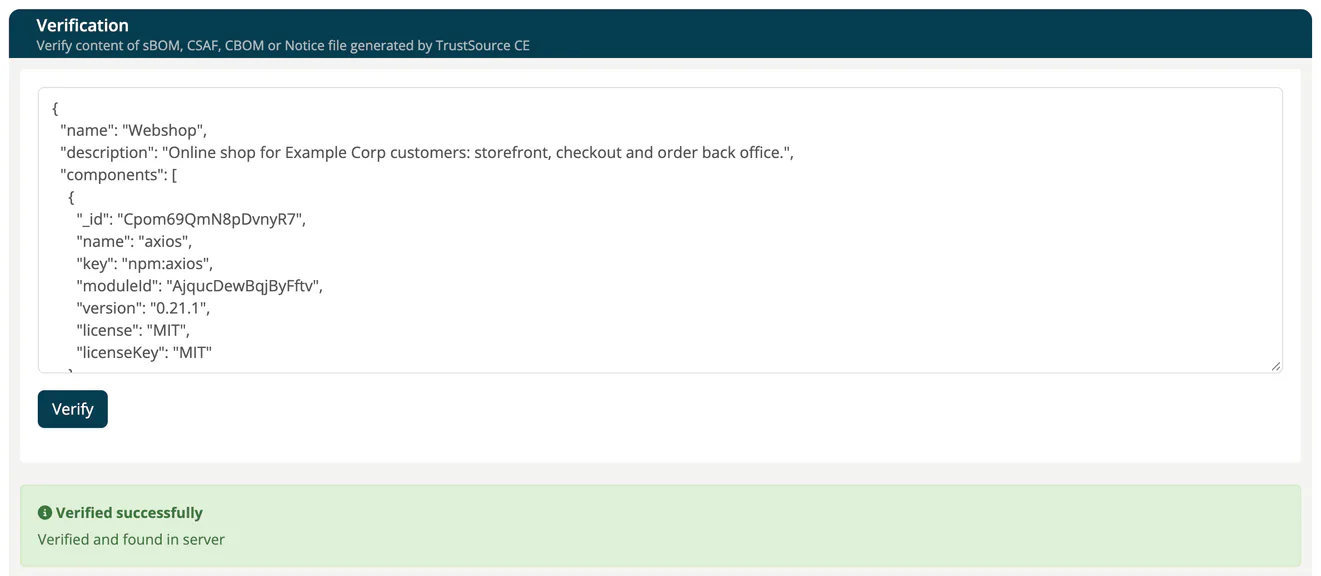
Results
| Result | Meaning |
|---|---|
| Verified successfully - Verified and found in server | The signature matches the content and the signature is known to this installation. |
| Verified successfully - Verified but not found in server | The signature matches the content, but this installation has no record of issuing it, for example after a database restore. |
| Verification error - File modified or signature is invalid | The content was changed after signing, or it was signed with a different key. |
| Verification error - Data or signatures are not found | The document has no hmac-sha256 signature. |
| Error | The text is not valid JSON. |
Related
- Public Approves: the release documents and their keys
- CSAF: VEX documents for releases
- SBOM + CBOM: generating your own SBOMs