Tab: Classification (CRA)
Note
Editing: Developer, Compliance manager, Company security manager or Account admin.
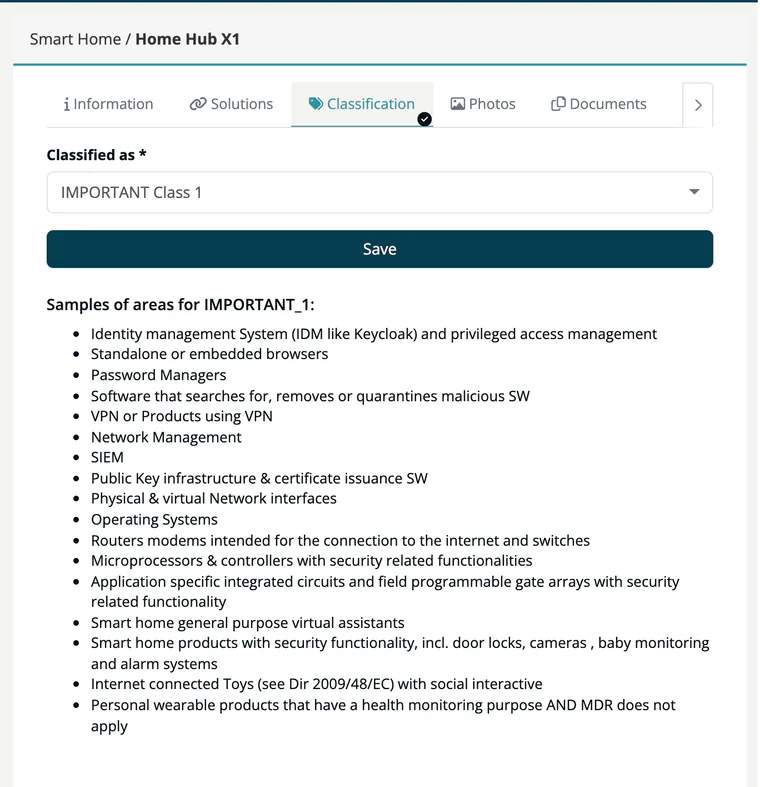
Use the Classification tab to record the product's category under the EU Cyber Resilience Act (CRA). The category determines the conformity assessment procedure you need to follow.
- Open the tab and choose a value under Classified as.
- Click Save.
| Value | Typical products (examples shown in the tab) |
|---|---|
| STANDARD | Products under the MDR; products usable only in aviation, maritime or automotive contexts. |
| IMPORTANT Class 1 | Identity and privileged access management, browsers, password managers, malware protection, VPN, network management, SIEM, PKI software, network interfaces, operating systems, routers and switches, security-related microprocessors, smart home assistants and security products, connected toys, health wearables outside the MDR. |
| IMPORTANT Class 2 | Hypervisors and container runtimes, firewalls, intrusion detection and prevention, tamper-resistant microprocessors and microcontrollers. |
| CRITICAL | Hardware security boxes, smart meter gateways, secure cryptoprocessors, smartcards and secure elements. |
Once a value is saved, the tab lists these example areas below the form as orientation (Samples of areas for ...).
Note
The examples are a guide, not a legal assessment. TrustSource CE stores your choice but does not derive it.
Related
- Products overview - all eight product tabs
- Background: Cyber Resilience Act