Administration
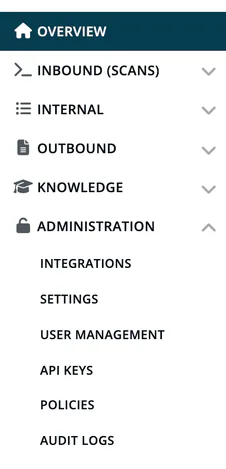
Company-wide settings and management in TrustSource CE. Open them from Administration in the left navigation. The entries you see depend on your roles: most pages are for the Account admin, while Settings and Policies are also shown to other roles for the cards that belong to their work.
| Page | What it covers | Menu entry shown to |
|---|---|---|
| Integrations | GitHub, Jira, TFS, SCANOSS, webhooks and channels, LeanIX. | Account admin |
| Settings | Company settings cards: general info, FOSS liaison, PSIRT contacts, written offer, allow/deny lists, encryption, quality, tags, private licenses, legal templates, private algorithms, manual vulnerabilities. | Account admin, Compliance manager, Company security manager, Company component manager, Portfolio manager, Manager (cards depend on role) |
| User Management | Invite, import, assign roles, remove users. | Account admin |
| API keys | API keys, release keys and CSAF feed keys. | Account admin |
| Policies | Opensource policy, crypto algorithms, component end-of-life. | Account admin, Company security manager, Compliance manager |
| Audit logs | Company-wide audit trail. | Account admin |
| Login History | Sign-in attempts and users without logins, opened from the Audit logs page. | No menu entry (Account admin, Manager, Compliance manager) |
More detail pages:
- Company details: General info, FOSS liaison, PSIRT contacts, Written offer
- Company tags: add, import, remove and re-activate tags
- Release keys and CSAF feed keys
- Issue trackers, LeanIX and SCANOSS, Webhooks and channels
Note
TrustSource CE has no billing, account types, enterprise companies, identity provider integration (SSO) or API usage statistics. Every feature is available and gated by role only. See CE and SaaS compared.