Tab: Misuse
Note
Required license feature: products
Editing: developer, compliance_manager, company_security_manager or account_admin
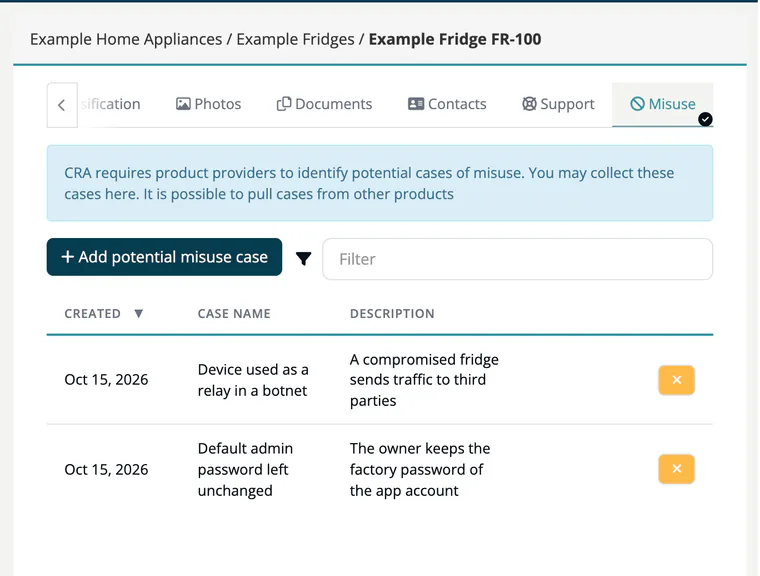
The CRA requires you to identify how a product could be misused. Collect these potential misuse cases per product on this tab, for example Default admin password left unchanged or Device used as a relay in a botnet.
Add a misuse case
- Click Add potential misuse case.
- Enter the Name (required) and, optionally, a Description.
- Click Add.
The table lists Created, Case name and Description; filter and sort as in other lists. Remove a case with the x button at the end of its row.
Note
Misuse cases are plain records on the product. They are not linked to Threat Models; use threat models for the technical analysis and this tab for the product-level statement.
You can read and write misuse cases through the Products API as well.
Related
- Products overview - all eight product tabs