Recipe: Crypto Inventory for Post-Quantum Readiness
Build an inventory of the cryptographic algorithms your software uses, mark the ones that are not quantum-safe as denied, and find every place they are used.
Note
You'll need:
- A CycloneDX 1.7 CBOM of your software, for example from a cryptography scanner, or the knowledge to enter the algorithms by hand.
- Account admin for the company algorithm list, Account admin, Company security manager or Compliance manager for the crypto policy, and Manager or Compliance manager (as the module's default owner) or Developer to edit a module's crypto settings.
TrustSource CE has no built-in algorithm catalog and does not detect algorithms in source code. The inventory consists of what you import and what you record. For the background see Post-quantum security and Crypto agility.
Steps
1. Define your algorithm list
Open Administration → Settings → Private algorithms. Add each algorithm you want to track with Name and Strength and select Create New, for example RSA / 2048, ECDSA / 256, ML-KEM / 768. The policy and module settings pick from this list.
2. Bring in the crypto data
Import the CBOM into the module, together with or after its SBOM:
- in the app: Inbound (Scans) → Import Scans, toggle CycloneDX, choose the file and the module name;
- from a pipeline:
POST /core/imports/scan/cyclonedx/json. See Imports.
Components of type cryptographic-asset become the module's cryptographic assets, linked to the components that use them through the document's dependencies. A minimal example:
{
  "bomFormat": "CycloneDX", "specVersion": "1.7", "version": 1,
  "metadata": { "component": { "type": "application", "name": "payment-service", "bom-ref": "app" } },
  "components": [
    { "type": "library", "name": "openssl", "version": "3.0.13",
      "purl": "pkg:generic/openssl@3.0.13", "bom-ref": "openssl" },
    { "type": "cryptographic-asset", "name": "RSA-2048", "bom-ref": "rsa-2048",
      "cryptoProperties": { "assetType": "algorithm",
        "algorithmProperties": { "primitive": "pke", "parameterSetIdentifier": "2048" } } }
  ],
  "dependencies": [
    { "ref": "app", "dependsOn": ["openssl"] },
    { "ref": "openssl", "dependsOn": ["rsa-2048"] }
  ]
}
3. Review the module's algorithms
Open the module, select Settings and the Crypto management tab. List of Algorithms as managed shows the algorithms found in the imported data and lets you add, correct and remove entries.
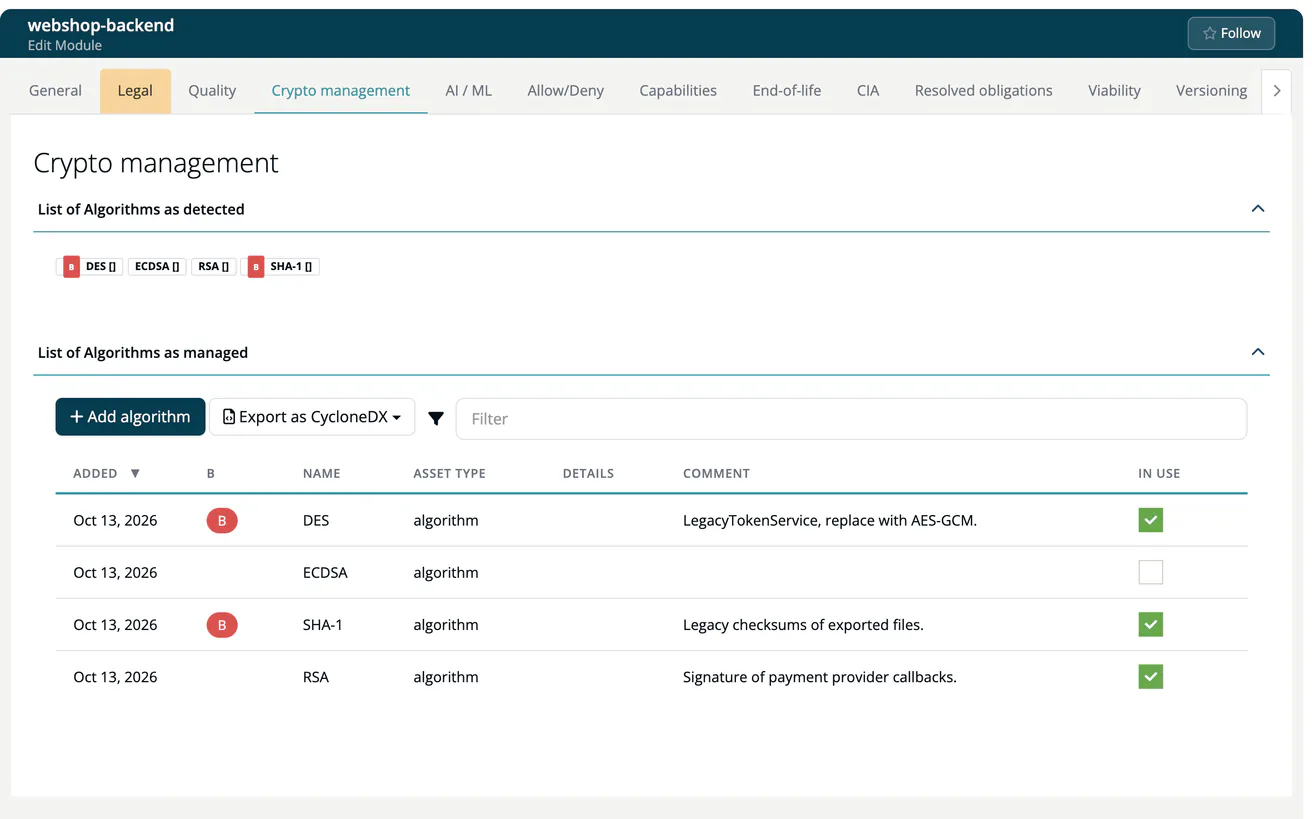
The project settings have a Crypto management tab as well, for project-wide entries.
4. Deny algorithms that are not quantum-safe
The deny list offers only the algorithms of your company's list, so add each algorithm (for example RSA, ECDSA) under Administration → Settings → Private algorithms first; see Private algorithms.
Then open Administration → Policies → Crypto algorithms and select Deny algorithm. Pick the algorithm, optionally a Strength (for example 1024 to deny only weak key sizes) and a Comment, and select Add. Repeat for every algorithm you want to phase out, for example RSA and ECDSA for key exchange and signatures.
5. Find where they are used
Under Internal → Reports:
- Algorithm report - status of all component algorithms per project;
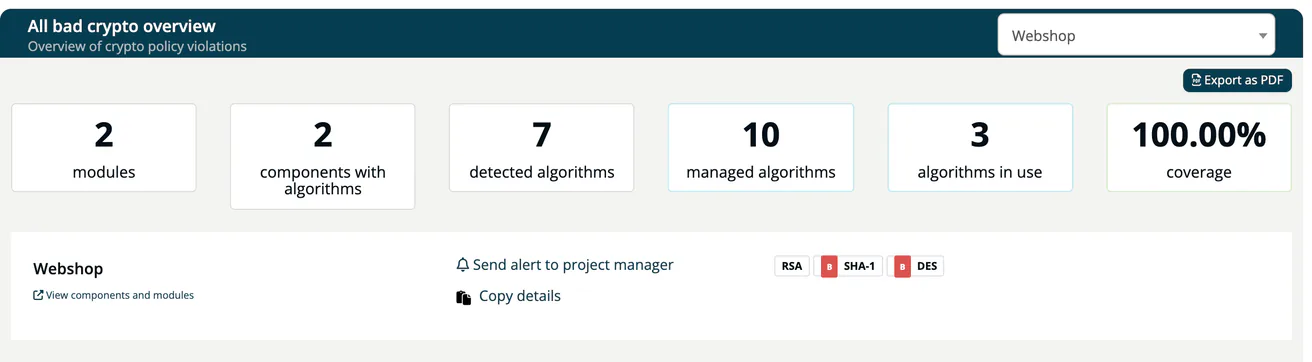
- All bad crypto - every use of a denied algorithm (Company security manager, Compliance manager or Portfolio manager);
- Algorithm impact - every project that uses a given algorithm.
6. Export the CBOM and track progress
Export the inventory as a CycloneDX CBOM: Outbound → SBOM + CBOM, open the SBOM file and select CycloneDX → CBOM (cryptography), or call GET /core/projects/{project_id}/cbom. Re-import the CBOM after each migration step; All bad crypto shrinks as you replace algorithms.