Portfolio Views
Note
Menu: Internal → Risks is shown to Developer, Compliance manager and Manager.
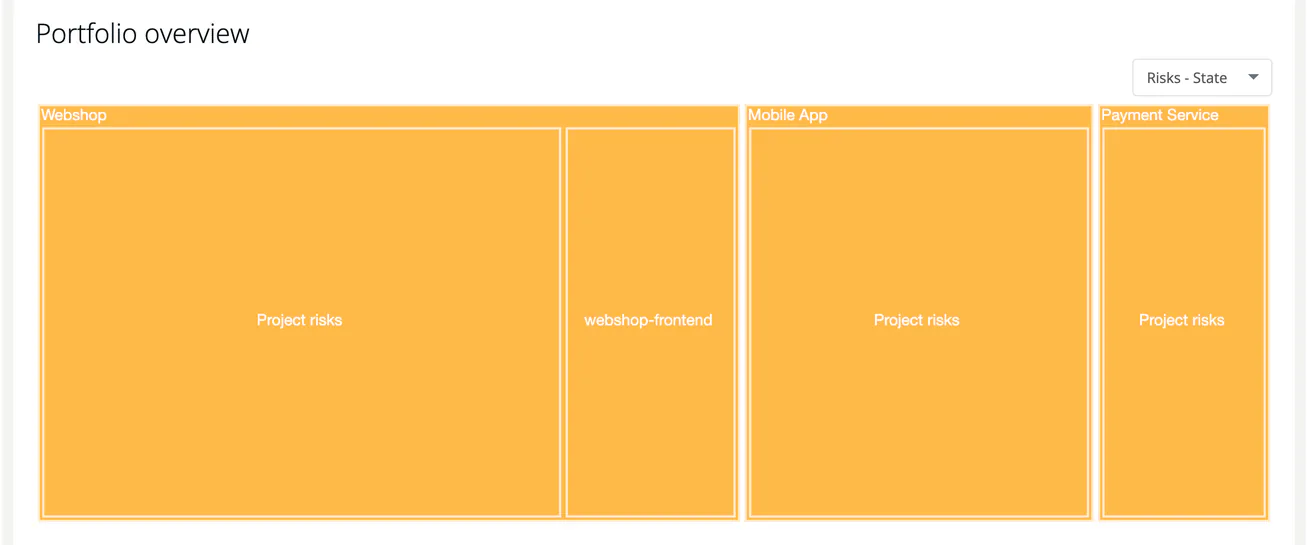
The Portfolio overview on the Overview tab is a treemap of your projects and modules in TrustSource CE. The size of a rectangle is the number of risks; its colour tells you where to look first. Risks recorded on a project itself (not on one of its modules) appear as a rectangle named Project risks.
Choose the colouring
Use the View type selector above the chart:
| View | Red | Amber | Teal |
|---|---|---|---|
| Risks - State | At least one risk in state deferred or expired |
A risk in state identified, assessed, approved, planned, implementing, monitored or escalated | All other states (for example accepted, closed, eliminated, transferred, out-of-scope) or no state |
| Risks - Impact | A critical or existential risk | A high or moderate risk | Low or no impact class only |
A project is coloured by the worst of its modules.
Explore
- Hover a rectangle for the number of risks and, on a module, the number of red and amber risks.
- Click a project to zoom into its modules. Back to all returns to the whole portfolio.
- Click a module to open its risks in a new browser tab.
With more than 100 entries the chart shows projects only until you zoom in.
Related
- Risk Overview - the rest of the Overview tab
- Treatment and State - the risk states