User Storage
Note
Required role: account_admin
Required account type: Enterprise or Medical
A user storage connects your user directory to TrustSource, so your people sign in with the accounts they already have. The list shows each storage with its Name and Provider. Select Edit to open one, or Create new user storage to add one.
Create a user storage
The provider is LDAP. The create form shows only the required fields (marked with an asterisk) and is pre-filled with example values; replace them with your own.
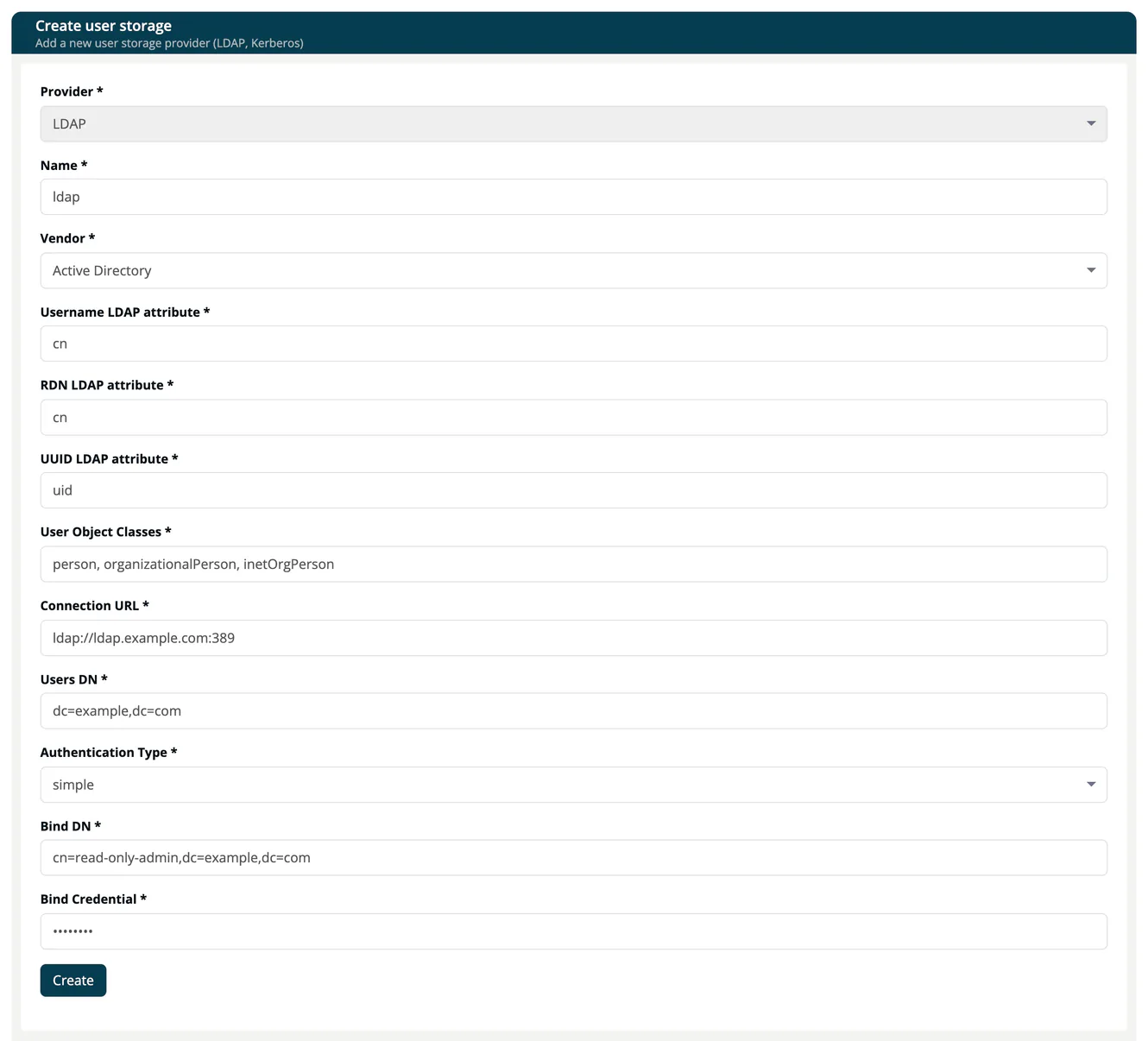
| Field | Description |
|---|---|
| Name* | A name for this connection. |
| Enabled, Priority | Switch the storage on and decide its order if you have several. |
| Import Users | Copy users from the directory into the identity store. |
| Edit Mode | READ_ONLY, WRITABLE or UNSYNCED. |
| Sync Registrations | Write newly registered users back to the directory. |
| Vendor* | Active Directory, Red Hat Directory Server, Tivoli, Novell eDirectory or Other. |
| Username LDAP attribute, RDN LDAP attribute, UUID LDAP attribute, User Object Classes | How users are identified in your directory. |
| Connection URL* | The address of your directory, for example ldaps://ldap.acme.example:636. |
| Users DN* | The place in the directory tree where your users live. |
| Authentication Type, Bind DN, Bind Credential* | The account used to read the directory. |
| Custom User LDAP Filter, Search Scope | Narrow down which entries count as users (One Level or Subtree). |
| Validate Password Policy, Use Truststore SPI | Password policy check and when to use the truststore (Always, Only for ldaps, Never). |
| Connection Pooling, Connection Timeout, Read Timeout, Pagination | Connection behavior. |
| Full Sync Period, Changed Users Sync Period | How often users are synchronized automatically. |
Select Create to save. The form checks the required fields. After saving, the edit page of the new storage opens; set the optional fields there.
Maintain a user storage
On the edit page:
- Update saves your changes.
- Synchronize changed users and Synchronize all users import users from the directory now.
- Remove imported deletes the users that were imported from this storage.
- Unlink users detaches the imported users from this storage; they stay in the identity store.
- Remove deletes the storage after a confirmation.