SOUP Lists
Note
Required role: compliance_manager, manager or account_admin (the Outbound menu). Creating a file also works for developer; editing, comments, versioning, freezing and binary links need compliance_manager or manager.
Required license feature: soup_report or medical. The menu entry is shown when your company has either of them; approvals create a SOUP file only with soup_report.
SOUP (Software of Unknown Provenance) files document the third-party software components of medical device software, as required by IEC 62304 and MDR/IVDR. Open Outbound → SOUP Lists; the page is titled SOUP files.
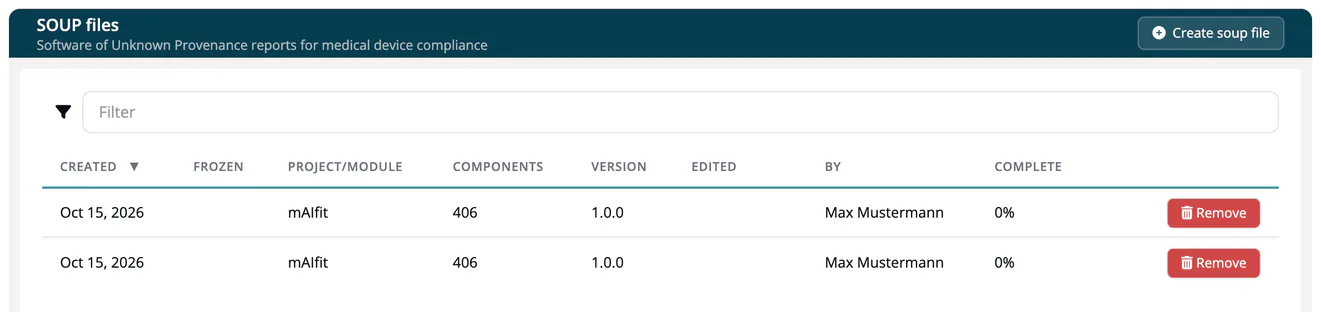
The SOUP files list
The list shows every SOUP file of your company, including the ones created by approvals, with the same columns as SBOM files: Created, Frozen, Project/Module, Components, Version, Edited, By, Complete and Remove.
To create one, click Create soup file, choose the Project or module (All module of ... for a whole project, or one module) and click Create soup file.
Work on a SOUP file
Click a row to open the file. Open a component (name and version; commercial components carry a COTS label) to document it:
- Description / purpose, Homepage, Repository, Issues, Release notes;
- Provider, Provider url, Provider address;
- License model (Seat based, Install based, Flat, Other), where the component needs it;
- Requirements concerning software and Requirements concerning hardware;
- for commercial components, the Commercial terms: Right to re-sell, Right to distribute, Right to host/operate as SaaS and Right to modify, each unlimited, limited or no.
Tick cleared when a component is complete. The TODOs Navigator counts components and remaining ToDos and shows the completion in percent. View component list / View users comments switches the right panel between the components and free comments; Add comment adds one.
Versions, freezing and download
- Version increments the version of the file; Freeze locks it after a confirmation.
- Binary links shows and, while the file is not frozen, edits the links to the shipped artifacts.
- PDF downloads the SOUP file.
Related
- MDR/IVDR Classification - medical device classification
- Approvals - SOUP files are created with an approval